
ChangeTextImage
AI Image Generators from Text Tools
Replace existing text inside any image with AI, keeping the original look and style without rebuilding the design.
- Pricing
- Free
- Category
- Image
- Listed
- Aug 15, 2026
- Updated
- Aug 15, 2026
Promoted
 Sidrune AI85% off. Stable Claude API for agent developers. Pay as you go. Invoices & refunds available.
 Pixmax.aiPixmax.ai is an all-in-one AI workspace for videos, visual stories, and marketing content.
 AI Checker PlusAI detector that highlights which passages AI wrote. Free check, no sign-up. Plagiarism too.
 RewindType any X/Twitter handle. Get their year back as a narrated video story. Then ask it anything.
 KurodyneSell the tools from your AI side projects. Listing is free.
 SEOify - Improve your SEO & rankingsBuild links to rank in Google. Improve your DR with links you can start building now.Advertise here270,000+ people visit Dang.ai every month.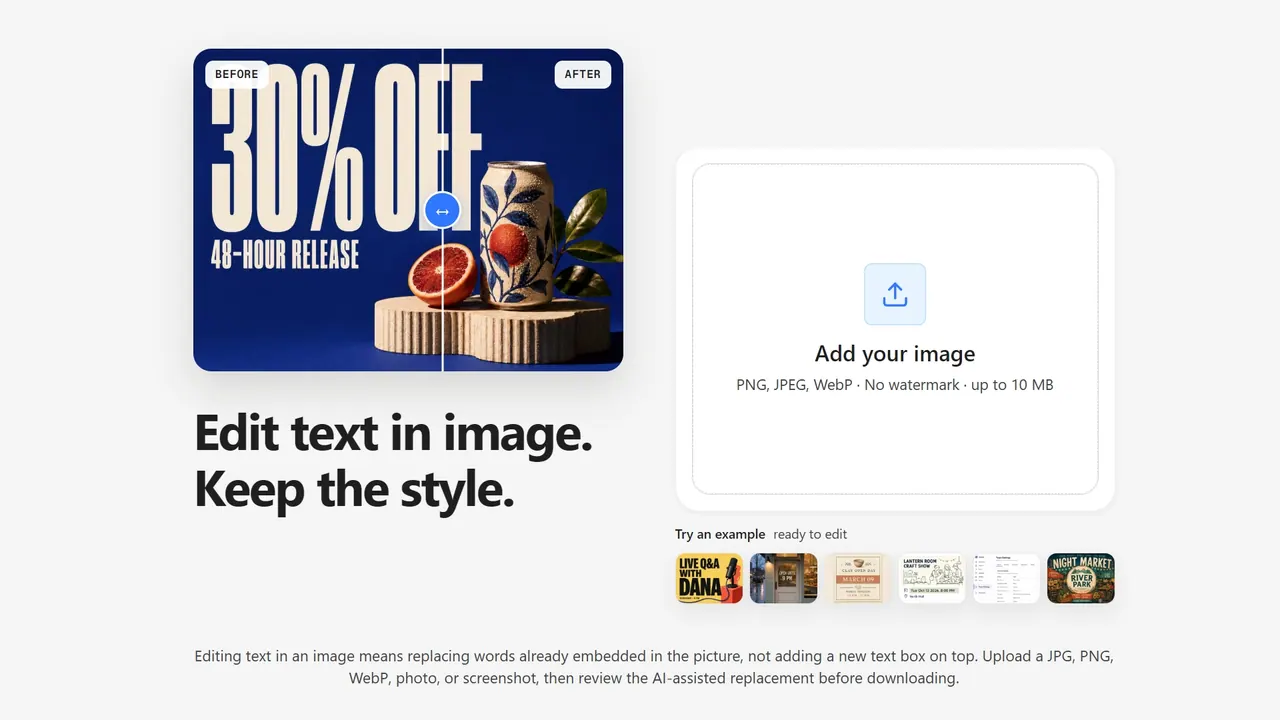
What does ChangeTextImage do?
ChangeTextImage edits text that’s already embedded in a picture—so you can replace words inside the image rather than placing a new text overlay on top.
Upload a JPG, PNG, or WebP (up to 10 MB), enter the visible text to change and the replacement, then review the AI-assisted result and download the preview or paid output. The goal is to repair the old text pixels and blend the new wording with the surrounding font style, lighting, and background details.
This is useful when you need last-minute fixes to finished creatives, such as correcting prices or offers on campaign images, updating poster dates when you don’t have the source file, or refreshing app screenshots after product copy changes. If you still have layered source files (like PSD/Figma/Canva), editing the real text layer is often cleaner—but when the asset is flattened or the source isn’t available, this workflow helps you make targeted, production-ready text updates.
How do you edit text in an image online?
Replace the existing visible words inside the image: upload your file, enter the current text and the replacement, then review the AI-assisted edit before downloading.
Can I edit already-existing text on an image (not just add an overlay)?
Yes. ChangeTextImage is built for replacing the words already embedded in the picture rather than adding a new text box on top.
Is editing text in an image the same as adding text to an image?
No. Adding text places new content on top; replacing text fixes the existing words inside the image itself.
Can I use ChangeTextImage for JPG, iPhone photos, or screenshots?
You can upload JPG/JPEG, PNG, and WebP files. Screenshots and photos work as long as they’re in one of those supported formats.
Do you keep the original style (font, colors, spacing) when replacing text?
The editor is designed to keep the look of the source image by blending the replacement into the surrounding font style, lighting, and background details.
What should I avoid editing?
Avoid using the tool when the goal is to add unrelated new design elements. It’s meant for targeted replacement of existing visible text; if you still have the layered source, editing the real text layer is usually cleaner.
This listing is claimed
Own ChangeTextImage? Sign in with the email used to claim it to manage this listing, or upgrade to Pro for featured-first placement and a newsletter feature.