
Cartoonize AI
AI Art Generator & Creator Tools
Cartoonize AI is a free online tool that turns your photos into stylized AI cartoons in many effects and aspect ratios.
- Pricing
- Free
- Category
- Art
- Listed
- Jul 25, 2026
- Updated
- Jul 31, 2026
Promoted
 Sidrune AI85% off. Stable Claude API for agent developers. Pay as you go. Invoices & refunds available.
 Pixmax.aiPixmax.ai is an all-in-one AI workspace for videos, visual stories, and marketing content.
 SEOify - Improve your SEO & rankingsBuild links to rank in Google. Improve your DR with links you can start building now.Advertise here270,000+ people visit Dang.ai every month.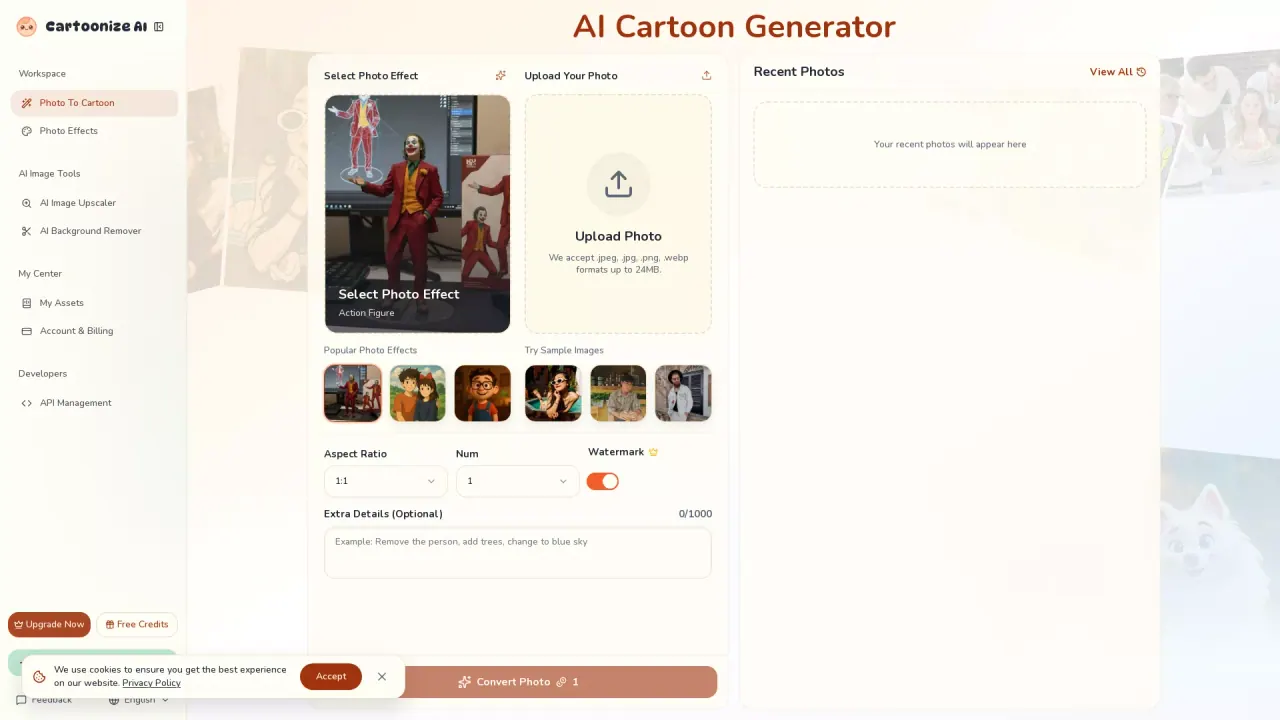
What does Cartoonize AI do?
Cartoonize AI (Photo to Cartoon) lets you upload a photo and instantly transform it into a cartoon-style image using AI. Choose from popular effects and artistic looks, then generate and download your results.
Use it for more than portraits—Cartoonize AI can stylize landscapes, selfies, and even pet photos, turning them into different animated or illustration-like styles. You can also adjust settings such as aspect ratio and output count to control how your results are produced.
For best outcomes, upload clear images with good lighting and resolution. Supported uploads are .jpeg, .jpg, .png, and .webp up to 24MB, and you can optionally describe the changes you want with a prompt to guide the transformation.
What can I convert with Cartoonize AI?
You can upload photos and generate cartoonized, stylized versions. It’s also designed for portraits/selfies, landscapes, and pet photos in different artistic looks.
What image formats and sizes are supported?
Cartoonize AI accepts .jpeg, .jpg, .png, and .webp files up to 24MB.
Can I choose the aspect ratio for the output?
Yes. Select an aspect ratio such as 1:1, 3:2, 2:3, 16:9, 9:16, 4:3, or 3:4 before generating your cartoon.
Can I control how the image is transformed?
Yes. You can optionally add a prompt describing the style and changes you want, and you can adjust settings like output count and transformation parameters.
How do I generate and download results?
Upload a photo, pick an effect (and optionally add a prompt and settings), then click Convert Photo/Generate. Your results appear for review so you can download the ones you want.
Is there a way to add details beyond the basic cartoon effect?
Yes. There’s an optional “Extra Details” field you can fill in to guide the transformation, along with selecting your effect and settings.
Is this your tool?
Claim Cartoonize AI to manage this listing, or upgrade to Pro for featured-first placement and a newsletter feature.