
BlockPoster.ai
Verified
AI Art Generator & Creator Tools
Turn one photo or AI artwork into a wall-sized block poster by cropping, splitting, previewing, and downloading a print-ready PDF.
Promoted
 KurodyneSell the tools from your AI side projects. Listing is free.
 Sidrune AI85% off. Stable Claude API for agent developers. Pay as you go. Invoices & refunds available.
 Pixmax.aiPixmax.ai is an all-in-one AI workspace for videos, visual stories, and marketing content.
 AI Checker PlusAI detector that highlights which passages AI wrote. Free check, no sign-up. Plagiarism too.
 RewindType any X/Twitter handle. Get their year back as a narrated video story. Then ask it anything.
 SEOify - Improve your SEO & rankingsBuild links to rank in Google. Improve your DR with links you can start building now.Advertise here330,000+ people visit Dang.ai every month.
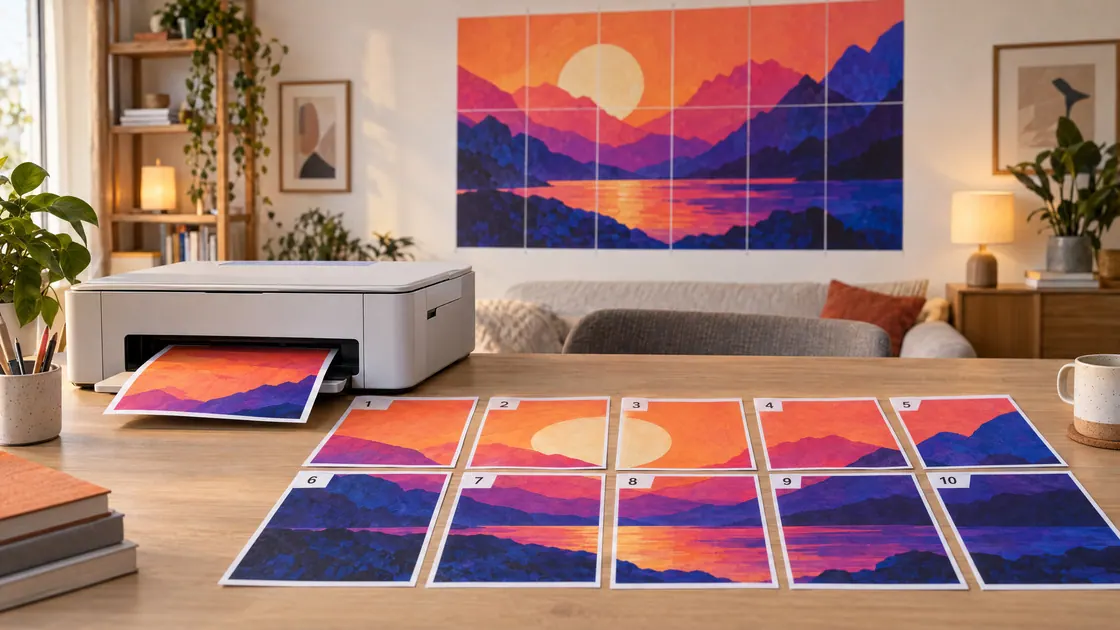
What does BlockPoster.ai do?
BlockPoster.ai is a free, browser-based tool that turns a single image into a large poster printed across multiple sheets. Upload a JPG, PNG, or WebP (or a PDF page), then crop and configure your layout before you ever print. You can also create original artwork with AI and use it directly in the poster workflow.
In the workspace, you choose paper size (A4, US Letter, A3, US Legal, Tabloid) and orientation, then set your poster size using width or number of pages across and vertically. Adjust margins and overlap so neighboring sheets repeat a little image detail for easier assembly. Use Fit to keep the whole image with extra white space, or Fill to crop edges without stretching. A live preview shows the page grid and how the design will be divided, including page/assembly guidance within the downloaded PDF.
When you’re ready, download a print-ready PDF containing individual poster tiles plus an assembly guide. Print each page at Actual Size or 100% (not “fit to page”), trim using the guides, and tape the sheets together for the final wall artwork. Free downloads include a brand watermark and are capped at 150 DPI; paid HD options provide watermark-free output and higher-resolution exports, along with expanded batch export.
BlockPoster.ai is designed for home printing and modern browsers, with photo processing kept local in the browser for the standard upload and PDF-splitting workflow.
What can I upload to make a block poster?
You can upload JPG, PNG, or WebP images (up to 40 MB each), or a PDF page to split. If you use “Create with AI,” you’ll generate original artwork to place into your poster.
How do Fit and Fill modes change the result?
Fit keeps your current crop and leaves extra white space if needed. Fill crops edges to fill the grid without stretching.
What does the downloaded PDF include?
The PDF includes an assembly guide as page 1, plus the numbered poster tiles that correspond to your page grid. Overlap and trim guidance are provided so you can align and assemble the sheets.
How should I print the PDF for correct sizing?
Print each sheet at Actual Size or 100% (avoid “Fit to page”). Print one test sheet first, then trim, align, and tape from the back.
Does BlockPoster.ai upload my photos to the cloud?
Ordinary photo and PDF page processing stays local in your browser for decoding, cropping, and splitting. “Create with AI” generation uses online generation and safety-check providers for the explicitly chosen references.
What’s included with the free plan?
Free block poster output is available without an account and includes a basic PDF capped at 150 DPI with a small brand watermark. Free access supports a single image export (with Free only providing the first file in a set).
This listing is claimed
Own BlockPoster.ai? Sign in with the email used to claim it to manage this listing, or upgrade to Pro for featured-first placement and a newsletter feature.