BankStatement-Wizard Bank Statement Converter AI
AI Image Generators from Text Tools
Convert PDF and statement images into structured Excel or CSV with AI-powered transaction table extraction.
- Pricing
- Free
- Category
- Image
- Listed
- Sep 1, 2026
- Updated
- Sep 2, 2026
Promoted
 Sidrune AI85% off. Stable Claude API for agent developers. Pay as you go. Invoices & refunds available.
 Pixmax.aiPixmax.ai is an all-in-one AI workspace for videos, visual stories, and marketing content.
 AI Checker PlusAI detector that highlights which passages AI wrote. Free check, no sign-up. Plagiarism too.
 RewindType any X/Twitter handle. Get their year back as a narrated video story. Then ask it anything.
 KurodyneSell the tools from your AI side projects. Listing is free.
 SEOify - Improve your SEO & rankingsBuild links to rank in Google. Improve your DR with links you can start building now.Advertise here270,000+ people visit Dang.ai every month.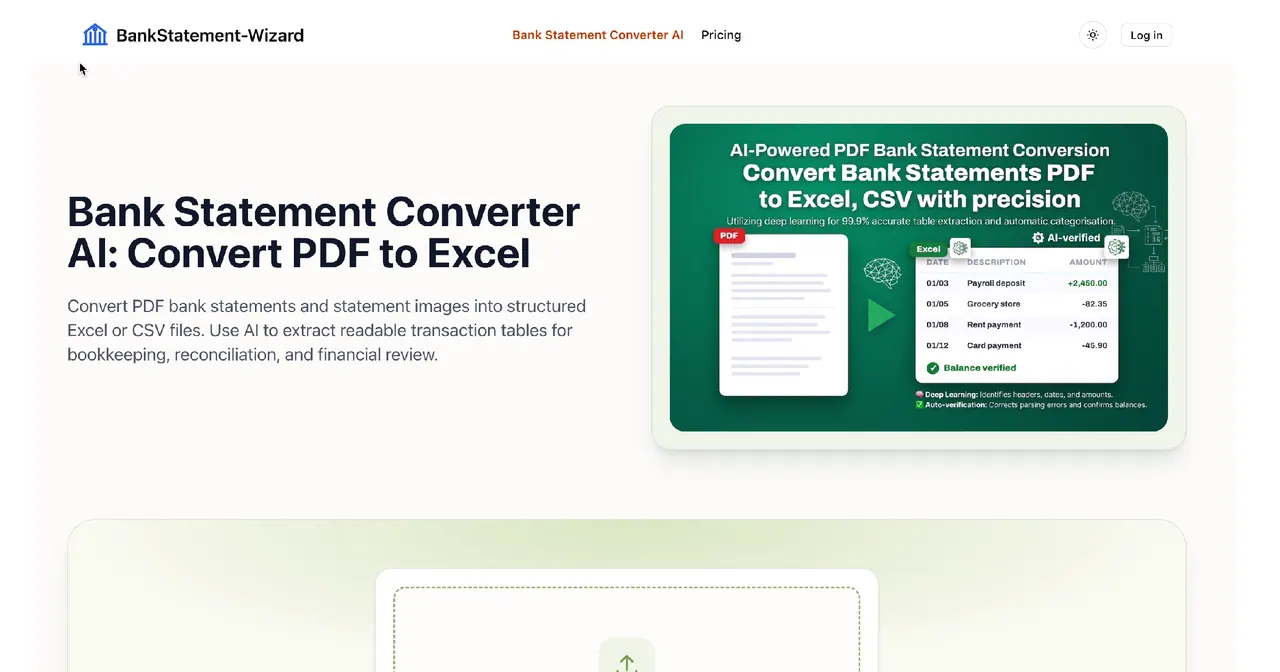
What does BankStatement-Wizard Bank Statement Converter AI do?
BankStatement-Wizard Bank Statement Converter AI turns PDF bank statements and statement images into structured spreadsheet files. Upload a document and use AI to extract visible transaction tables and organize their content into rows and cells for easier review.
The conversion is designed to capture key statement fields—such as transaction dates, descriptions, amounts, and balances—so you can get from document to data without manual retyping. Export the results as Excel or CSV to fit your bookkeeping, accounting, reconciliation, or financial analysis workflow.
A simple workflow keeps things practical: upload your PDF or clear image, let AI identify and structure the table content, then download the spreadsheet-ready output. You can then sort, filter, and validate the converted transactions as a cleaner starting point for your recurring financial tasks.
What types of files can I convert with Bank Statement Converter AI?
You can convert bank statement PDFs and statement images into structured spreadsheet exports when the statement tables are readable.
What output formats are available?
You can download the extracted transaction data as either Excel or CSV.
How does the AI table extraction work?
After you upload a readable PDF or image, AI identifies visible table content and organizes it into spreadsheet rows and cells.
Can I convert a scanned bank statement?
Yes—clear, high-resolution scans can work when the text and transaction tables are readable.
How can I improve extraction accuracy?
Use complete, high-resolution statements with clear text and visible table borders whenever possible.
Should I verify the converted spreadsheet before using it for financial records?
Yes. Review the exported spreadsheet against the original statement to ensure dates, descriptions, amounts, and balances match what you expect.
This listing is claimed
Own BankStatement-Wizard Bank Statement Converter AI? Sign in with the email used to claim it to manage this listing, or upgrade to Pro for featured-first placement and a newsletter feature.