Artly AI
AI Art Generator & Creator Tools
Artly AI helps you create, edit, and transform images with 15+ tools and 80+ art styles—start free and upgrade when you need more credits.
- Pricing
- Free trial
- Category
- Art
- Listed
- Oct 8, 2026
- Updated
- Oct 23, 2026
Promoted
 RewindType any X/Twitter handle. Get their year back as a narrated video story. Then ask it anything.
 KurodyneSell the tools from your AI side projects. Listing is free.
 Sidrune AI85% off. Stable Claude API for agent developers. Pay as you go. Invoices & refunds available.
 Pixmax.aiPixmax.ai is an all-in-one AI workspace for videos, visual stories, and marketing content.
 SEOify - Improve your SEO & rankingsBuild links to rank in Google. Improve your DR with links you can start building now.Advertise here270,000+ people visit Dang.ai every month.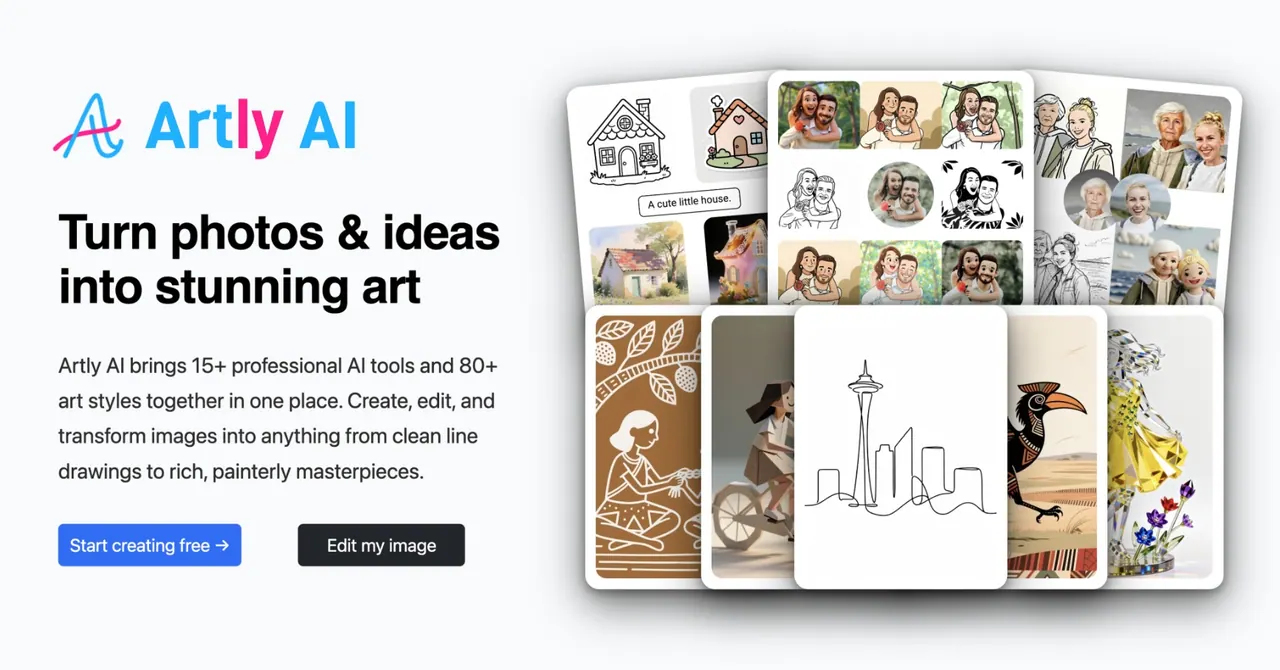
What does Artly AI do?
Artly AI is an all-in-one workspace for AI image creation and editing. Turn text prompts and your own photos into new artwork, then refine results with pro-grade editing tools—without needing design or image editing expertise.
Create from scratch with Text to Image, or transform existing photos using Photo to Art and 80+ premium art styles, including oil painting, watercolor, and sketch. Build personalized Character Art from reference photos, and compose multiple elements from different images into one cohesive, seamless scene.
For editing, Artly AI includes one-click Remove Background for a clean transparent foreground, Change Background to place your subject into a new setting, and Magic Eraser to remove unwanted objects or distractions and let AI fill in naturally. You can also insert or replace objects with Magic Fill, extend images with Magic Expand, and enhance output with Upscale to HD.
Design-friendly options include Vectorize to PDF/SVG for scalable files for printing, laser engraving, and design workflows, plus tools for style translation and scan restoration (Clean Up Scanned Image, Clarity Restore). Artly AI offers a Free plan and paid plans (Plus, Pro, Max) with monthly credits, private generations, and commercial license on higher tiers.
What can I do with Artly AI?
Create images from text prompts, transform your photos into 80+ art styles, generate character art from your reference photos, and compose multiple images into one scene—then edit the results with background, object, and enhancement tools.
How do I turn a photo into art?
Use Photo to Art to apply one of the 80+ premium styles to your uploaded photo, ranging from sketch and watercolor to painterly looks.
Can I remove or replace the background in my images?
Yes. Remove Background creates a clean transparent foreground, Change Background swaps in a new setting, and Magic Eraser removes unwanted objects or distractions while filling the background naturally.
Is there an editing option where I describe changes in words?
Yes—use Edit by Asking to edit a picture by describing what you want, then apply the result to your image.
What does “vectorize to PDF / SVG” mean?
It converts your image into crisp, scalable SVG or PDF, which can be useful for printing, laser engraving, and design workflows.
What plans are available, and what do they include?
You can start with a $0 forever free plan (with free credits and limited daily generations) and upgrade to Plus ($15/mo or $12/mo billed yearly), Pro ($25/mo or $20/mo billed yearly), or Max ($50/mo or $40/mo billed yearly). Higher tiers include more credits, private generations, and a commercial license on Pro and above.
This listing is claimed
Own Artly AI? Sign in with the email used to claim it to manage this listing, or upgrade to Pro for featured-first placement and a newsletter feature.