
APPLORE
AI Icon Generator Tools
APPLORE is a curated app icon library and AI icon generator with previews, exports, and AI-assisted app naming.
- Pricing
- Free
- Category
- Icons
- Listed
- Sep 30, 2026
- Updated
- Sep 30, 2026
Promoted
 Sidrune AI85% off. Stable Claude API for agent developers. Pay as you go. Invoices & refunds available.
 Pixmax.aiPixmax.ai is an all-in-one AI workspace for videos, visual stories, and marketing content.
 SEOify - Improve your SEO & rankingsBuild links to rank in Google. Improve your DR with links you can start building now.Advertise here270,000+ people visit Dang.ai every month.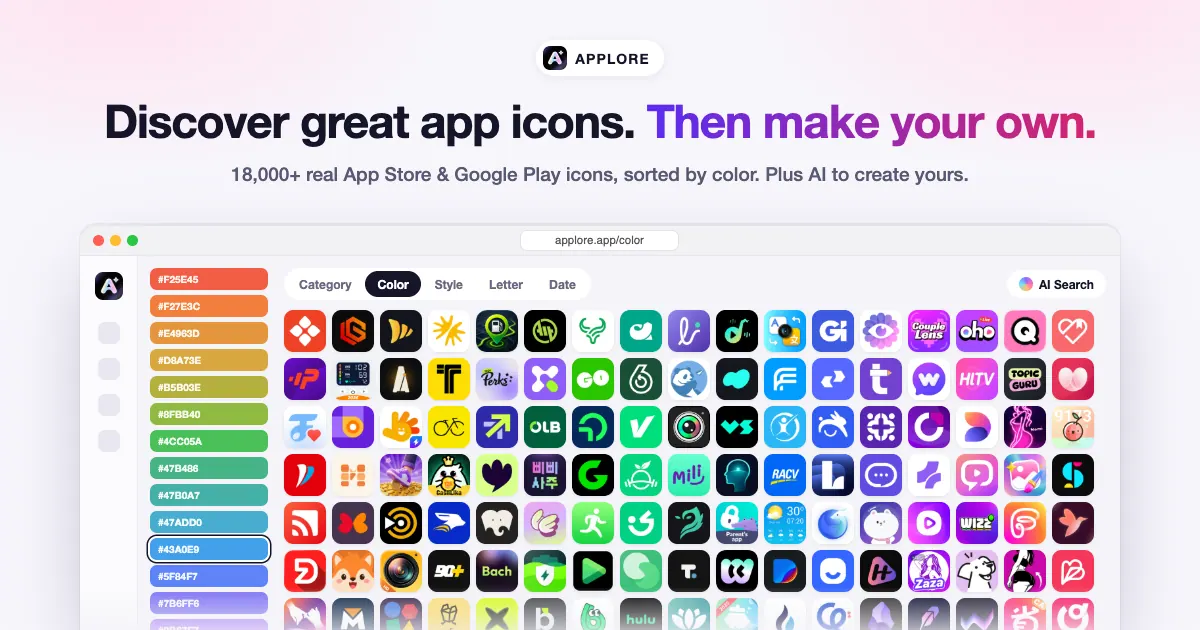
What does APPLORE do?
APPLORE combines an inspiration library of 18,400+ real app icons with AI tools to help you design icons that are ready for launch. Browse by color (including exact shade), style, category, letter, or date, or search using plain-language prompts to find close matches. Every icon redesign is archived, so you can see how a brand’s icon evolved over time.
When you’re ready to create, use AI to generate an icon by describing your app and choosing a reference icon or style. Refine iteratively until it fits, then preview your design on a real iPhone or Android home screen and in store-style views. You can compare multiple options side by side and check how your icon looks at small sizes and on the web.
Export your final icon assets as a full pack covering iOS, iPadOS, macOS, Android, and web sizes in a single ZIP, or get vector output as an AI-redrawn SVG (including full, symbol-only, and single-color versions). APPLORE also includes an AI app naming tool that suggests names and helps check for existing apps.
What is APPLORE?
APPLORE is an app icon inspiration library plus AI tools for generating, previewing, and exporting app icons, along with an AI app naming tool.
Can I browse real app icons before creating my own?
Yes. You can explore 18,400+ real App Store and Google Play icons and filter them by color, style, category, letter, or date, or use AI search to find matches from descriptions.
How do I generate an icon with AI?
Describe your app, optionally pick a reference icon or style, and generate an icon. You can then keep editing and previewing until the result matches what you want.
What previews does APPLORE offer?
You can preview your icon on an iPhone or Android home screen and in store-style views, then review it at small sizes and on the web.
What export formats are available?
You can export packed assets (iOS, iPadOS, macOS, Android, and web) in a single ZIP, and you can also export an AI-redrawn SVG in multiple variants (full logo, symbol-only, and single-color).
Does APPLORE include app naming help?
Yes. The AI naming tool suggests app names based on what your app does and checks for existing apps.
This listing is claimed
Own APPLORE? Sign in with the email used to claim it to manage this listing, or upgrade to Pro for featured-first placement and a newsletter feature.