
aiMakeVideo
AI Video Maker Generators & Tools
Turn text or images into cinematic clips in one studio, switching AI models per shot with director-level controls and credit estimates.
Promoted
 KurodyneSell the tools from your AI side projects. Listing is free.
 Sidrune AI85% off. Stable Claude API for agent developers. Pay as you go. Invoices & refunds available.
 Pixmax.aiPixmax.ai is an all-in-one AI workspace for videos, visual stories, and marketing content.
 AI Checker PlusAI detector that highlights which passages AI wrote. Free check, no sign-up. Plagiarism too.
 RewindType any X/Twitter handle. Get their year back as a narrated video story. Then ask it anything.
 SEOify - Improve your SEO & rankingsBuild links to rank in Google. Improve your DR with links you can start building now.Advertise here330,000+ people visit Dang.ai every month.
What does aiMakeVideo do?
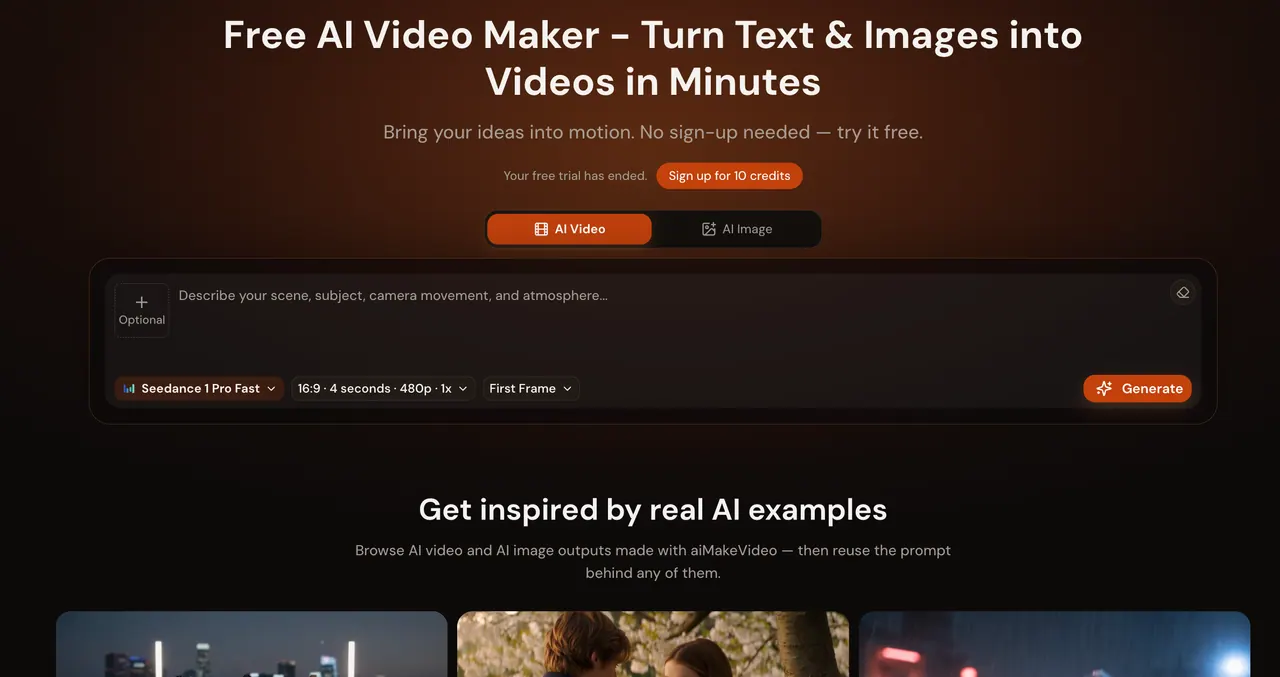
aiMakeVideo is a browser-based AI video maker that brings ideas into motion from a written brief or a reference image. Create AI videos with a single prompt-driven studio, and animate still images into clips without bouncing between separate tools.
The studio is built for multi-model generation. You can switch across supported video models (including Kling, Seedance, Veo, MiniMax H3, and more) and supported image models for stills. For each shot, director-level motion controls help you specify camera moves, timing, lighting, and output duration and aspect ratio—so you can keep prompts clean while fine-tuning how the result looks and moves.
aiMakeVideo also includes a “Recreate” workflow to reuse the prompt behind example outputs. Browse showcase clips for inspiration, then bring the prompt back into your workspace to iterate toward your preferred pacing, mood, or framing.
You can start free without signing up: generate 1 text-to-video clip (Seedance 1 Pro Fast, 480p, up to 4 seconds) and 2 images within 7 days. After signup, you receive up to 10 credits valid for 365 days (no credit card required). For more usage, you can buy one-time credit packs or choose monthly/yearly subscriptions, including options for commercial-use licensing on Standard, Pro, and Max plans.
Can I generate a video without signing in?
Yes—you can try your first video without an account. The free trial is limited (1 text-to-video clip and 2 images within 7 days), then you can sign up for free credits to continue.
What can I create in the same studio?
You can make both videos and images in one place: Text to Video and Image to Video for motion, plus Text to Image and Image to Image for still results.
How do multi-model controls work?
Pick the AI model for your generation per shot, instead of committing to one model up front. This makes it easier to match each shot to speed, fidelity, or cinematic motion needs.
Do I see credit estimates before I generate?
Yes—credit estimates are shown before you run generation, helping you gauge usage upfront. Higher resolution, longer clips, and premium models use more credits.
How long can my videos be, and what output quality is available?
Free trials are limited to short clips (up to 4 seconds) at 480p. With a plan or credit pack, you can generate up to 30 seconds and choose outputs from 720p up to 4K.
Can I use outputs commercially?
Commercial-use licensing is included on Standard, Pro, and Max plan tiers. Credit packs and free starts are for getting started, and the commercial license is tied to those plan levels.
This listing is claimed
Own aiMakeVideo? Sign in with the email used to claim it to manage this listing, or upgrade to Pro for featured-first placement and a newsletter feature.