
MuseAI
AI Video Search Tool
Next-gen AI Video Search Tool for enhanced sales, marketing, collaboration & education.
- Pricing
- Free trial
- Category
- Search
- Listed
- Jul 22, 2023
- Updated
- May 25, 2026
What does MuseAI do?
What is MuseAI/Skiv and what can it do for me?
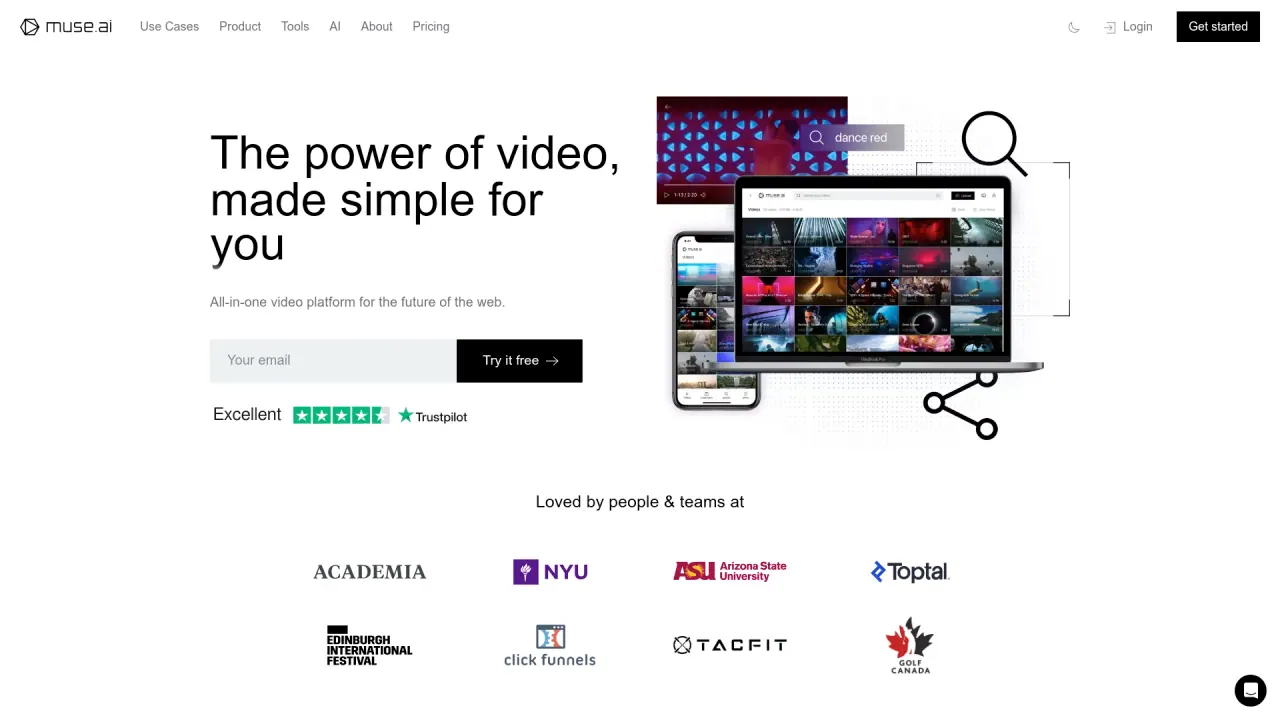
MuseAI (now Skiv) is a video management platform that covers hosting, playback, search, editing, and monetization. It provides a powerful HTML5 video player, scalable hosting, and AI-powered inside-video search (by speech, text, people, and more). Additional capabilities include auto-transcriptions, labeling, clip creation, browser-based screen and camera recording, and tools to monetize content via portals and ads. The platform also supports publishing to branded portals, podcast-friendly features, and developer API access.
Is MuseAI the same as Skiv? Where can I find pricing?
MuseAI is now Skiv. Pricing and detailed features are available at skiv.com. The site promotes “Pricing muse.ai is now Skiv (skiv.com)” and encourages trying the service for free.
How does Skiv's AI-powered video search work?
Skiv offers an AI-powered search that goes beyond simple keywords. You can search inside your videos for speech, text, people, and other moments, using intuitive queries to pinpoint exact moments quickly. It’s designed to deliver instant, accurate results and to help users discover related content within a video library.
Can I automatically transcribe my videos and search transcripts?
Yes. All videos can be automatically transcribed, and you can edit and download transcripts anytime. This enables searchable content and easier accessibility for your audience.
How can I monetize my content?
Skiv provides monetization options, including ads. You can also use Portals to launch a branded streaming service with its own subscriptions and tiers, all managed in one place.
Can I create a branded portal with subscriptions?
Yes. Portals let you launch a branded streaming service with distinct tiers and subscriptions, offering a cohesive, ad-free or controlled-view experience for your audience.
Can I embed the player on my website and customize its look?
Absolutely. The Embed feature makes it easy to place the player on your site with no coding. You can customize the player (logo, colors, and more) and benefit from features like interactive video search, automatic subtitles, multi-language support, and playback controls across devices. The player also supports AirPlay, Chromecast, and smart TVs for easy casting.
Can I record screen and camera from my browser?
Yes. You can record your screen and camera directly from your browser—no downloads or extensions required. Recordings are uploaded quickly for sharing and collaboration.
How do I clip videos into shorter segments?
Clip Videos lets you easily create short clips from longer videos and share them. This is useful for highlights, promos, or bite-sized educational content.
How can I organize and label my videos for quick search?
Label & Edit provides intuitive labeling to categorize videos and improve searchability. You can refine auto-transcribed content and add custom labels to fit your content needs.
Can I collaborate with my team and control access?
Yes. You can add seats for your team and collaborators, manage access with team permissions, and use security features like time-limited links to control sharing and access.
How secure is my data and what privacy controls are there?
Skiv emphasizes a privacy-first approach: no tracking or selling of personal information, and videos are private by default with control over what you share. Like all electronic systems, there are inherent risks in transmission and storage, so it’s important to use the platform with your own discretion regarding sensitive data.
Is 4K playback supported?
Yes. The platform supports 4K playback with adaptive bitrate streaming to ensure smooth viewing across connections.
What devices and platforms can I use Skiv on?
You can access your video library from anywhere and on any device. The embedded player supports viewing on various devices, and you can cast to AirPlay, Chromecast, and smart TVs for a broader viewing experience.
Do you offer an API for developers?
Yes. Skiv provides an API to programmatically interact with the technology, enabling custom integrations and workflows.
Is there a free trial or free plan?
Yes. You can try Skiv for free. The site presents “Try it free” and “Learn more,” indicating an accessible entry point without immediate paid commitments.
Do you provide transcripts for podcasts?
Yes. For Podcasts, Skiv offers auto-transcripts and search capabilities to help your audience dive deeper into podcast content.
What kinds of content and use cases does Skiv support?
Skiv supports multiple use cases including education (courses and e-learning), sales and marketing, events and conferences, and team collaboration. It provides tools like searchable transcripts, secure hosting, monetization options, and a flexible content management workflow to fit these scenarios.
Is this your tool?
Claim MuseAI to manage this listing, or upgrade to Pro for featured-first placement and a newsletter feature.