
Dance2AI
AI Video Generator
Generate directed AI videos with Seedance 2.0 on Dance2AI using text, images, reference clips, and audio for consistent motion.
Promoted
 Pixmax.aiPixmax.ai is an all-in-one AI workspace for videos, visual stories, and marketing content.
 Sidrune AI85% off. Stable Claude API for agent developers. Pay as you go. Invoices & refunds available.
 SEOify - Improve your SEO & rankingsBuild links to rank in Google. Improve your DR with links you can start building now.Advertise here270,000+ people visit Dang.ai every month.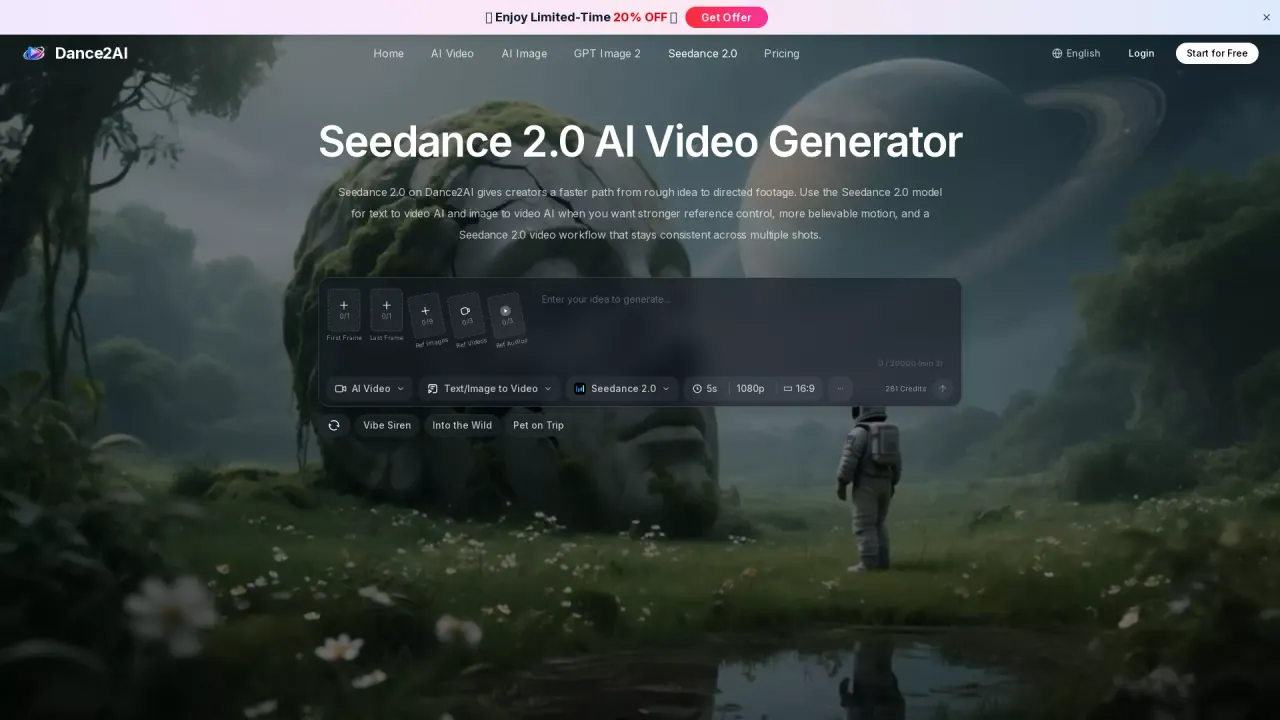
What does Dance2AI do?
Dance2AI’s Seedance 2.0 model helps you move from a rough idea to more directed video footage. It’s built for text-to-video and image-to-video workflows, especially when you want stronger reference control, more believable motion, and continuity that holds up across multiple shots.
With Seedance 2.0, you can guide the generation using multimodal inputs—prompts plus still images, reference videos, and audio cues. This makes it easier to follow a clearer visual plan, from camera travel and scene pacing to character or product styling. The workflow is also designed to be storyboard-friendly, so written beats and shot direction translate into clips with more intentional sequencing.
Creators and teams typically choose Seedance 2.0 when motion realism and shot-to-shot stability matter. You’ll often see better weight transfer, contact timing, and more grounded environmental response compared with generic one-off generators. It also supports style transfer with intent, letting you carry over framing, transitions, and camera energy from source material.
Use Seedance 2.0 on Dance2AI for launch assets, paid campaign visuals, social hooks, previs, look development, and reference-led shot design. You can also extend existing footage while aiming to preserve motion direction, lighting, and scene logic for a cleaner continuation pass. Start for free to test the workflow before deeper usage.
What can I generate with Seedance 2.0 on Dance2AI?
Seedance 2.0 supports text-to-video and image-to-video generation. You can also use multimodal references—images, reference videos, and audio cues—to guide the output.
How does Seedance 2.0 help with reference control beyond a simple prompt?
You can guide the model using prompts plus stills and motion references, so the output follows a clearer visual plan (e.g., perspective, camera travel, and scene pacing), not just the text description.
Does Seedance 2.0 improve shot-to-shot consistency for multi-shot sequences?
Yes—Seedance 2.0 is designed to keep subjects, styling, and scene logic more aligned across longer sequences, which helps when continuity matters for brand storytelling or product visuals.
Is Seedance 2.0 suitable for storyboard or script-driven workflows?
Yes. The workflow is designed to translate written beats and storyboard direction into clips with clearer sequencing and emotional pacing across scenes.
What is video extension, and why use it with Seedance 2.0?
Video extension continues footage while aiming to preserve motion direction, lighting, and scene logic. This can help the additional segment feel like a continuation of the same take instead of a restart.
Can I start using this tool for free?
Yes. Dance2AI offers a free start so you can test the workflow before committing to heavier usage.
This listing is claimed
Own Dance2AI? Sign in with the email used to claim it to manage this listing, or upgrade to Pro for featured-first placement and a newsletter feature.