
HappyHorseAIVideo
Verified
AI Video Content Generator
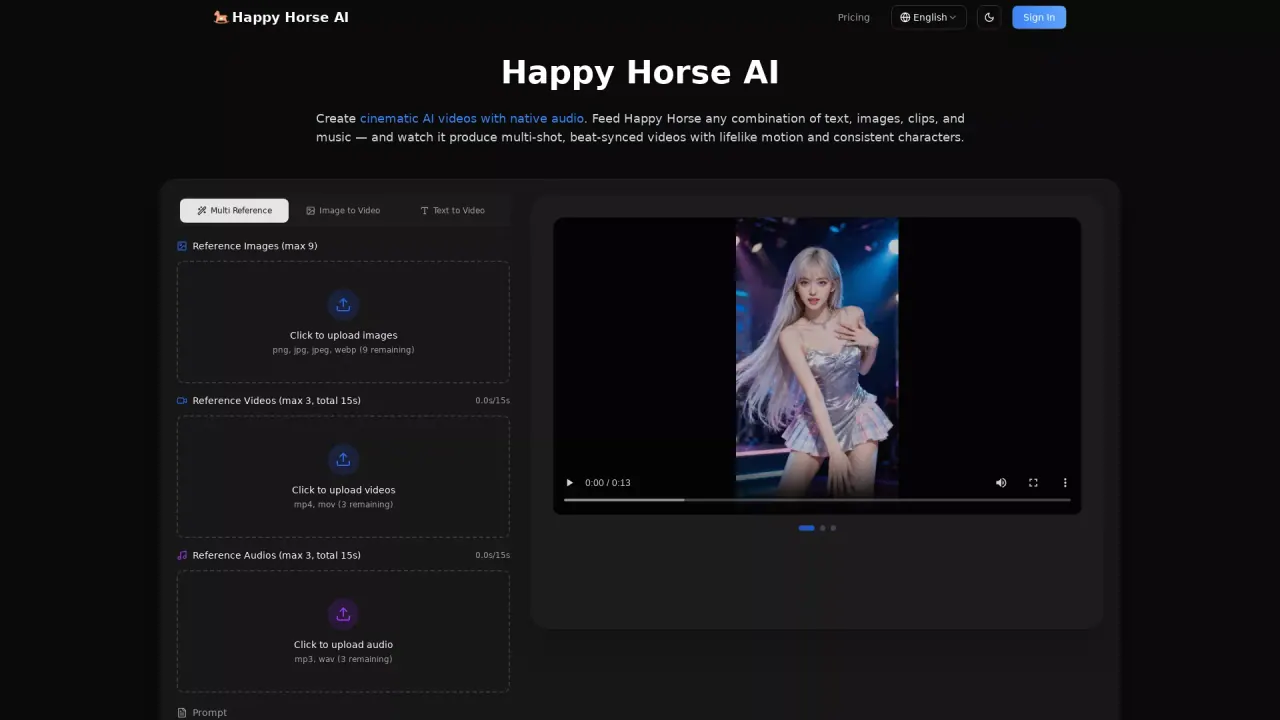
Happy Horse AI Video turns your text, images, clips, and audio into cinematic, multi-shot videos with native audio and consistent characters.
Promoted
 AI Checker PlusAI detector that highlights which passages AI wrote. Free check, no sign-up. Plagiarism too.
 RewindType any X/Twitter handle. Get their year back as a narrated video story. Then ask it anything.
 KurodyneSell the tools from your AI side projects. Listing is free.
 Sidrune AI85% off. Stable Claude API for agent developers. Pay as you go. Invoices & refunds available.
 Pixmax.aiPixmax.ai is an all-in-one AI workspace for videos, visual stories, and marketing content.
 SEOify - Improve your SEO & rankingsBuild links to rank in Google. Improve your DR with links you can start building now.Advertise here270,000+ people visit Dang.ai every month.
What does HappyHorseAIVideo do?
Happy Horse AI Video is a multimodal AI director for creating cinematic videos in a single generation pass. Feed it any combination of text, images, reference video clips, and audio, and it produces multi-shot sequences with lifelike motion, natural cut/transition choices, and consistent characters across frames.
Key features include a flexible reference pipeline (up to 9 reference images, up to 3 reference videos totaling 15 seconds, and up to 3 reference audio files totaling 15 seconds) so you can precisely guide framing, style, and timing. The platform focuses on realistic physics and motion—objects interact with weight and momentum, collisions feel impactful, and fast movement is kept sharp. It also supports solid consistency for faces, outfits, on-screen text, and scene aesthetics to reduce common drift and flicker between shots.
Cinematic camera control is built in: dolly zooms, rack focus, tracking shots, and handheld shake can be replicated using your reference clips. Happy Horse also generates native audio (sound effects, background music, and dialogue) alongside the video, synced with the action and beat timing, including accurate lip movements.
Happy Horse offers subscription plans and one-time credit packs. Annual billing saves 50% versus monthly, and all plans include access to core features plus options like standard/priority/fastest generation speed and customer support tiers. Credit packs are one-time purchases with credits that never expire.
What can I upload to create a video with Happy Horse AI Video?
You can use text prompts plus images, reference video clips, and audio files in the same generation. You can also tag uploaded assets in your prompt (for example, using @Image1 or similar tags).
Does Happy Horse generate audio or do I need to add sound later?
Happy Horse generates native audio alongside the video in the same pass, including sound effects, background music, and dialogue with accurate lip-sync. You can also upload your own audio to sync to specific beats or rhythms.
How does Happy Horse keep characters consistent across multi-shot videos?
It locks onto facial features, clothing details, on-screen text, and scene aesthetics across every frame. This is designed to prevent character drift, style flicker, and detail loss between shots.
What video quality settings are available (resolution, aspect ratio, duration)?
You can choose resolution up to 720p, select aspect ratios such as auto/16:9/9:16/4:3/3:4/21:9/1:1, and set a duration (listed as 5s in the interface).
Are generated videos watermark-free?
Yes. Downloads are clean, with no watermarks or branding overlays.
What plans and pricing options are available?
You can choose monthly or annual subscriptions (annual billing offers 50% savings) and also buy one-time credit packs. Subscriptions include core features plus different generation speed and support levels depending on the plan.
This listing is claimed
Own HappyHorseAIVideo? Sign in with the email used to claim it to manage this listing, or upgrade to Pro for featured-first placement and a newsletter feature.