
GoCrazyAI
Verified
AI Video Generation
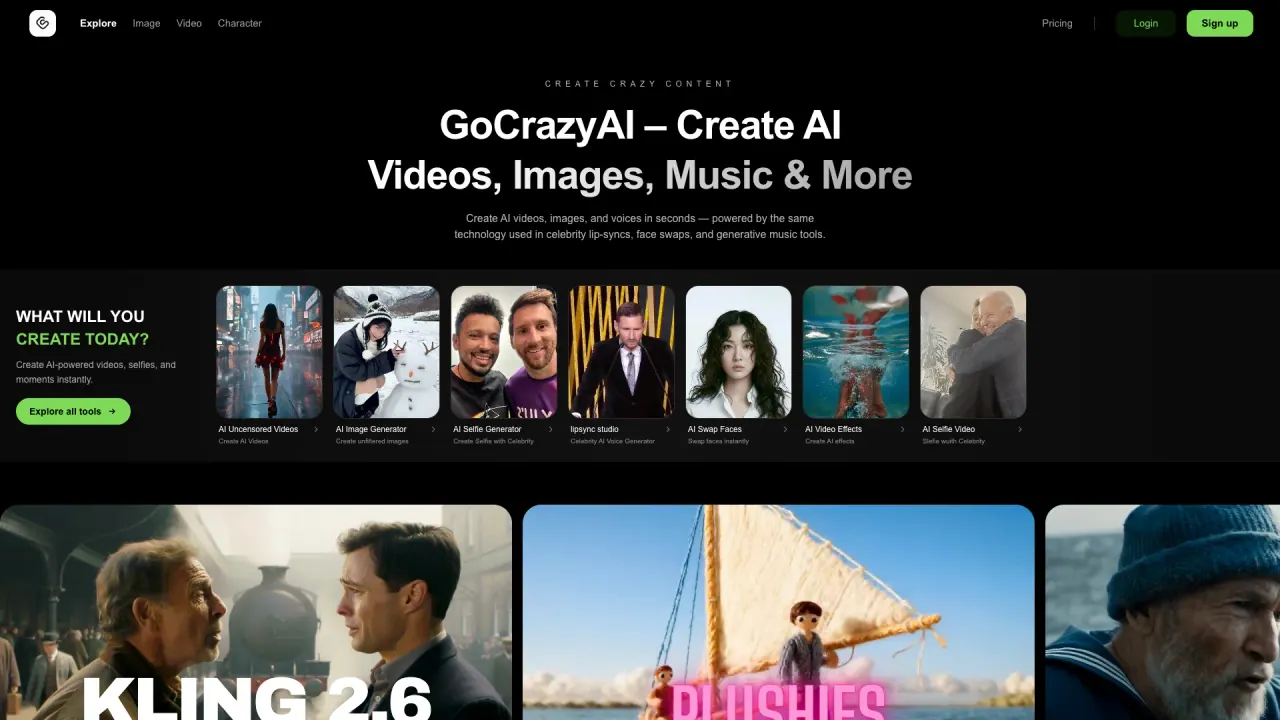
GoCrazyAI is an all-in-one AI studio for generating cinematic AI videos, images, voice tools, and AI music from prompts or photos.
Promoted
 Pixmax.aiPixmax.ai is an all-in-one AI workspace for videos, visual stories, and marketing content.
 AI Checker PlusAI detector that highlights which passages AI wrote. Free check, no sign-up. Plagiarism too.
 RewindType any X/Twitter handle. Get their year back as a narrated video story. Then ask it anything.
 KurodyneSell the tools from your AI side projects. Listing is free.
 Sidrune AI85% off. Stable Claude API for agent developers. Pay as you go. Invoices & refunds available.
 SEOify - Improve your SEO & rankingsBuild links to rank in Google. Improve your DR with links you can start building now.Advertise here270,000+ people visit Dang.ai every month.
What does GoCrazyAI do?
GoCrazyAI is an all-in-one creator app built to help you generate cinematic AI content—AI videos, images, AI music, and related creative assets—using prompts, photos, or both. You can turn a single photo or text prompt into finished media quickly, then export your results for sharing or production.
The platform is designed as a toolkit with specialized features across formats. For video, you can generate cinematic clips and apply 12+ cinematic effects (e.g., Earth Zoom, Disintegration, Wonderland). For images, you can create photorealistic results and perform edits and restyles, plus generate consistent character cards, anime PFPs, headshots, interiors, and more. There are also tools aimed at creative audio and voice workflows, including an AI music generator that can produce studio instrumentals, full songs with vocals, and sound effects from a one-line prompt, along with multi-voice options for podcasts.
GoCrazyAI is best for creators, marketers, artists, and experimental users who want an end-to-end studio experience to explore video and image generation, character creation, and music/voice ideation without stitching together separate tools.
Pricing is available through the platform’s subscriptions and credits system, including a plan feature labeled “Creator Program” and an indication of discounts (“Save 56%”). For credits pricing and plan details, review the pricing section inside the app.
What can I create with GoCrazyAI?
You can generate AI videos, AI images, AI music, and voice-related outputs such as AI podcast multi-voice workflows. Many tools accept either text prompts, photos, or both.
How do I turn a photo into an AI video?
Upload a photo, choose an AI video tool and cinematic template/effect, then generate and export the clip as an MP4 in up to 1080p. Generation typically renders in about 1–5 minutes.
Which AI video models are available for generating clips?
GoCrazyAI supports multiple video models you can select during generation, including Veo 3.1, Sora 2, Seedance 2, Kling 2.6, and WAN 2.7.
Can I generate AI music from a simple prompt?
Yes. Create music from a one-line sentence prompt, including studio instrumentals, full songs with vocals, and sound effects.
Is my content private on GoCrazyAI?
Your uploads and creations are kept private and are not used to train AI. You can delete anytime.
How does credits-based pricing work?
GoCrazyAI uses subscriptions and credits. Some sections also indicate discounts (e.g., “Save 56%”), and you’ll find the specific credit/plan pricing details in the pricing area and Creator Program.
This listing is claimed
Own GoCrazyAI? Sign in with the email used to claim it to manage this listing, or upgrade to Pro for featured-first placement and a newsletter feature.