
SeedVideo
Verified
AI Video Creation
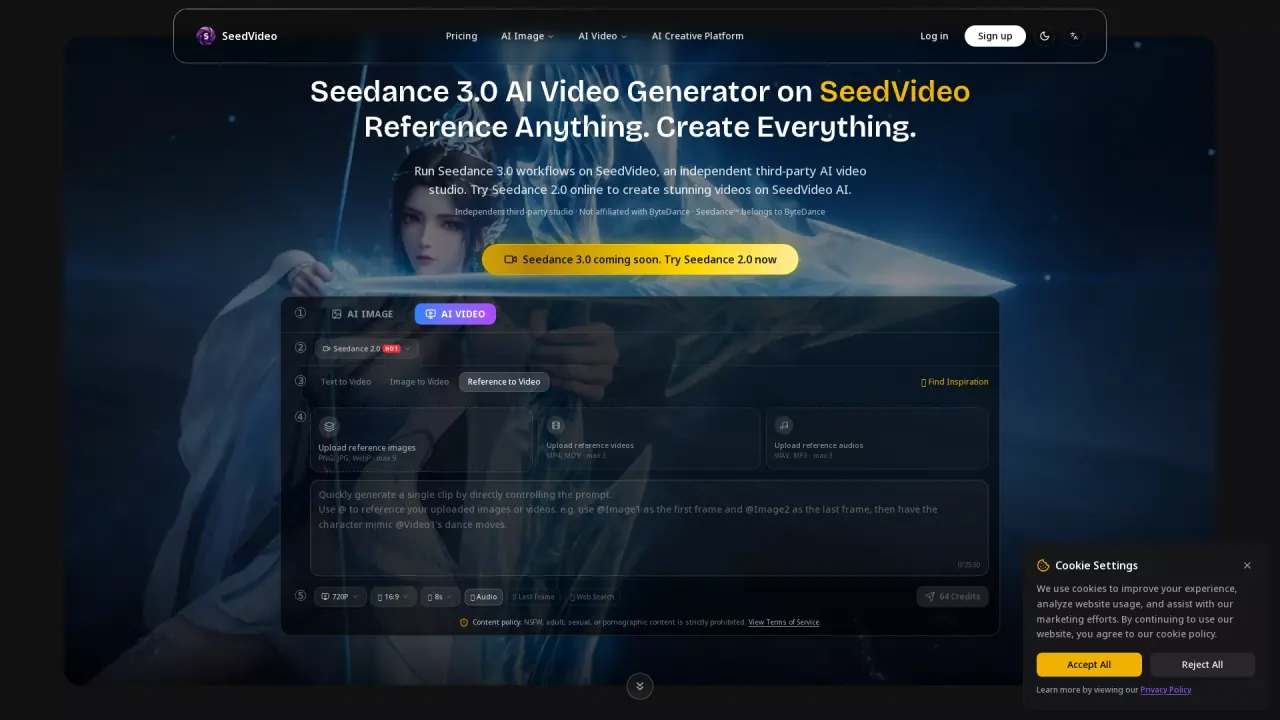
Run Seedance 3.0 on SeedVideo to generate, extend, and edit cinematic AI videos using text, image, video, and audio references.
Promoted
 AI Checker PlusAI detector that highlights which passages AI wrote. Free check, no sign-up. Plagiarism too.
 RewindType any X/Twitter handle. Get their year back as a narrated video story. Then ask it anything.
 KurodyneSell the tools from your AI side projects. Listing is free.
 Sidrune AI85% off. Stable Claude API for agent developers. Pay as you go. Invoices & refunds available.
 Pixmax.aiPixmax.ai is an all-in-one AI workspace for videos, visual stories, and marketing content.
 SEOify - Improve your SEO & rankingsBuild links to rank in Google. Improve your DR with links you can start building now.Advertise here270,000+ people visit Dang.ai every month.
What does SeedVideo do?
SeedVideo is an independent third-party studio for running Seedance 3.0, a multi-modal AI video model from ByteDance. It helps you turn prompts and reference media into cinematic AI videos, with controllable results based on the inputs you provide.
With Seedance 3.0 workflows in SeedVideo, you can combine multiple modalities—text prompts, reference images, video clips, and audio files. Use an image for character or style reference, a video clip to guide motion and camera movement, and audio to shape rhythm and timing. The generator supports a “reference everything” approach, so you can describe what each reference should guide using natural language.
Key capabilities include multi-modal input, stronger consistency across frames (for faces, clothing, text, and scenes), built-in audio generation for context-aware sound effects and background music, and precise motion/camera control driven by reference videos. You can also extend existing clips, merge segments, and edit specific parts while preserving continuity and visual style.
SeedVideo offers guided preview options and credit-based usage. You can start with a guided tour setup that previews a matched example for 0 credits, and you’ll see generator estimates and pricing details in the workflow before generating. Content rules prohibit NSFW/sexual/adult/pornographic content, with violations resulting in account termination without refund.
What is SeedVideo?
SeedVideo is an independent third-party studio that runs the Seedance 3.0 AI video workflow, helping you generate, extend, and edit cinematic AI videos using text, image, video, and audio references.
Which inputs can I use with Seedance 3.0 on SeedVideo?
You can use images, video clips, audio files, and text prompts. You can combine them in the same workflow—for example, an image for character reference, a video for camera movement, and audio for rhythm.
What can I reference to control the generated video?
You can reference motion, choreography, visual effects, camera movements, characters, scene composition, and audio rhythms. Describe what you want each reference to guide using natural-language prompts.
Does Seedance 3.0 help keep characters and style consistent?
Yes. It’s designed to maintain consistent faces, clothing, text, scenes, and visual styles throughout the video, reducing character drift and style inconsistencies between frames.
Can I extend or edit an existing video?
Yes. You can extend clips, merge multiple segments, and make targeted edits (such as replacing a character or changing an action) while preserving the rest of your content.
Is there pricing or credits for generations on SeedVideo?
SeedVideo uses credit-based usage in the generator, and you can try a guided tour preview for 0 credits. Exact generation costs can vary by settings—check the generator estimate before generating.
This listing is claimed
Own SeedVideo? Sign in with the email used to claim it to manage this listing, or upgrade to Pro for featured-first placement and a newsletter feature.