
Crreo.ai
AI Text to Videos Tool
Create long-form videos in minutes—from idea to publish. No editing skills required.
Promoted
 Sidrune AI85% off. Stable Claude API for agent developers. Pay as you go. Invoices & refunds available.
 Pixmax.aiPixmax.ai is an all-in-one AI workspace for videos, visual stories, and marketing content.
 RewindType any X/Twitter handle. Get their year back as a narrated video story. Then ask it anything.
 KurodyneSell the tools from your AI side projects. Listing is free.
 SEOify - Improve your SEO & rankingsBuild links to rank in Google. Improve your DR with links you can start building now.Advertise here270,000+ people visit Dang.ai every month.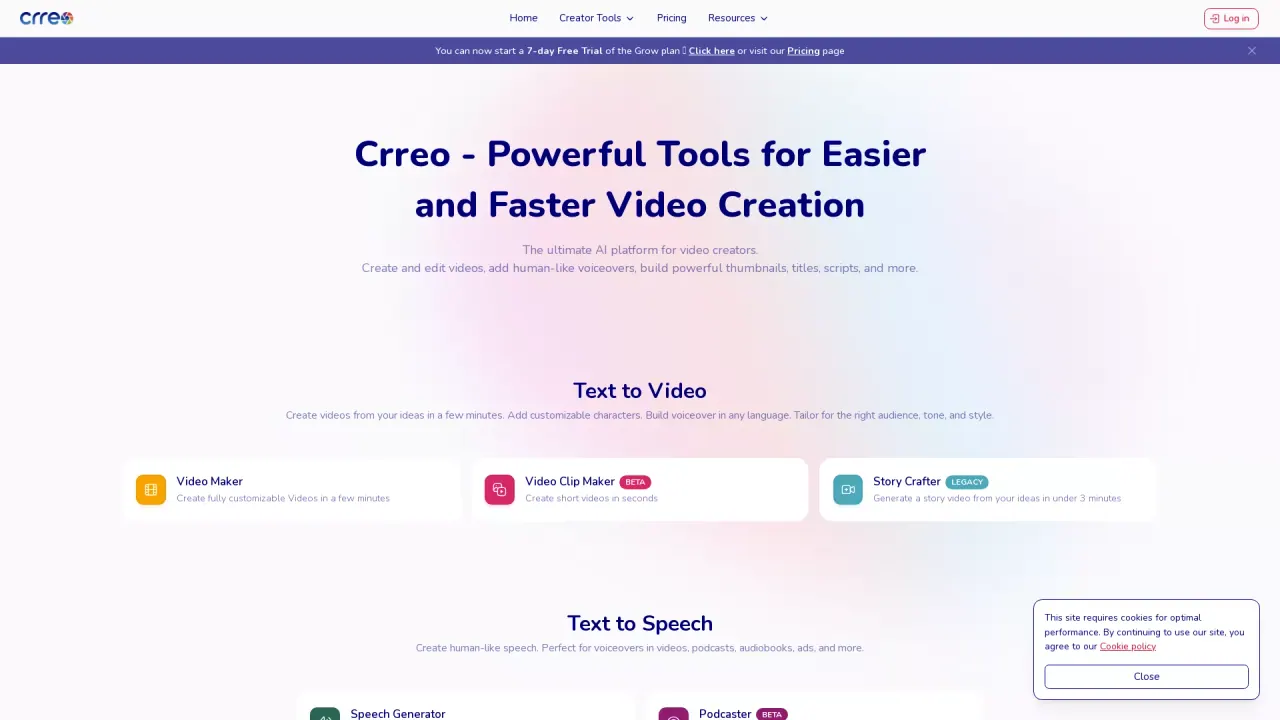
What does Crreo.ai do?
What is Crreo and what does it do?
Crreo is an AI video creation platform for long-form content. It automates script, visuals, and voiceover, helping you turn an idea into a finished video in minutes. You can create videos up to 15 minutes with a seamless workflow from idea to publish.
What types of videos can I make and what styles are available?
You can create educational, storytelling, or marketing videos. Styles include photo-realistic, cinematic, fantasy, cartoon, painting, and more. Crreo is optimized for YouTube, TikTok, Instagram, and LinkedIn with platform-specific formatting.
How long can Crreo videos be, and is longer content supported soon?
Create videos from 1 minute up to 15 minutes. 30-minute support is coming soon.
What’s included in the Free plan?
The Free plan includes 10 full videos (up to 1 minute each) and 20 motion clips (5 seconds each) per month, plus 20 minutes of multilingual AI voices, and access to core features with clear usage limits (no confusing credit systems).
Why should I upgrade, and what do the plans offer?
- Pro plan: Unlimited video creation with the most advanced model (Kine 2.2) and premium features across video, image, and voice.
- Grow plan: 7-day free trial; higher monthly allowances with access to standard models (Kine 1 & 1.1) and advanced features. Same powerful tools as Pro, just with monthly limits.
Do I need video editing skills to use Crreo?
No. Crreo is designed so anyone can create videos without technical knowledge. You customize your video with simple text commands, and editing in the timeline is straightforward.
What are the five steps to building a video in Crreo?
- Share your idea
- Create characters
- Arrange scenes
- Make it yours
- Share your video
Are all assets in Crreo AI-generated, and do I need to label content?
All voices, visuals, and characters displayed on or created through Crreo are AI-generated synthetic assets and are not associated with any real person. Please label content as “synthetic” or “AI-generated” when distributing it.
How does Text to Speech work and what can I use it for?
Text to Speech enables you to create human-like speech for voiceovers in videos, podcasts, audiobooks, ads, and more. It lets you add auditory depth to your projects without needing human narrators.
What support tools does Crreo offer to help me create content?
Crreo provides a Content Writer, a Topic Selector, a Title Generator, and an Audio-Video Transcriber to help transform ideas into content, find resonant topics, craft headlines, and generate transcripts or subtitles.
How can I get support or stay updated with Crreo?
Join our Discord community for direct team support, creator tips, early feature updates, and exclusive partnerships. You can also explore Crreo Roadmap and Latest Updates to track what’s coming.
Are multilingual voices available, and how does that work on the Free plan?
Yes. The Free plan includes 20 minutes of multilingual AI voices. Multilingual voice options are a built-in part of Crreo’s Text to Speech capabilities.
Are there usage limits I should know about?
Yes. The Free plan has monthly usage limits (videos, motion clips, and AI voice minutes). Paid plans increase these allowances and provide access to additional features.
Where can I find the latest product updates and roadmap?
You can check Crreo Roadmap and Latest Updates pages for current developments and upcoming features.
This listing is claimed
Own Crreo.ai? Sign in with the email used to claim it to manage this listing, or upgrade to Pro for featured-first placement and a newsletter feature.