DrawAnyone
AI Profile Picture Art Tool
Create customizable AI portraits from 5–10 photos of a person or pet, then guide the results with your own prompts.
- Pricing
- Freemium
- Category
- Profile picture
- Listed
- Apr 20, 2023
- Updated
- Oct 19, 2026
Promoted
 Pixmax.aiPixmax.ai is an all-in-one AI workspace for videos, visual stories, and marketing content.
 Sidrune AI85% off. Stable Claude API for agent developers. Pay as you go. Invoices & refunds available.
 SEOify - Improve your SEO & rankingsBuild links to rank in Google. Improve your DR with links you can start building now.Advertise here270,000+ people visit Dang.ai every month.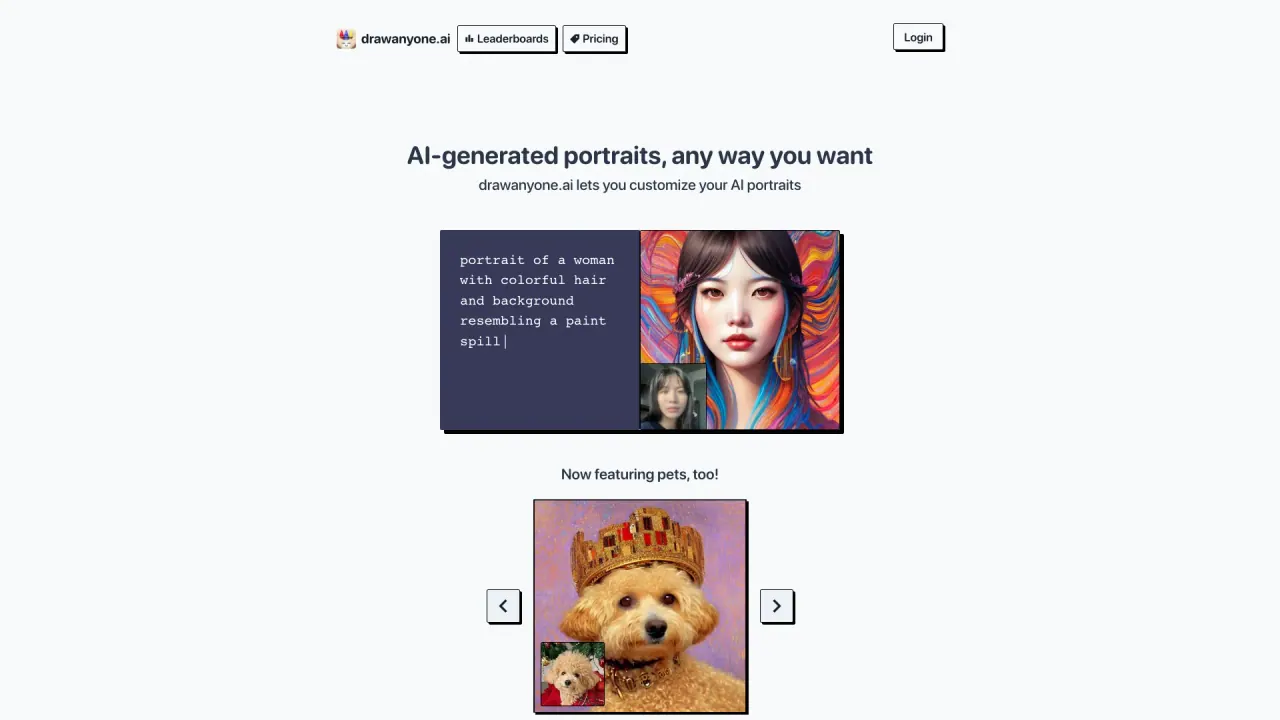
What does DrawAnyone do?
DrawAnyone lets you generate AI portraits that you can shape to match your vision. Start by uploading 5 to 10 photos of a person—or a pet—and then wait about an hour while your images are processed.
Once processing finishes, you can write your own custom prompts to guide how the portraits are generated. This helps you steer style, mood, and artistic direction so the results feel closer to what you had in mind.
DrawAnyone also includes a community showcase. Browse drawings shared by other users, and hover over a drawing to see the custom prompt each artist used—useful for getting inspiration and learning how different prompt approaches affect the output.
Pricing options are available on the DrawAnyone Pricing page, where the exact plans and prices are listed and may change over time.
How do I create portraits with DrawAnyone?
Upload 5 to 10 photos of the person (or pet) you want to portrait, wait about an hour for processing, and then write your own custom prompts to guide the generated drawings.
How long does it take for my photos to process?
Processing typically takes about an hour after you upload your photos.
Can I upload pet photos instead of people?
Yes. You can upload pet photos in the same way as people, and DrawAnyone will generate a customized portrait of your pet.
Can I customize the results with prompts?
Yes. After your photos are processed, you can write custom prompts to guide how the portraits are drawn.
Can I see what prompts other artists used?
Yes. In the community showcase, hover over a drawing to view the custom prompt used for that portrait.
Where can I find DrawAnyone pricing?
Pricing details are listed on the DrawAnyone Pricing page, including the specific options and prices.
Is this your tool?
Claim DrawAnyone to manage this listing, or upgrade to Pro for featured-first placement and a newsletter feature.