
insMind
Verified
AI Photo Editor
Easily create studio-quality product photos with AI generated backgrounds and customized designs.
Promoted
 Sidrune AI85% off. Stable Claude API for agent developers. Pay as you go. Invoices & refunds available.
 Pixmax.aiPixmax.ai is an all-in-one AI workspace for videos, visual stories, and marketing content.
 RewindType any X/Twitter handle. Get their year back as a narrated video story. Then ask it anything.
 KurodyneSell the tools from your AI side projects. Listing is free.
 SEOify - Improve your SEO & rankingsBuild links to rank in Google. Improve your DR with links you can start building now.Advertise here270,000+ people visit Dang.ai every month.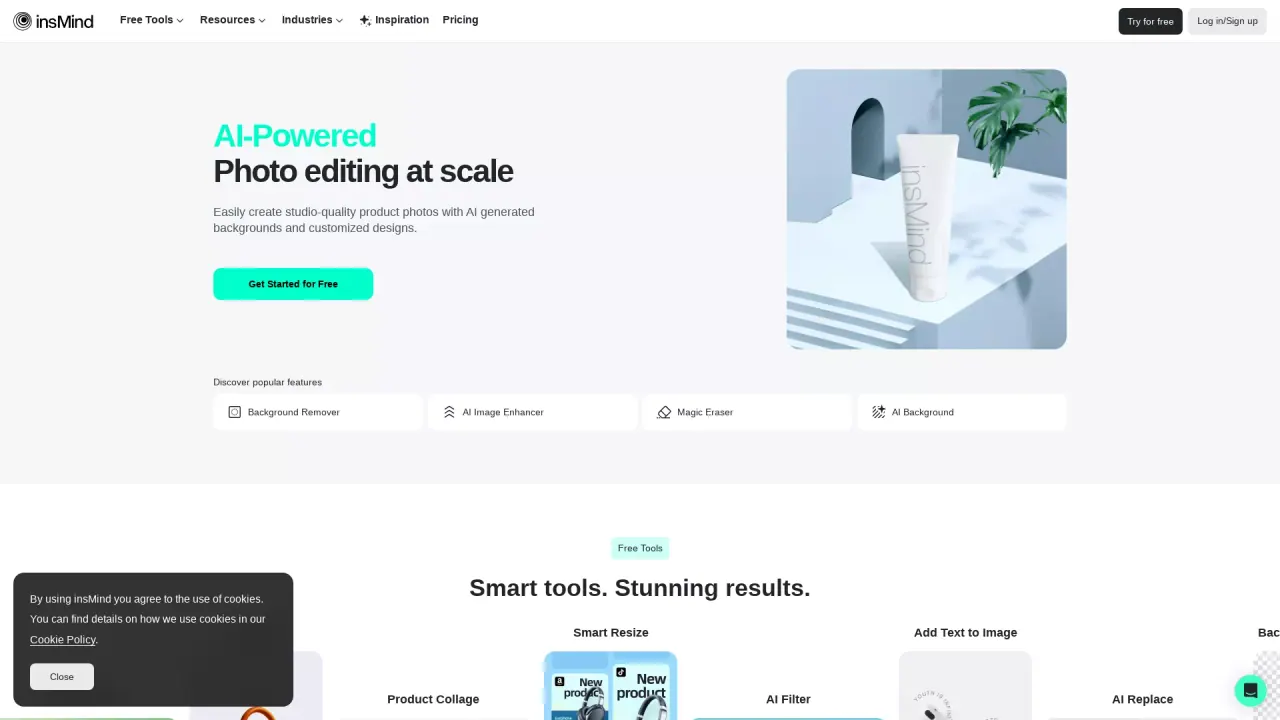
What does insMind do?
What can I do with insMind?
insMind is an all-in-one AI platform for image and video creation. You can generate new visuals, edit photos and videos, enhance quality, remove or replace backgrounds and objects, expand images, turn text or photos into videos, apply AI effects and templates, and more—all with AI-powered automation for fast, professional results.
Is insMind beginner-friendly?
Yes. The platform is designed for both beginners and professionals, with intuitive, one-click tools and automated workflows that make high-quality visuals easy without advanced design skills.
How do I get started with insMind?
Open insMind in your browser, choose the tool you need, and enter a prompt or upload your image. It’s built for quick, beginner-friendly use and fast results.
What AI image and video tools does insMind offer?
- AI Background Remover
- AI Image Enhancer
- AI Image Expander
- Photo to Video
- AI Magic Eraser
- AI Photo to Ghibli
- AI Replace
- AI Background
- Text to Video
- AI Headshot Generator
- AI Image Generator
- AI Image Editor
- Image Effects
- Batch Photo Editor
Plus 1000+ AI photo effects and visual templates across categories like Christmas, E-commerce, portrait, art styles, and more.
How does the AI Background Remover work?
It removes or changes backgrounds with one click using AI, enabling clean product photos or portrait edits quickly.
What is AI Image Enhancer?
AI Image Enhancer increases your photo’s resolution without quality loss, making details crisper.
What is AI Image Expander?
AI Image Expander uses outpainting to extend images and backgrounds beyond their original edges.
What is AI Magic Eraser?
AI Magic Eraser lets you erase unwanted objects from your photos cleanly and automatically.
What is AI Replace?
AI Replace lets you remove and replace existing objects in a single click.
What is AI Background?
AI Background generates high-definition AI backgrounds instantly to pair with your subjects.
What is Text to Video?
Text to Video turns any text prompt into high-quality videos in minutes.
What is Photo to Video?
Photo to Video creates cinematic videos from your photos using AI.
What is AI Headshot Generator?
AI Headshot Generator turns a selfie into a professional headshot in seconds.
What is AI Photo to Ghibli?
AI Photo to Ghibli transforms your photo into Studio Ghibli-style art with one click.
What is AI Image Generator?
AI Image Generator creates images from text prompts (and can be guided by a reference image) using AI.
Can I create videos from text or images?
Yes. You can create videos from text prompts (Text to Video) or from your existing photos (Photo to Video).
Are there ready-made templates and effects?
Yes. InsMind offers 1000+ AI photo effects and visual templates across various categories to accelerate creative workflows.
Does insMind support multiple industries or use cases?
Yes. InsMind provides AI visuals tailored for industries and use cases like E-commerce, Education, Architecture & Interior, Food Service, Insurance, Freelancing, and more.
Is there a free plan or trial?
Yes. You can Get Started for Free, with pricing details available on the Pricing page.
How do I contact customer support?
You can reach support via email at support@insmind.com, or by using the circular help/icon in the bottom corner of the screen. The site also highlights helpful Blogs for quick assistance.
Where can I access resources and support blogs?
Use the Resources section to access Blogs and other helpful content.
Is there a mobile app for insMind?
Yes. InsMind is available as a mobile app on the App Store and Google Play.
Where can I find policy information?
Policy details (Privacy Policy, Terms of Use, Refund Policy, Cookie Policy) are accessible from the site footer.
Can insMind be used across different industries and roles?
Yes. InsMind’s AI visuals are designed for E-commerce, Content Creation, Business, Graphic Design, and Personal use, among others.
What is Kling AI?
InsMind provides powerful AI models for video creation, including options like Kling AI to help produce short-form videos more efficiently.
This listing is claimed
Own insMind? Sign in with the email used to claim it to manage this listing, or upgrade to Pro for featured-first placement and a newsletter feature.