AudjustAI
AI Music Generation Software
Audjust AI is an audio editor and AI music generator that shortens songs, extends audio, finds seamless loops, or creates tracks from text.
Promoted
 Pixmax.aiPixmax.ai is an all-in-one AI workspace for videos, visual stories, and marketing content.
 RewindType any X/Twitter handle. Get their year back as a narrated video story. Then ask it anything.
 KurodyneSell the tools from your AI side projects. Listing is free.
 Sidrune AI85% off. Stable Claude API for agent developers. Pay as you go. Invoices & refunds available.
 SEOify - Improve your SEO & rankingsBuild links to rank in Google. Improve your DR with links you can start building now.Advertise here270,000+ people visit Dang.ai every month.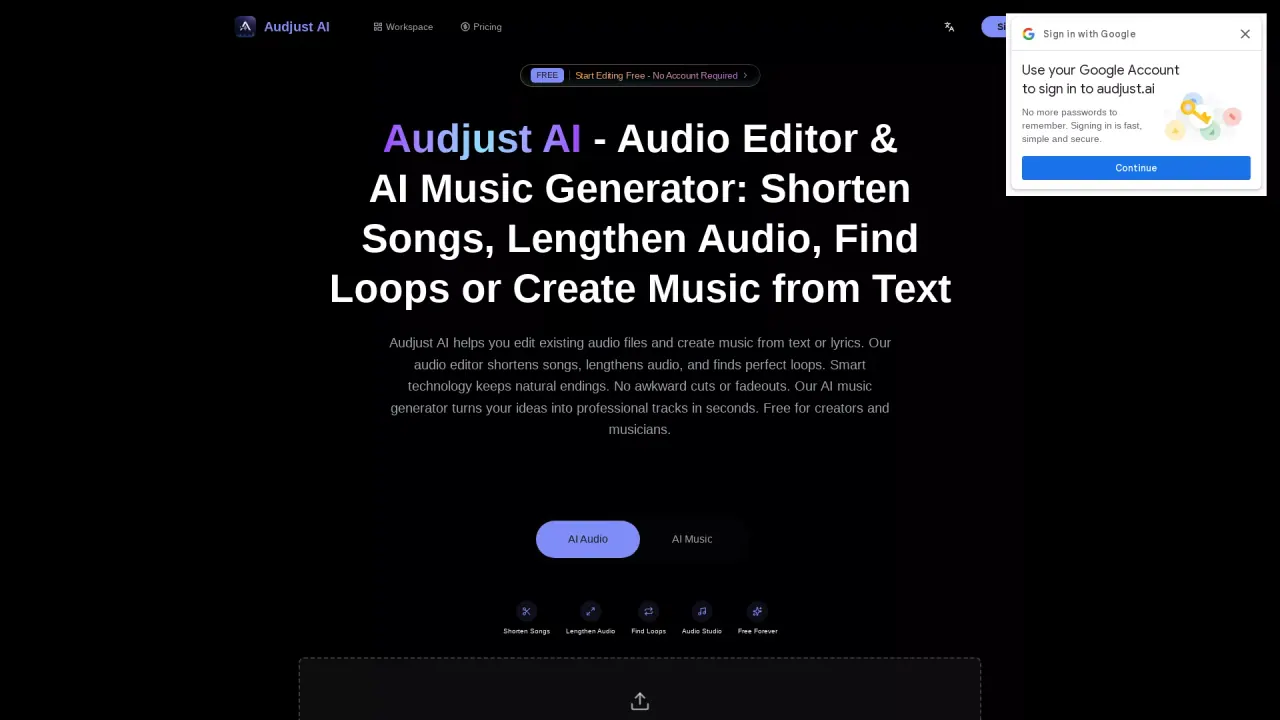
What does AudjustAI do?
Audjust AI helps you edit existing audio files and generate new music from text or lyrics. Use it to shorten songs for social and video timelines, lengthen background tracks for longer narration or content, and find seamless loop sections for repeat-ready use. The smart editing approach targets natural endings and avoids the “awkward cut” feel common in rough manual trimming.
Main features include AI-powered shortening and length control, loop detection that surfaces timing-friendly repeat segments, and fast music creation from your ideas—through lyrics, text prompts, or other inputs. You can start from a video timeline to make the music fit, or begin with an existing song and prepare the audio for visual release assets. The workflow is built to move from generation to editing so you can refine results in one place.
Audjust AI is for creators and small teams who need usable audio for TikTok, Instagram Reels, YouTube intros, podcasts, ads, and other professional audio projects—especially when you want structure-preserving edits rather than basic trimming. It’s also useful for producers looking for loop points quickly or for composers and writers who want production-ready drafts.
Pricing uses a Free tier with sign-in for analysis and paid plans with credits. Monthly plans listed are Lite ($10/mo billed yearly at $120), Pro ($25/mo billed yearly at $300), and Premium ($59/mo billed yearly at $708), with additional one-time credit bundles available. Paid plans include private creation, watermark-free exports, and commercial use for Audjust-generated original music; uploaded audio still requires you to have rights to use the source material.
What can I do with Audjust AI?
You can edit audio by shortening songs, lengthening audio, and finding seamless loop sections. You can also generate music from text or lyrics and then refine it in the same workflow.
How do I shorten a song for TikTok, Reels, or YouTube intros?
Upload your audio, choose the shorten mode, and set the target timing so the final version fits your cut. The editor is designed to preserve natural endings and musical structure rather than creating abrupt transitions.
Can Audjust AI lengthen existing background music?
Yes. Upload a track you already picked and use the lengthening/extend workflow to create a longer bed for narration, ads, courses, product demos, and social clips.
How does loop detection work in Audjust AI?
Upload your track and run loop analysis to get repeat-ready timing points. This helps you replace long sections with clean, seamless loops for sampling, remixes, and background use.
What audio file formats are supported?
Audjust AI supports MP3, WAV, M4A, AAC, OGG, and FLAC, with a max file size of 50MB.
Is Audjust AI music safe for commercial use?
Paid plans include commercial use for Audjust-generated original music. If you upload third-party audio, you’re responsible for having rights to use the source material, since the editor focuses on timing and editing.
This listing is claimed
Own AudjustAI? Sign in with the email used to claim it to manage this listing, or upgrade to Pro for featured-first placement and a newsletter feature.