Vibe Musicing AI
AI Music Generator
Vibe Musicing: Create custom AI-generated music, beats, and lyrics effortlessly in various styles for free!
Promoted
 Sidrune AI85% off. Stable Claude API for agent developers. Pay as you go. Invoices & refunds available.
 Pixmax.aiPixmax.ai is an all-in-one AI workspace for videos, visual stories, and marketing content.
 SEOify - Improve your SEO & rankingsBuild links to rank in Google. Improve your DR with links you can start building now.Advertise here270,000+ people visit Dang.ai every month.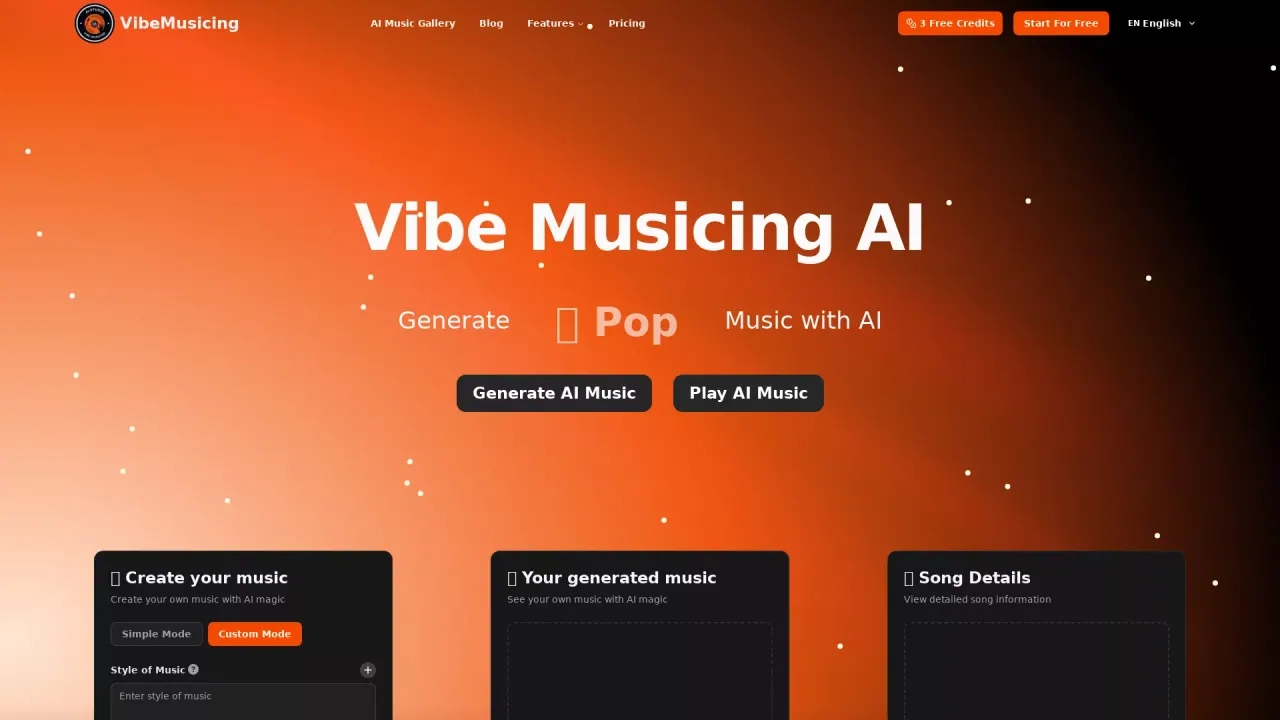
What does Vibe Musicing AI do?
What is AI Song Maker?
AI Song Maker is Vibe Musicing AI’s core music-creation tool that lets you generate full tracks instantly using AI. You start by selecting a starting point (Text to Song, Lyrics to Song, or instrumental), then pick a style and generate a complete track you can download or share. It’s part of a broader set of features that include lyric- and beat-generation tools to help you craft songs end-to-end.
Do I need music experience to use AI Song Maker?
No. AI Song Maker is designed for users with or without music experience, offering a straightforward, step-by-step approach to create tracks quickly.
Is there a free option, and what can I try with it?
Yes, there is a free version to get you started. You can experiment with starting points, test different tempos, voice styles, and moods, and instantly generate a full track that you can download or share.
Can I use generated music commercially?
Yes. The platform emphasizes commercial use, with the intention that songs created with AI Song Maker can be used in YouTube, TikTok, advertisements, gaming content, podcasts, and other projects.
What starting points can I use to create a song?
You can begin with Text to Song, Lyrics to Song, or instrumental only. Each starting point provides a flexible path to generate your track.
How can I customize my track (style, tempo, mood, and more)?
You can:
- Pick your style from available options (including rap, rock, R&B, EDM, trance, lo-fi, and more).
- Adjust tempo, voice styles, and mood to tailor the sound.
- Use lyric-generation tools to craft or refine lyrics and rap lines as part of the workflow.
What lyrics and beat tools are available?
The platform offers lyric-generation capabilities, including lyric and rap-lyrics generation, plus beat creation tools such as AI Beat Maker. There are also rap-specific generators to help shape flow and rhythm.
How fast does the generator create a track?
The generator creates a full track almost instantly after you click create, delivering a ready-to-download file you can use right away.
Where can I save or share my generated music?
You can download the finished song for use in your projects, share it with friends, or publish it to social media and other platforms for your content or business needs.
What genres or styles are supported?
The system supports popular genres such as rap, rock, R&B, EDM, trance, and lo-fi, with options to customize style and mood to fit your vision.
Does AI Song Maker work on mobile devices?
The site does not specify mobile-device compatibility in the available content.
What languages does vibemusicing support?
The platform supports multiple languages in its interface, including English, 中文, 日本語, Deutsch, Português, 한국어, Français, and Español.
Who benefits from AI Song Maker?
No music skills are required, making it suitable for content creators, businesses, or anyone just starting out who wants to create high-quality AI-generated music quickly.
Why should I choose AI Song Maker over traditional software?
Reasons include no required musical background, faster production, and commercially friendly rights for generated tracks, enabling easy monetization and reuse across various platforms.
How do I get started with AI Song Maker Free?
- Step 1: Choose your starting point (Text to Song, Lyrics to Song, or instrumental).
- Step 2: Pick your style and adjust options like tempo, voice styles, and mood.
- Step 3: Click generate to produce a full track, then download, share, or use it in your projects.
This listing is claimed
Own Vibe Musicing AI? Sign in with the email used to claim it to manage this listing, or upgrade to Pro for featured-first placement and a newsletter feature.