
MusicCreator AI
Verified
AI Music Generator
Free AI Music Generator | Royalty-Free - MusicCreator AI
Promoted
 Sidrune AI85% off. Stable Claude API for agent developers. Pay as you go. Invoices & refunds available.
 Pixmax.aiPixmax.ai is an all-in-one AI workspace for videos, visual stories, and marketing content.
 SEOify - Improve your SEO & rankingsBuild links to rank in Google. Improve your DR with links you can start building now.Advertise here270,000+ people visit Dang.ai every month.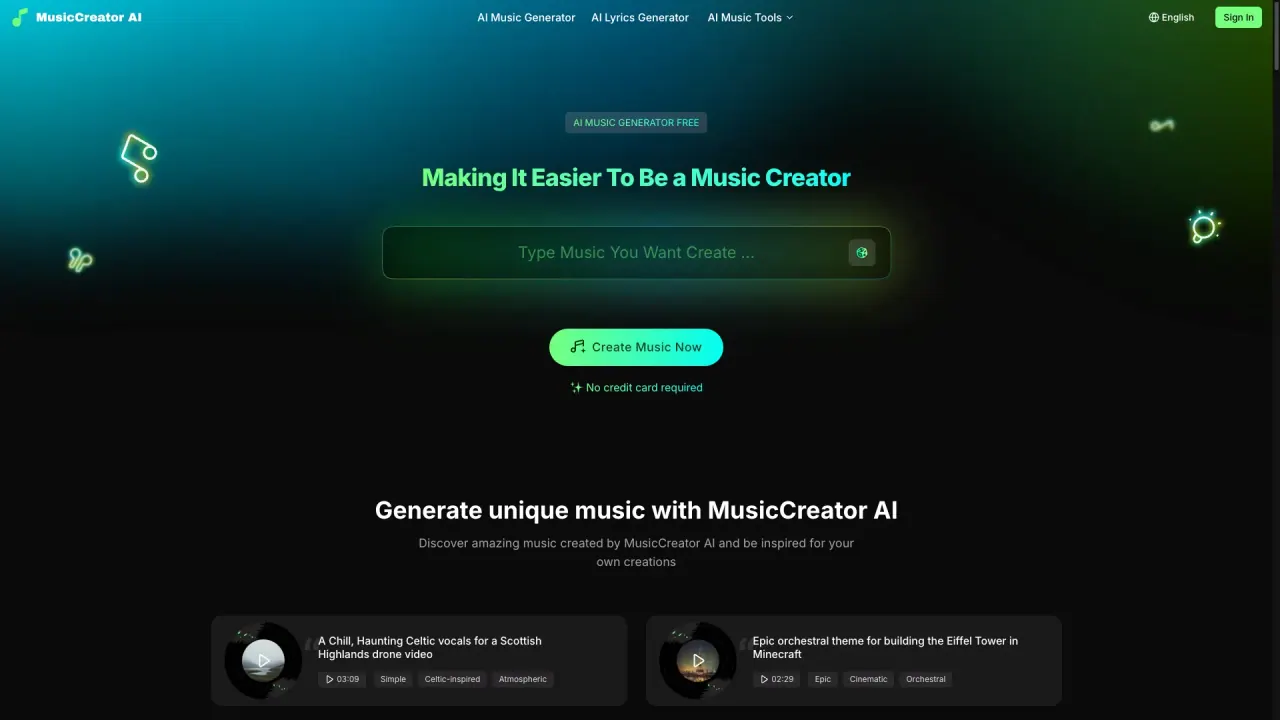
What does MusicCreator AI do?
How can MusicCreator AI help you create professional-quality music quickly and easily?
MusicCreator AI brings together multiple AI-powered tools to help you create original music fast, even if you don’t have formal music training. You can start from a written idea, lyrics, or an uploaded image, and the AI composes melodies, rhythm, and mood. Generate production-ready tracks in seconds, then use editing options to customize, export, and share. All generated music is royalty-free for your uses.
Who can benefit from MusicCreator AI?
MusicCreator AI is built for a wide range of creators:
- YouTubers needing copyright-free background music
- Podcasters creating intros, outros, and transitions
- Filmmakers scoring scenes
- Advertisers and brands building sonic branding or jingles
- Music composers seeking inspiration and workflow boosts
Do I own the rights to the music I generate, and can I use it commercially?
Yes. You get total ownership of everything you generate, and all tracks are 100% royalty-free forever. You can use them in videos, podcasts, games, ads, or commercial releases without extra fees.
What core AI music generation tools are available on MusicCreator AI?
- AI Music Generator
- AI Lyrics Generator
- Text to Music
- Lyrics to Music
- AI Vocal Remover
- AI Stem Splitter
- AI MIDI Editor
- AI Audio to MIDI
- AI Instrumental Generator
- AI Song Cover Generator
- AI Text to Music Generator
- AI Rap Generator
- AI Photo To Music Generator
- AI MIDI Generator
- Key & BPM Finder
- BPM Tapper
- Lofi Converter
- Happy Birthday Song Generator
- Karaoke Maker
- Slowed + Reverb Generator
- Chord Progression Generator
- Acapella Extractor
- Game Music Maker
- AI Background Music Generator
- AI Chord Generator
- 8-Bit Music Generator
…and more
How do I start making AI music with MusicCreator AI?
Three steps:
- Write, Upload, or Choose Your Idea
Start from a short text, your lyrics, an uploaded image, or another prompt.
- Let AI Compose Your Music
The AI generates melodies, rhythm, and mood that match your idea.
- Listen, Edit, and Share
Preview the track, edit as needed, and download or share your finished song.
Can I customize and edit the music after it’s generated?
Yes. After generation you can use the built-in editor to refine your track. You can:
- Separate tracks
- Remove vocals
- Turn the music into MIDI notes
- Adjust arrangements and tempo as needed
Can I remove vocals or split stems from a track?
Yes. Use AI Vocal Remover to remove vocals and AI Stem Splitter to split tracks into stems.
Can I find the key and tempo or convert audio to MIDI?
Yes. Use Key & BPM Finder to identify the musical key and tempo, BPM Tapper to track BPM, and AI Audio to MIDI to convert audio into MIDI data.
Is there a free way to try MusicCreator AI?
Yes. You can start for free, with free trial opportunities for registered users. The platform offers a no-cost entry point to explore both the AI Music Generator and AI Lyrics Generator capabilities.
What are the main features for lyric and text-to-music creation?
- Text to Music: turn written thoughts into music that matches your genre, mood, and vibe
- Lyrics to Music: input lyrics and have the AI generate melodies and arrangements around them
- AI Lyrics Generator: create original lyrics to pair with your music
Are there other production-related features available (like mastering, MIDI editing, etc.)?
Yes. In addition to generation, MusicCreator AI includes:
- AI Music Mastering to polish tracks
- AI MIDI Editor to adjust melodies and create new MIDI data
- Lofi Converter for retro styling
- Various tools for editing, arranging, and exporting production-ready tracks
- Additional specialized generators such as Karaoke Maker, Chord Progression Generator, and more
This listing is claimed
Own MusicCreator AI? Sign in with the email used to claim it to manage this listing, or upgrade to Pro for featured-first placement and a newsletter feature.