
Supermeme
AI Meme Generator
Turn text into shareable AI memes instantly with this powerful AI Meme Generator.
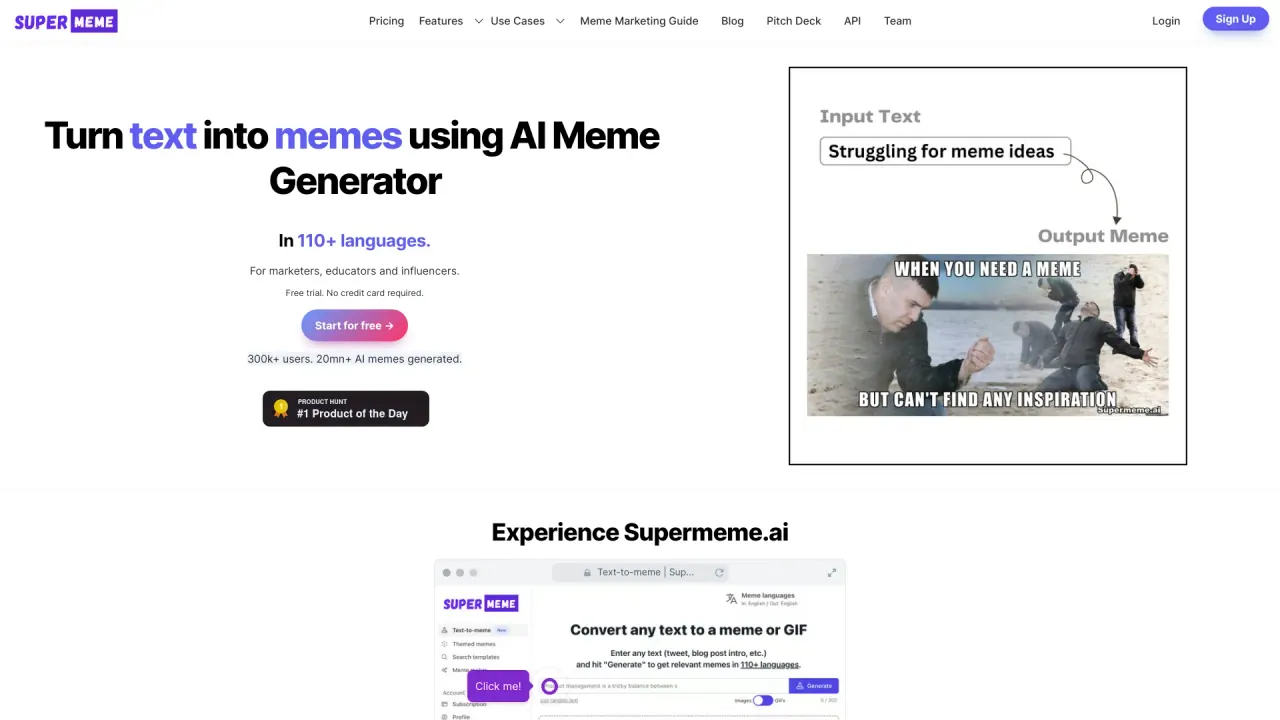
What does Supermeme do?
How many AI memes can I generate for free?
Your first 10 AI memes are free. No credit card is required to start.
What are the pricing plans and what do they include?
- Free: 10 AI memes for free to get started. No credit card required.
- Solo: $9.99 per month. Includes 100 credits (roughly 800 AI memes), no watermarks on memes, access to meme editor, text-to-AI memes, AI meme search engine, text-to-AI GIF memes, topic-to-AI memes, support for 110+ languages, and the ability to save created memes.
- Startup: $24.99 per month (or $34.99 if billed monthly). Unlimited credits, custom watermark feature, meme editing, text-to-AI memes, AI meme search, text-to-AI GIF memes, topic-to-AI memes, multilingual meme support (110+ languages), save memes, and priority customer support.
- Enterprise: $83.99 per month (or $99.99 if billed monthly). Unlimited credits, all Startup features, API access (1,000 requests per month), upcoming branding features, three team members (coming soon), and early access to beta features.
For full details, see the pricing information on Supermeme.ai’s site.
How does the AI meme generation process work?
- Generate memes from text input or from a chosen topic/template.
- The AI interprets context and selects an appropriate meme template, then automatically writes the caption.
- Export the generated meme in formats suitable for various social platforms, with optional branding or watermarks.
- Memes can be generated in 110+ languages and can be accessed via the meme API for integration into your apps.
How do I sign up for Supermeme.ai?
- Visit the official Supermeme.ai website.
- Click “Start for free” (top-right on the homepage).
- Enter your email and choose a password, then click “Create Account.” You can also sign up with Google, Facebook, or Twitter.
- Check your email for an activation link and click it to activate your account.
- Log in and start generating AI memes, or consider upgrading your plan from the dashboard.
What are the benefits of using Supermeme.ai?
- Simple meme creation: generate memes by typing text—no design skills required.
- Large, high-quality template library with no offensive or NSFW templates.
- Multilingual support: memes can be generated in 110+ languages.
- AI-powered captioning: captions are generated automatically and can be edited.
- Custom branding: apply your own watermark or branding to memes.
- No ads on the platform and social-media-friendly export options.
- API access to build your own meme bot or app.
Can I upload my own meme templates?
Yes. You can upload your own templates and use the AI to generate memes on those images.
Do you offer an API for meme generation?
Yes. Supermeme.ai provides a meme API that lets you generate memes by sending in a text input. API access is described on the API page.
How can I export or download my memes, and in what formats?
You can export memes in formats suitable for different social platforms, with customizable watermarks. Exports are designed to be social-media friendly (e.g., 1:1 or 4:3 ratios).
What languages are supported and can I search templates in multiple languages?
Memes can be generated in 110+ languages, and the platform supports multilingual search for templates.
Are AI-generated memes safe to share publicly?
Yes. The platform filters out potentially offensive and NSFW meme templates, and uses OpenAI for text moderation to help keep outputs appropriate.
Are memes copyrighted?
Memes are usually covered under a federal or fair-use framework. For your specific use case, consult with a legal expert. The platform notes meme copyright considerations and recommends seeking legal guidance as needed.
How can I access and manage my saved memes and templates?
Your account includes sections like My Memes, My Templates, and Saved Memes where you can organize and reuse content.
Is there an Affiliate Program?
Yes—the site navigation includes an Affiliate Program. (Details are available on the site.)
How can I contact support?
If you can’t find the answer you need, you can reach out to Supermeme.ai’s customer support for help.
Is this your tool?
Claim Supermeme to manage this listing, or upgrade to Pro for featured-first placement and a newsletter feature.