
LinerAI
AI Machine Learning Tool For Building Apps
Build AI Apps Effortlessly With LinerAI: No coding needed! Train ML models effortlessly for app development.
Promoted
 Pixmax.aiPixmax.ai is an all-in-one AI workspace for videos, visual stories, and marketing content.
 Sidrune AI85% off. Stable Claude API for agent developers. Pay as you go. Invoices & refunds available.
 SEOify - Improve your SEO & rankingsBuild links to rank in Google. Improve your DR with links you can start building now.Advertise here270,000+ people visit Dang.ai every month.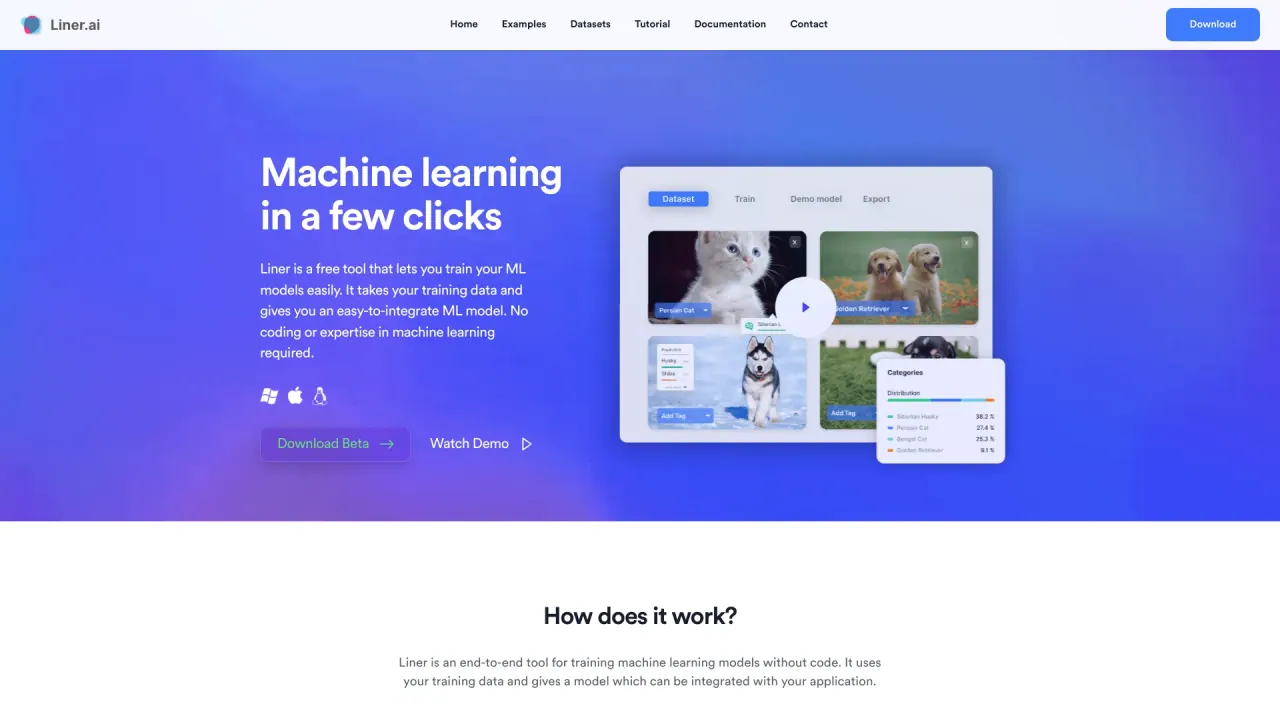
What does LinerAI do?
How does Liner work and do I need to code?
Liner is an end-to-end no-code tool for training machine learning models. You import your training data (you can also use a pre-labeled dataset). With a single button, Liner automatically chooses an appropriate model and trains it. After training, you can export your model to a variety of platforms and integrate it with your application.
What types of machine learning models can I train with Liner?
Liner provides several ready-to-use templates:
- Image Classification
- Text Classification
- Audio Classification
- Video Classification
- Object Detection
- Image Segmentation
- Pose Classification
Do I need experience in machine learning or coding to use Liner?
No. Liner is designed to let you train models without coding or ML expertise.
Do I need a GPU to train models with Liner?
No. Liner is optimized for speed and can train models on CPUs. It is also edge-optimized for use on mobile and other devices.
Where does the training happen? Is my data sent to the cloud?
Training happens locally on your computer. Nothing is sent to the cloud, and your data remains private.
How do I train and deploy my model in Liner?
Steps:
- Import your data and view it in Liner (you can also use a pre-labeled dataset).
- Start training with a button; Liner automatically selects a model and trains it.
- Export your trained model to multiple platforms and integrate it with your application.
Can I use a pre-labeled dataset?
Yes. You can also use a pre-labeled dataset.
What platforms can I export my trained model to?
Liner lets you export your model to several platforms to integrate with your application.
What devices can run the trained models?
The trained models are edge-optimized and can be used on mobile / edge devices.
What operating systems does Liner support?
Liner is available for both Windows and Mac.
Is Liner free to use?
Yes, Liner is completely free to use.
How private is my data with Liner?
Data privacy: Your data is always protected and never leaves your computer.
How can I get help or request new features?
Community Support: Want new features? Let us know and we would love to help you.
How do I download Liner?
Download options are available (including a Beta download). Liner is available for Windows and Mac.
Is this your tool?
Claim LinerAI to manage this listing, or upgrade to Pro for featured-first placement and a newsletter feature.