
Lyricstudio
AI Lyric Generator
AI Lyric Generator for Unique Song Ideas, banish writer's block, find suggestions based on topics and style.
Promoted
 Sidrune AI85% off. Stable Claude API for agent developers. Pay as you go. Invoices & refunds available.
 Pixmax.aiPixmax.ai is an all-in-one AI workspace for videos, visual stories, and marketing content.
 AI Checker PlusAI detector that highlights which passages AI wrote. Free check, no sign-up. Plagiarism too.
 RewindType any X/Twitter handle. Get their year back as a narrated video story. Then ask it anything.
 KurodyneSell the tools from your AI side projects. Listing is free.
 SEOify - Improve your SEO & rankingsBuild links to rank in Google. Improve your DR with links you can start building now.Advertise here270,000+ people visit Dang.ai every month.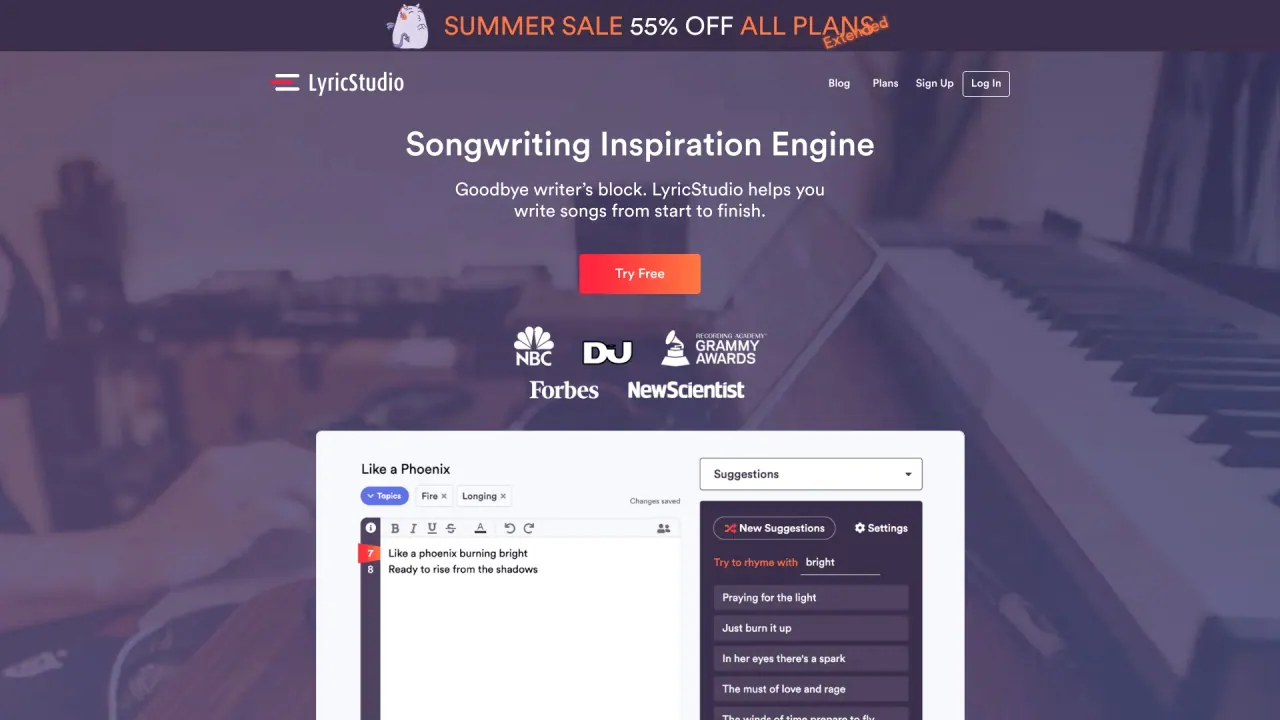
What does Lyricstudio do?
Do I retain ownership of my lyrics created on LyricStudio?
Yes. You keep all the rights to the lyrics you create on LyricStudio. LyricStudio is 100% royalty-free, so you retain ownership and can use, distribute, and monetize your creations as you wish.
Can I collaborate with others using LyricStudio?
Yes. LyricStudio offers real-time collaboration that lets you work with co-writers, share lyrics, receive feedback, and refine your work together.
How does LyricStudio help me overcome writer's block and stay creative?
LyricStudio acts like a co-writer, offering ideas to get you started and helping when you're stuck. It provides suggestions tailored to your writing style, topics, and genre, delivering a steady stream of fresh ideas. If you're stuck, you can type in your current lyrics and see what LyricStudio suggests, or let it generate limitless ideas based on your chosen topics or genre.
What topics and genres can I write about with LyricStudio?
You can write about any topic. Choose from a library of genres and topics or enter your own. The library covers multiple genres (such as pop, rock, rap, country, and more) and topics (including Love, Breakup, Friendship, Party, Travel, Dreams, Happiness, Sadness, Motivation, and Inspiration). You can also input a custom topic.
How do I get started with LyricStudio?
- Sign up for an account or log in. 2) Set a genre and topic (or enter your own) and optionally specify mood, tempo, and song structure. 3) Click Start Writing to have LyricStudio generate your initial line. 4) Choose a line, edit, and continue receiving suggestions for subsequent lines based on your prior choices and writing style. 5) Use the rhyming and thesaurus features to find the right words. 6) Save and share your song when you're done.
Is this your tool?
Claim Lyricstudio to manage this listing, or upgrade to Pro for featured-first placement and a newsletter feature.