
NestTrack
Verified
AI Listing Tracker for House Hunters
Upload listing screenshots and let AI extract details so you can compare homes, filter results, and track tours in one place.
- Pricing
- Free trial
- Category
- Lifestyle
- Listed
- May 8, 2026
- Updated
- Oct 18, 2026
Promoted
 AI Checker PlusAI detector that highlights which passages AI wrote. Free check, no sign-up. Plagiarism too.
 RewindType any X/Twitter handle. Get their year back as a narrated video story. Then ask it anything.
 KurodyneSell the tools from your AI side projects. Listing is free.
 Sidrune AI85% off. Stable Claude API for agent developers. Pay as you go. Invoices & refunds available.
 Pixmax.aiPixmax.ai is an all-in-one AI workspace for videos, visual stories, and marketing content.
 SEOify - Improve your SEO & rankingsBuild links to rank in Google. Improve your DR with links you can start building now.Advertise here330,000+ people visit Dang.ai every month.
What does NestTrack do?
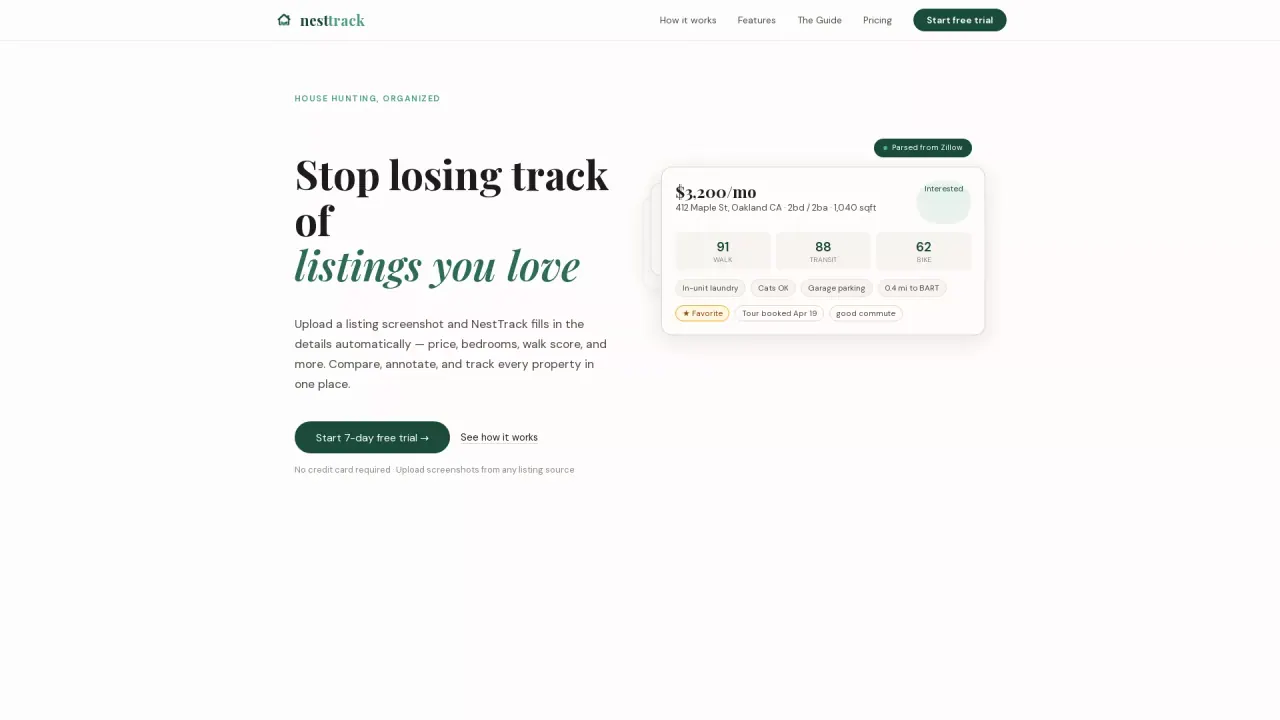
NestTrack helps you keep a house search organized when you’re juggling listings from multiple real estate sites and quickly losing track of what you liked.
You simply upload a screenshot from a listing source, and NestTrack automatically fills in key details such as price, bedrooms, bathrooms, walk score, and more. This removes manual data entry and helps you build a clear, comparable list of the properties you’re considering.
Once your listings are captured, NestTrack lets you compare and decide faster. Add notes, tags, and tour dates, then use powerful filters to narrow down options by price, score, source, status, and amenities.
It also includes tour tracking so you can schedule showings and keep visit notes in one dashboard. Walk and transit scores are included, and listing details are parsed from sources like Zillow, Redfin, Craigslist, and Apartments.com (and other listing sources via screenshots).
Pricing includes a 7-day free trial with no credit card required. After that, you can pay monthly or choose 3- or 6-month plans.
How do I add a listing to NestTrack?
Upload a screenshot from the listing page. NestTrack parses the screenshot and fills in details automatically.
What details does NestTrack extract from a listing screenshot?
NestTrack extracts fields such as price, beds, baths, amenities, and scores like walk & transit. It’s designed to pull 40+ listing fields from each screenshot.
Can I track tours and keep notes for each property?
Yes. NestTrack lets you schedule showings and store tour notes alongside each listing so everything stays in one place.
What can I filter by in NestTrack?
You can filter by price, score, source, status, and amenities to narrow down your options quickly.
Is there a free trial for NestTrack, and does it require a credit card?
Yes—there’s a 7-day free trial with no credit card required.
What happens after the free trial ends?
After 7 days, you can continue to access any listings you uploaded, but you can’t add new listings or edit existing ones until you upgrade to a paid plan.
This listing is claimed
Own NestTrack? Sign in with the email used to claim it to manage this listing, or upgrade to Pro for featured-first placement and a newsletter feature.