
AI Image to Video
Verified
AI Image/Photo/Text to Video Tool
Turn your photos into animated videos with AI—upload an image, add a prompt, and generate motion in seconds.
Promoted
 AI Checker PlusAI detector that highlights which passages AI wrote. Free check, no sign-up. Plagiarism too.
 RewindType any X/Twitter handle. Get their year back as a narrated video story. Then ask it anything.
 KurodyneSell the tools from your AI side projects. Listing is free.
 Sidrune AI85% off. Stable Claude API for agent developers. Pay as you go. Invoices & refunds available.
 Pixmax.aiPixmax.ai is an all-in-one AI workspace for videos, visual stories, and marketing content.
 SEOify - Improve your SEO & rankingsBuild links to rank in Google. Improve your DR with links you can start building now.Advertise here330,000+ people visit Dang.ai every month.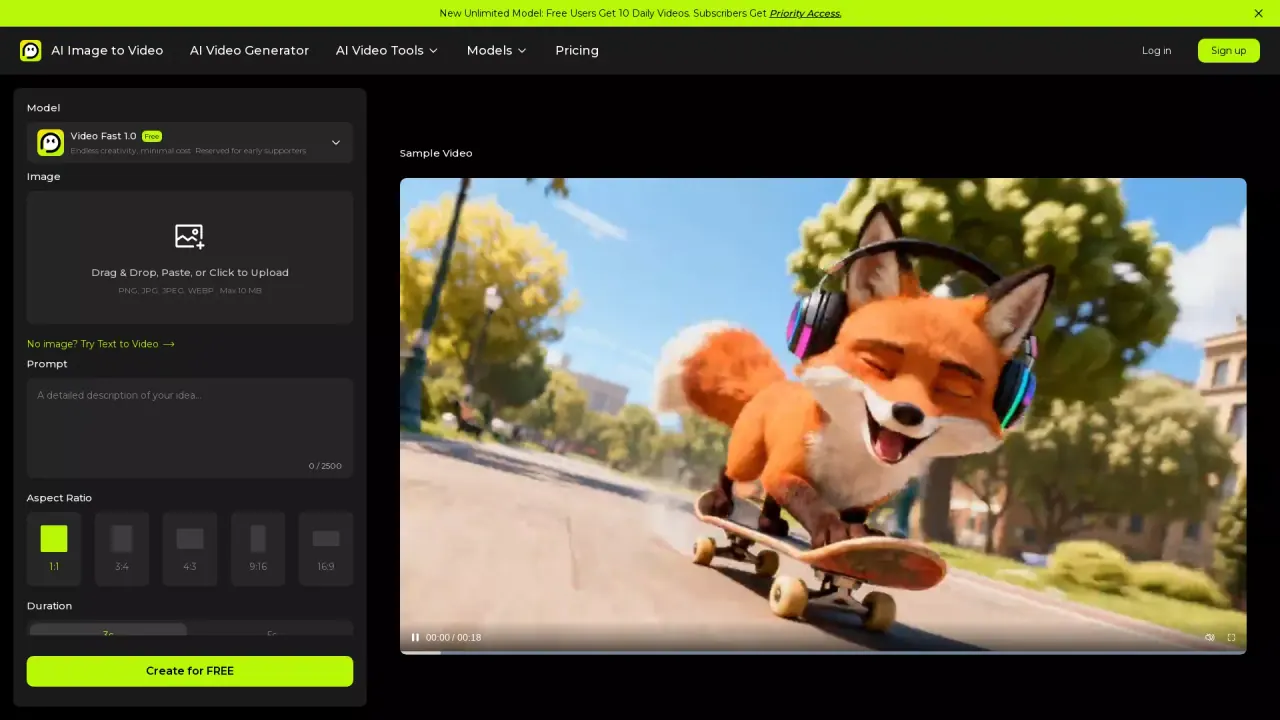
What does AI Image to Video do?
AI Image to Video helps you create videos from still images. Upload a photo (JPG/PNG/WEBP up to 20 MB), optionally crop or frame it to your preferred aspect ratio, and describe the motion you want with a text prompt. The generator then creates an animated clip in real time, so you can iterate quickly without complex editing.
Key features include image-to-video generation with image + prompt, plus reference-based workflows where you can use image or video references to guide results. You can customize outputs with settings like model selection, duration (e.g., 3s), resolution (e.g., 480p), aspect ratio (9:16, 16:9, 1:1, 3:4, 4:3), and the number of results. The tool also includes options like text-to-video, motion control, and video/audio utilities such as extracting audio.
This is a good fit for creators and beginners who want an easy way to make short-form content for social media, product showcases, marketing clips, presentations, and storytelling—especially when you want something more dynamic than a simple image animation. If you don’t have an image, you can try text-to-video instead.
Free credits are available. Unlimited Free access includes daily credits, while paid “pay as go” users receive priority access. For more details, log in or sign up and review your available credits.
What can I create with AI Image to Video?
You can turn a still image into an animated video clip by uploading a photo and adding a prompt describing the movement or effects you want.
Which image formats and file size are supported?
You can upload PNG, JPG, JPEG, and WEBP images up to 20 MB.
Can I generate videos using text only?
Yes—if you don’t have an image, you can use the text-to-video option to generate a video from a prompt.
Can I control the result with prompts and references?
Yes. You can use an image plus a text prompt for guidance, and you can also use image or video references to steer the output.
Do I need an account to use the generator?
Yes. Registration is required, and creating an account includes free credits to test image-to-video creation.
Is there a free option, and how do daily credits work?
Yes. Free access includes daily credits for image-to-video generation. Pay-as-go users get priority access, and credit availability depends on your account.
This listing is claimed
Own AI Image to Video? Sign in with the email used to claim it to manage this listing, or upgrade to Pro for featured-first placement and a newsletter feature.