ZilivoAI
AI Visual Creation Workspace
Create AI images and videos in ZilivoAI by choosing workflows like Text to Video, Image Retouch, and Motion Transfer using prompts and references.
Promoted
 Sidrune AI85% off. Stable Claude API for agent developers. Pay as you go. Invoices & refunds available.
 Pixmax.aiPixmax.ai is an all-in-one AI workspace for videos, visual stories, and marketing content.
 SEOify - Improve your SEO & rankingsBuild links to rank in Google. Improve your DR with links you can start building now.Advertise here270,000+ people visit Dang.ai every month.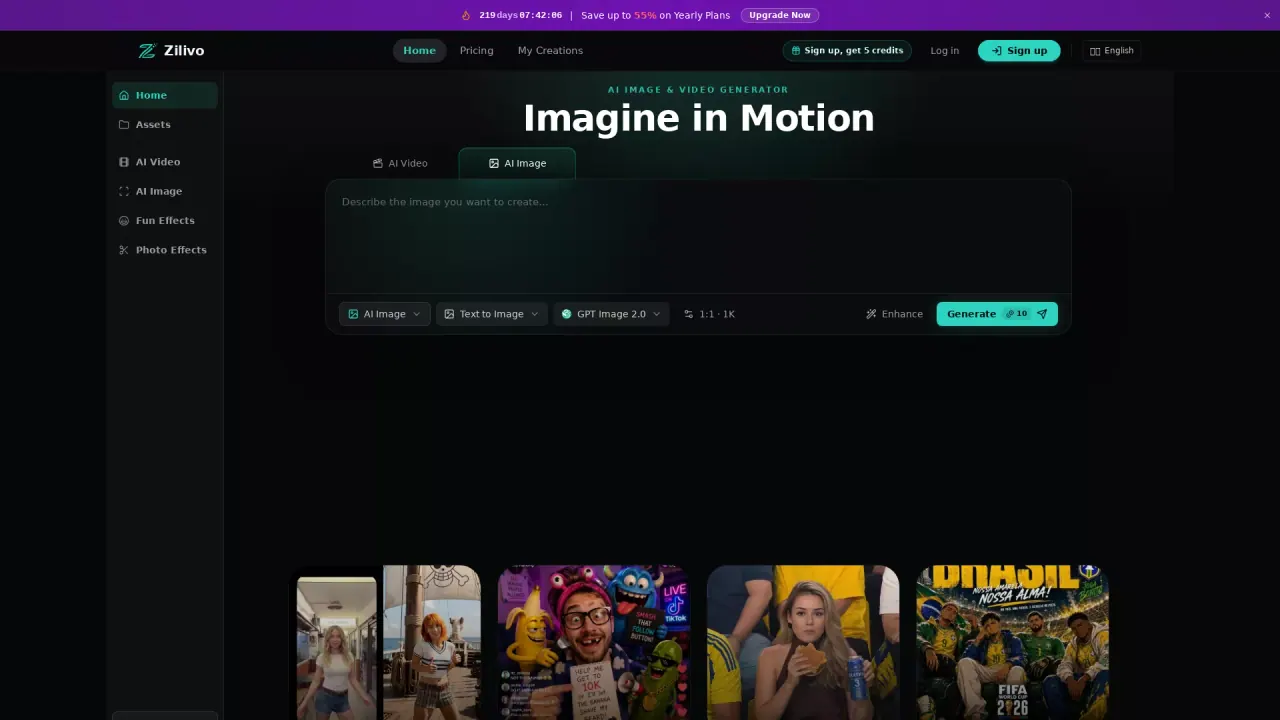
What does ZilivoAI do?
ZilivoAI is a multimodal AI creation workspace built around finished workflows for AI image generation, AI video generation, and motion control. Instead of navigating a long model menu, you choose a workflow (such as Create Image, Text to Video, Image to Video, Edit Image, Edit Video, and Motion Transfer) and run it to get a finished asset.
With Zilivo, you can generate polished visuals for real output needs—campaign-ready images, concept art, product scenes, and social graphics from a creative brief. If readable text matters, Design with Typography supports creating posters, ads, covers, and layouts where text is part of the design.
For turning stills into motion, Zilivo offers Prompt to Video, Animate Images, and tools for revising existing content like Image Retouch and Video Retakes. Motion Transfer lets you borrow movement from a reference and apply it to a new subject or scene.
Zilivo uses a single credit balance across workflows. New accounts receive free trial credits after signup, and workflows draw from that same balance. If you want to build a repeatable creative loop, you can use the platform’s workflow-ready approach to create, edit, and expand assets in one workspace.
What can I make with ZilivoAI?
You can create AI images and videos using workflows like Text to Image, Text to Video, Image to Video, Create Image, and motion control options such as Motion Transfer. You can also edit existing visuals with Edit Image and Edit Video.
How does ZilivoAI work—do I pick models or workflows?
You pick a workflow (for example, Prompt to Video, Image Retouch, or Video Retakes), and Zilivo runs the job to produce the finished asset. This is designed to avoid comparing many model options across tools.
Can I edit images and videos after generating them?
Yes. ZilivoAI includes Image Retouch for revising objects, style, background, and composition, and Video Retakes for adjusting a clip or reworking moments from existing footage.
What is Motion Transfer in ZilivoAI?
Motion Transfer borrows movement from a reference and applies it to a new subject or scene, helping you carry motion into new creative directions.
Can I use ZilivoAI for free?
New accounts get free trial credits after signup, and the platform uses a single credit balance across workflows.
How is pricing managed across different workflows?
ZilivoAI uses one credit balance for the workflows you run. Every workflow draws from that same balance.
This listing is claimed
Own ZilivoAI? Sign in with the email used to claim it to manage this listing, or upgrade to Pro for featured-first placement and a newsletter feature.