
ImageToVideoAI
AI Video Generation Tool
Turn any photo into a cinematic AI video using one workspace and 14 top video models, with a free tier and paid plans.
Promoted
 Sidrune AI85% off. Stable Claude API for agent developers. Pay as you go. Invoices & refunds available.
 Pixmax.aiPixmax.ai is an all-in-one AI workspace for videos, visual stories, and marketing content.
 SEOify - Improve your SEO & rankingsBuild links to rank in Google. Improve your DR with links you can start building now.Advertise here270,000+ people visit Dang.ai every month.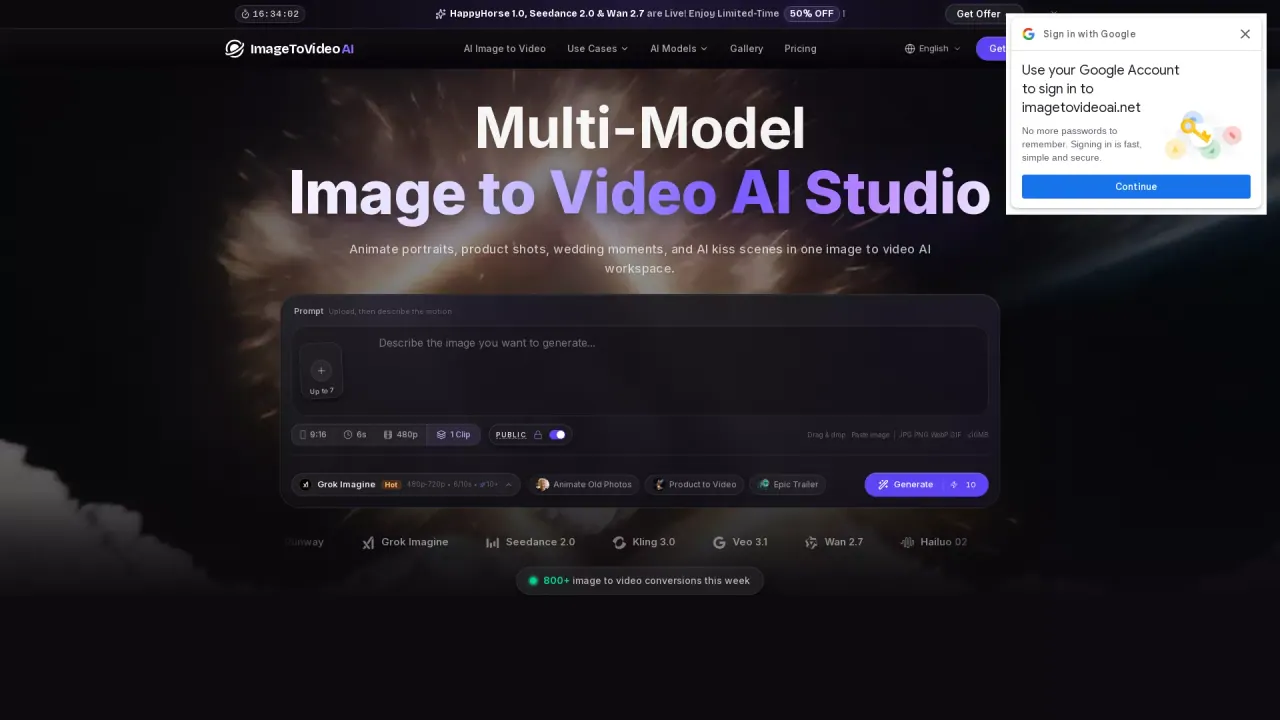
What does ImageToVideoAI do?
ImageToVideoAI is an AI image-to-video generator that animates a single photo into a shareable video. It’s designed for turning portraits, product shots, wedding moments, and “AI kiss” style scenes into motion—without editing software or advanced skills.
In the workspace, you upload an image (JPG, PNG, WebP), then describe the motion with a prompt. Choose the video model you want to try (from a lineup of 14 engines) and generate the clip. You can preview the result in the sidebar and download your video directly.
Key capabilities include animating old photos (subtle head/shoulder movement, gentle expression changes), creating vertical 9:16 clips for social platforms, and generating short videos from a single image for product promos and short-form content. The platform also supports multiple core workflows beyond image-to-video—text to video, video to video style/motion transformation, text to image, image-to-image, image editing, merging images, background removal, and image upscaling—using one account for asset creation, enhancement, generation, and export.
Pricing comes in a free option and paid subscriptions. The free tier includes watermark-free exports with credits that expire in 2 days, while paid plans provide higher monthly credits, concurrent generation limits, and more features. A Flash Sale offers 50% off premium plans before midnight.
Can I try ImageToVideoAI before paying?
Yes—there’s a free Start Free tier so you can generate a limited number of basic videos and images and test the workflow.
Which AI video models can I use for image-to-video?
ImageToVideoAI supports 14 leading models, including Seedance 2.0, Kling 3.0, Veo 3.1, Wan 2.7, Hailuo 02, Runway, and Grok Imagine (plus additional options in the lineup).
How do I create a video from a photo in ImageToVideoAI?
Upload your image, add a motion prompt and choose a model, then generate the clip. After generation, preview it and download the watermark-free result.
Can I use the generated videos commercially?
Yes—paid plans include a commercial usage license.
What upload requirements are supported?
You can drag-and-drop or paste an image in JPG, PNG, or WebP format, with a size limit of up to 10MB.
Is it possible to animate old photos?
Yes. A common workflow is animating old photos so the subject appears to come to life with subtle expression changes and gentle motion.
This listing is claimed
Own ImageToVideoAI? Sign in with the email used to claim it to manage this listing, or upgrade to Pro for featured-first placement and a newsletter feature.