AIPixelArtGenerator
AI Pixel Art Generator
Transform photos to pixel art instantly. Privacy-first, multiple styles, perfect for games & digital art.
Promoted
 Sidrune AI85% off. Stable Claude API for agent developers. Pay as you go. Invoices & refunds available.
 Pixmax.aiPixmax.ai is an all-in-one AI workspace for videos, visual stories, and marketing content.
 SEOify - Improve your SEO & rankingsBuild links to rank in Google. Improve your DR with links you can start building now.Advertise here270,000+ people visit Dang.ai every month.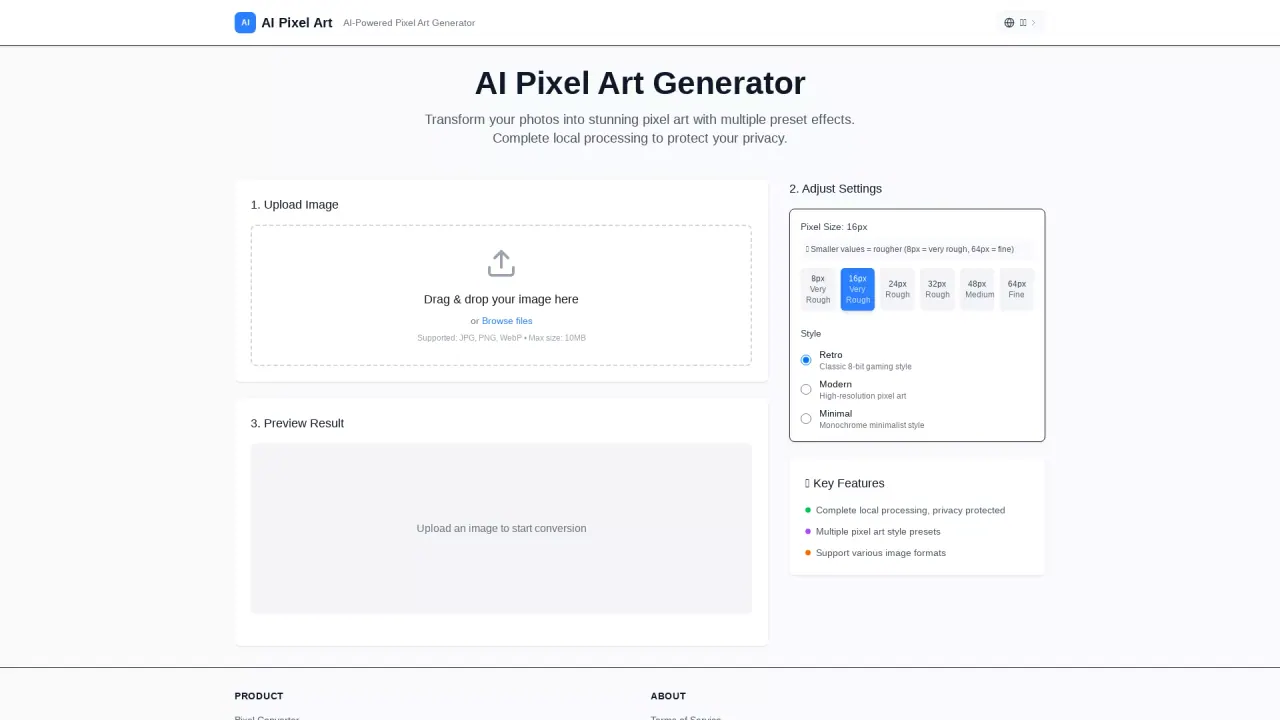
What does AIPixelArtGenerator do?
Can I transform my photos into pixel art using AI Pixel Art Generator?
Yes. You can upload JPG, PNG, or WebP images up to 10MB. The tool offers multiple preset effects and real-time processing with a live preview, and you can download the final result as a PNG.
Do my images get uploaded to servers or processed locally?
All image processing happens locally in your browser. Your photos never leave your device, ensuring privacy and security; there are no server-side processing or uploads.
Is AI Pixel Art Generator free, and are there any usage limits?
It is completely free to use with no registration, no watermarks, and unlimited pixel art conversions with full-resolution downloads.
Does it work on mobile devices, and how fast is it?
Yes—it's mobile-friendly and works on desktop, tablet, and mobile. The processing is sub-second thanks to WebGL acceleration and optimized algorithms.
What image formats are supported, and is there a size limit?
Supported formats are JPG, PNG, and WebP. Images up to 10MB are supported.
What pixel size options are available, and what do they mean?
Pixel Size options include 8px, 16px, 24px, 32px, 48px, and 64px. Smaller values produce a rougher look, while larger values yield finer, higher-detail pixel art.
What styles or presets can I choose?
Styles include Retro (Classic 8-bit), Modern (high-resolution pixel art), and Minimal (monochrome minimalist). Real-time preview updates as you switch styles.
How do I get the best quality results?
For the finest detail, use a larger pixel size (e.g., 64px) and consider the Modern style for high-resolution art. Use the real-time preview to compare options and adjust settings before downloading.
Can I use the generated pixel art for commercial projects?
The site does not specify licensing terms. For commercial use, please review the Terms of Service on the site.
How do I download my pixel art?
After processing, download the result as a PNG file. The service provides full-resolution PNG downloads.
Is there a simple 4-step process to follow?
Yes: 1) Upload Image (JPG/PNG/WebP up to 10MB); 2) Choose Settings (pixel size and style); 3) AI Processing (real-time preview); 4) Download Result (PNG).
Which browsers and devices are supported?
Works on all modern browsers with WebGL acceleration and is optimized for desktop, tablet, and mobile devices.
How can I get support if I have questions?
You can contact Support via the site's Help/Contact options.
Where can I find more details about privacy or terms?
Refer to the Privacy Policy and Terms of Service on the site for full details.
This listing is claimed
Own AIPixelArtGenerator? Sign in with the email used to claim it to manage this listing, or upgrade to Pro for featured-first placement and a newsletter feature.