AddDeceasedLovedOneToPhoto
Photo Editing Tool
Add a deceased loved one into a family photo with AI for a natural, respectful result in printable PNG or PDF format.
Promoted
 Sidrune AI85% off. Stable Claude API for agent developers. Pay as you go. Invoices & refunds available.
 Pixmax.aiPixmax.ai is an all-in-one AI workspace for videos, visual stories, and marketing content.
 RewindType any X/Twitter handle. Get their year back as a narrated video story. Then ask it anything.
 KurodyneSell the tools from your AI side projects. Listing is free.
 SEOify - Improve your SEO & rankingsBuild links to rank in Google. Improve your DR with links you can start building now.Advertise here270,000+ people visit Dang.ai every month.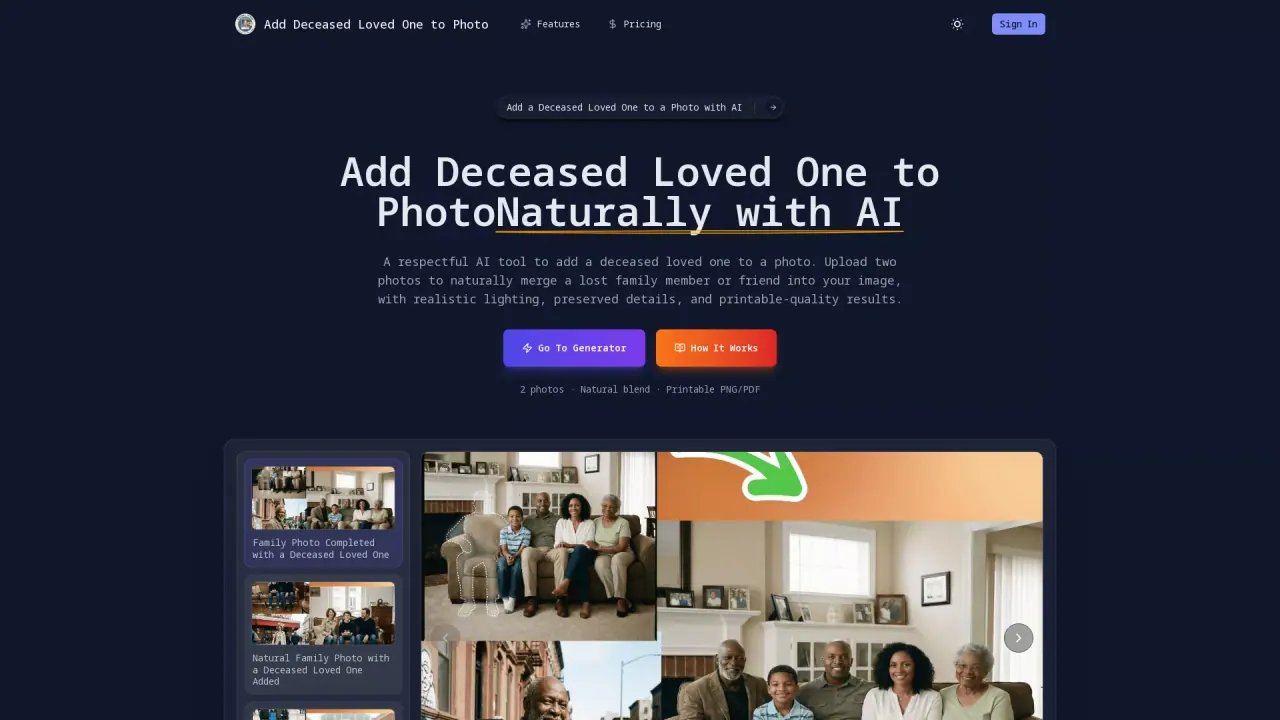
What does AddDeceasedLovedOneToPhoto do?
Add Deceased Loved One to Photo is an AI-powered online tool that helps families respectfully include a deceased loved one in an existing family or group photograph. You upload two photos—your base group photo and a clear photo of your loved one—and the AI merges them with matched lighting, shadows, scale, and perspective for a realistic final image.
The generator focuses on natural-looking integration. It blends the added person into the scene while preserving original people, facial expressions, and background details. It also aligns facial expression and posture to the mood of the group photo, helping the result feel cohesive rather than artificially edited. Background integration keeps scenery, depth, and composition consistent so the added loved one appears to belong in the original moment.
This is especially useful for memorial photos, complete family portraits, and emotional keepsakes—when your loved one couldn’t be there for the original photo. After generation, you can download high-resolution output as a printable PNG or PDF, ready for sharing, framing, or printing.
For credits, the tool shows: cost 10 credits. A free option is available for generating once.
What do I need to use Add Deceased Loved One to Photo?
Upload two photos: (1) your base family or group photo, and (2) a clear photo of your deceased loved one. Then choose an output size/aspect ratio and generate.
How realistic will the added loved one look?
The AI is designed to match lighting direction, brightness, and shadows, and to align proportions, perspective, and subtle facial expression so the final image looks natural and emotionally cohesive.
Will the original people in my photo be changed?
The tool keeps original people, facial expressions, and background details unchanged. It adds the missing loved one while preserving the photo’s authenticity and composition.
What output formats can I download?
You can download high-resolution results as printable PNG or PDF files.
Is there a free way to generate a result?
Yes—there is a free option to generate once.
Is there a credit cost for generating images?
Generation uses credits; the tool indicates a cost of 10 credits per generation.
This listing is claimed
Own AddDeceasedLovedOneToPhoto? Sign in with the email used to claim it to manage this listing, or upgrade to Pro for featured-first placement and a newsletter feature.