
Restore Old Photos
AI Photo Restoration
Restore Old Photos repairs scratches, blur, and fading online with natural-looking detail—upload, preview, compare, and download high-quality results.
Promoted
 KurodyneSell the tools from your AI side projects. Listing is free.
 Sidrune AI85% off. Stable Claude API for agent developers. Pay as you go. Invoices & refunds available.
 Pixmax.aiPixmax.ai is an all-in-one AI workspace for videos, visual stories, and marketing content.
 RewindType any X/Twitter handle. Get their year back as a narrated video story. Then ask it anything.
 SEOify - Improve your SEO & rankingsBuild links to rank in Google. Improve your DR with links you can start building now.Advertise here270,000+ people visit Dang.ai every month.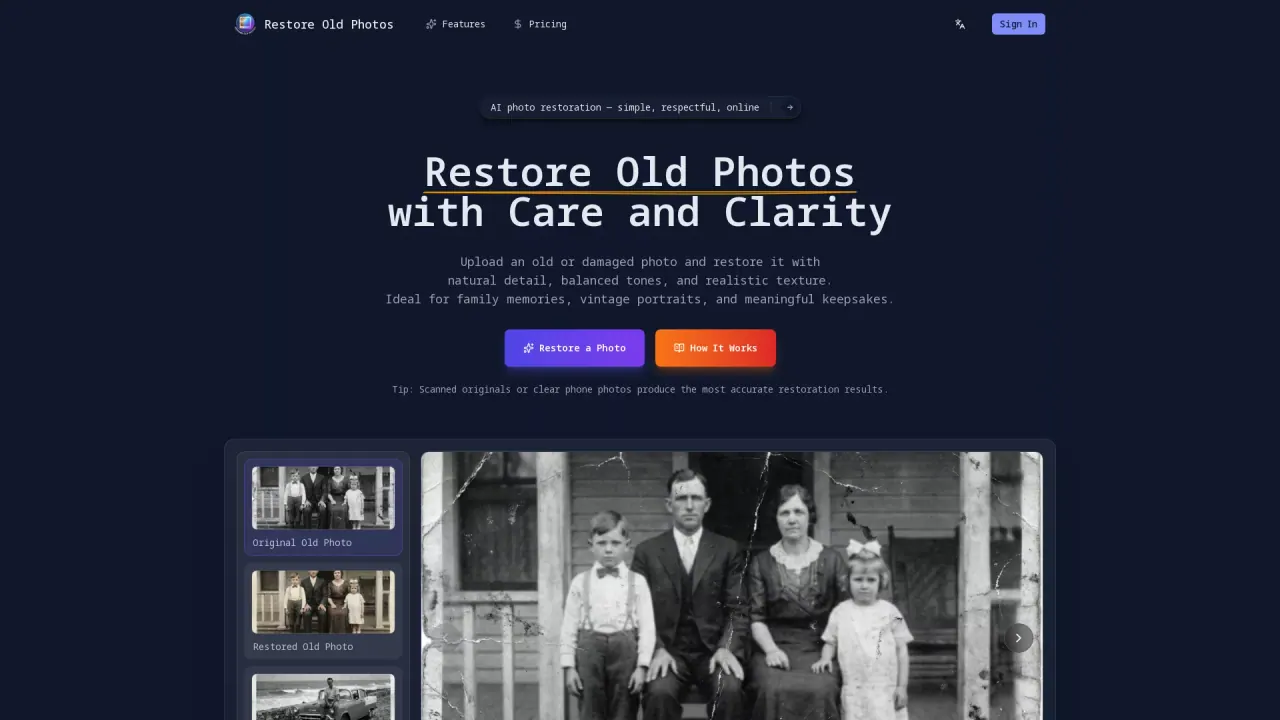
What does Restore Old Photos do?
Restore Old Photos is an online AI photo restoration tool that brings aged pictures back to life with natural detail, balanced tones, and realistic texture. Whether you’re restoring family portraits, vintage studio photos, or meaningful keepsakes, it’s designed to improve clarity while keeping the original photo’s character.
To restore an image, upload an old black-and-white or damaged photo and let the AI enhance it automatically. The experience is browser-based, so there’s no installation or complicated editing workflow. After restoration, you can view the restored result alongside your original photo to quickly spot the improvements.
The tool focuses on respectful, believable enhancement. It analyzes facial features, textures, lighting, and surrounding details to apply subtle restoration adjustments—aiming to preserve original structure rather than overprocess the image. Your uploaded file remains untouched, and the restored version is provided separately.
Restore Old Photos is a good fit for personal archives, genealogy, and anyone who wants to preserve memories without manual retouching. For pricing, the monthly plan is $9.99/month and includes 300 credits valid for 1 month; using restoration consumes credits (the tool uses 10 credits per restoration).
What can I restore with Restore Old Photos?
You can repair old or damaged photos, including issues like fading, blur, scratches, cracks, and general aging marks, while keeping details and tone balanced for a natural look.
Do I need to install anything to use it?
No—Restore Old Photos runs in your browser, so you can upload and restore photos directly on desktop or mobile devices.
Will my original photo be changed?
No. Your uploaded photo remains untouched, and you receive a separate restored version to download.
How many credits does a restoration use?
Restoring a photo uses 10 credits.
What photo quality works best for restoration?
Scanned originals or clear phone photos typically produce the most accurate restoration results.
Can I compare the restored image with the original?
Yes. The tool provides a side-by-side preview so you can see improvements against the original before downloading.
This listing is claimed
Own Restore Old Photos? Sign in with the email used to claim it to manage this listing, or upgrade to Pro for featured-first placement and a newsletter feature.