
ImgcreatorAI
AI Image Generator
ImgcreatorAI helps you generate and edit AI images with text-to-image, image-to-image, background changing, plus tools like background removal and magic eraser.
Promoted
 RewindType any X/Twitter handle. Get their year back as a narrated video story. Then ask it anything.
 KurodyneSell the tools from your AI side projects. Listing is free.
 Pixmax.aiPixmax.ai is an all-in-one AI workspace for videos, visual stories, and marketing content.
 AI Checker PlusAI detector that highlights which passages AI wrote. Free check, no sign-up. Plagiarism too.
 SEOify - Improve your SEO & rankingsBuild links to rank in Google. Improve your DR with links you can start building now.Advertise here330,000+ people visit Dang.ai every month.
What does ImgcreatorAI do?
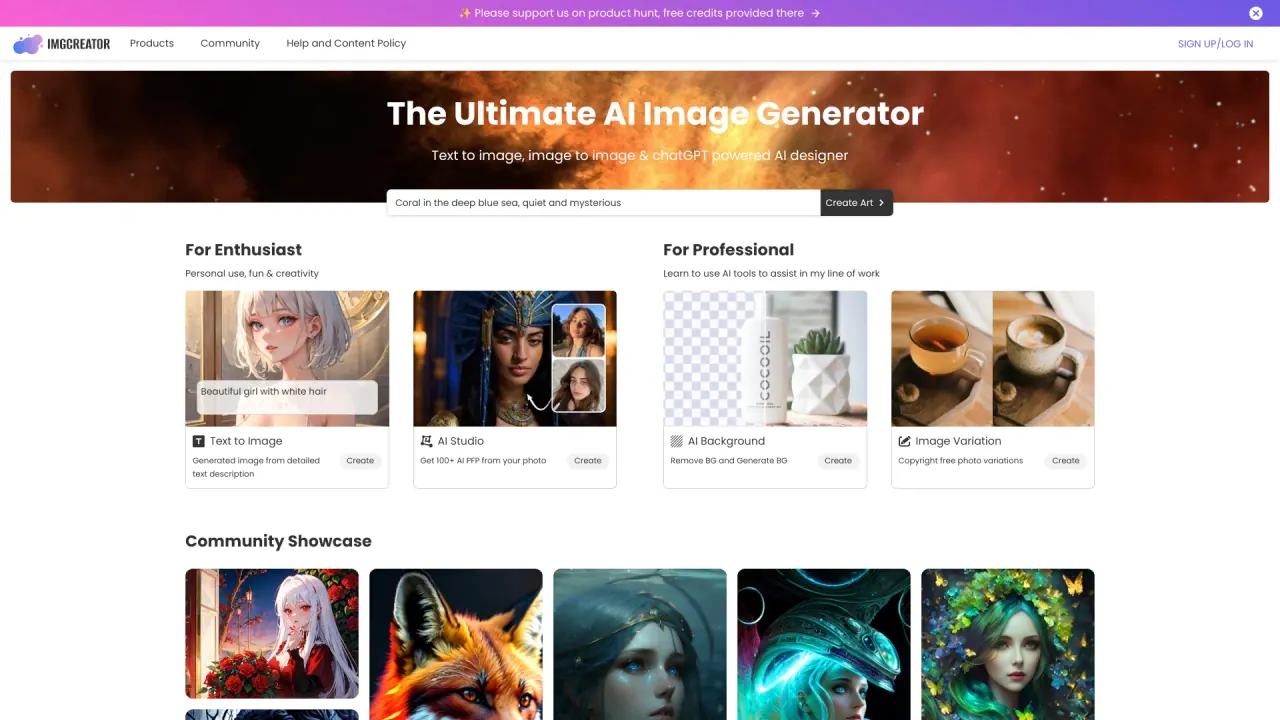
ImgcreatorAI is an AI image generator and editor built to help you create new visuals from text prompts or transform your existing photos. You can start from scratch using text-to-image, or upload an image and use image-to-image workflows to swap or change elements for a fresh result.
For generation, ImgcreatorAI supports multiple creation modes including text to image, image to image, and background changing. You can also use swapping capabilities to modify what appears in your image. If you want inspiration or a starting point, you can begin with a prompt idea from the gallery of inspirational examples.
For editing, ImgcreatorAI includes an AI Image Editor with practical tools such as an AI photo studio, background removal, and a magic eraser. These tools are designed to refine both AI-generated outputs and your own uploaded images, helping you clean up the look and focus attention where you want it.
If you’re creating profile images, ImgcreatorAI offers an AI portrait option that can generate 100+ AI PFP from your photo. It also includes a free option so you can try generating AI images before moving forward. You can monetize and sell AI-generated images as long as you follow the platform’s content policies.
What can I create with ImgcreatorAI?
You can generate images from text (text-to-image), transform an uploaded image (image-to-image), and change backgrounds. Image-to-image also supports swapping elements.
What tools are included in the AI Image Editor?
The editor includes an AI photo studio, background removal, and a magic eraser, helping you refine both AI-generated results and your own images.
Can I generate profile pictures from my photo?
Yes. Upload a photo to generate 100+ AI PFP and explore multiple portrait-style profile-image concepts.
Is there a way to get started without paying?
Yes. ImgcreatorAI includes a free option so you can test generating AI images before deciding how you want to proceed.
How do I create an AI image step by step?
Pick a workflow (text-to-image, image-to-image, or background changing), then generate by entering your prompt or uploading an image. From there, refine your output using editing tools if needed.
Can I sell AI-generated images or make money with them?
You can monetize and sell AI-generated images, but you must follow the platform’s content policies.
Is this your tool?
Claim ImgcreatorAI to manage this listing, or upgrade to Pro for featured-first placement and a newsletter feature.