
UnblurImage
AI Image Enhancement
Unblur Image is an AI photo deblurring tool that sharpens blurry photos in your browser with one-click scenarios.
Promoted
 Pixmax.aiPixmax.ai is an all-in-one AI workspace for videos, visual stories, and marketing content.
 AI Checker PlusAI detector that highlights which passages AI wrote. Free check, no sign-up. Plagiarism too.
 RewindType any X/Twitter handle. Get their year back as a narrated video story. Then ask it anything.
 KurodyneSell the tools from your AI side projects. Listing is free.
 Sidrune AI85% off. Stable Claude API for agent developers. Pay as you go. Invoices & refunds available.
 SEOify - Improve your SEO & rankingsBuild links to rank in Google. Improve your DR with links you can start building now.Advertise here270,000+ people visit Dang.ai every month.
What does UnblurImage do?
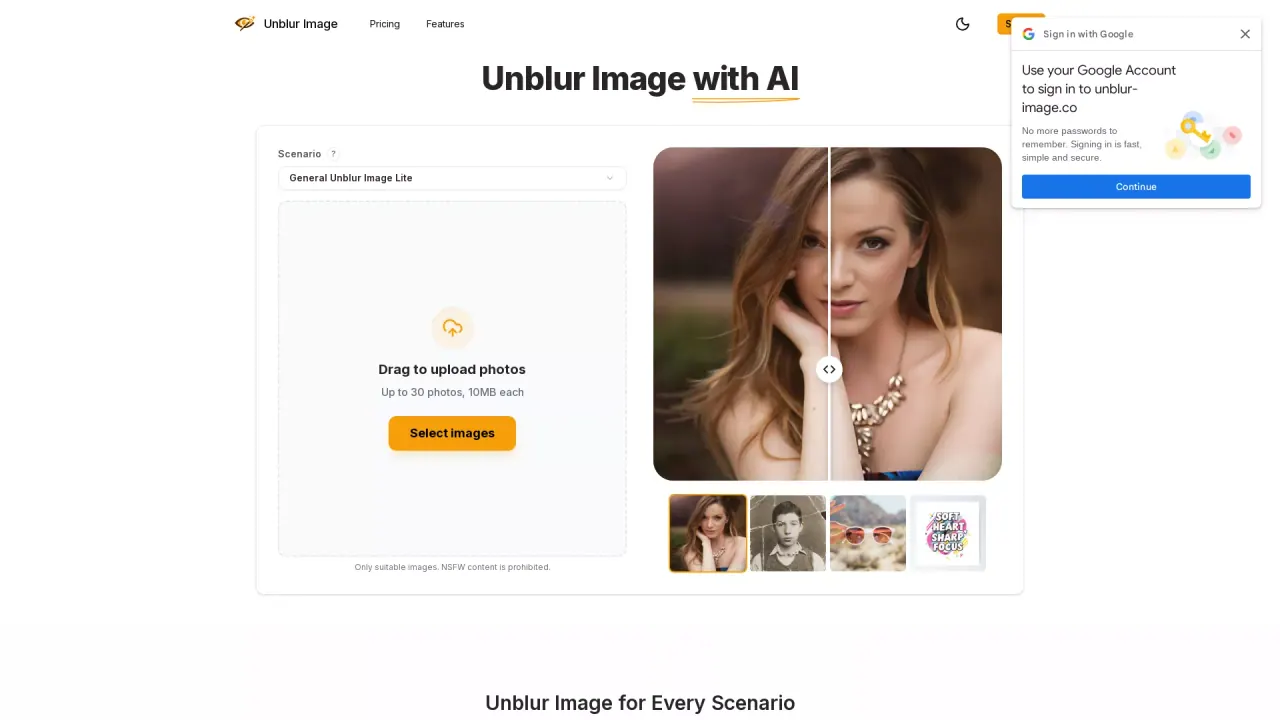
Unblur Image is an AI image restoration tool that makes blurry pictures clear and usable again. Upload a photo, choose the scenario that matches your image type, and get sharper results in seconds—directly in your browser.
Use it for everyday blur fixes like camera shake, missed focus, or low resolution, with AI that detects and reduces common blur artifacts. It also includes image sharpening for better edges and fine details, plus resolution boosts via AI upscaling to make low-resolution photos look sharper.
Pick a dedicated scenario for stronger results: General Unblur Image is best for products and non-portrait images, Portrait Enhancer is designed for selfies, headshots, and group portraits, and Restore Old Photo focuses on faded, scratched, or damaged memories. You can also use it to sharpen logos & text for clearer readability.
Unblur Image supports batch processing for up to 30 images per upload (JPG, PNG, WebP; up to 10MB each). Free credits are available daily so you can try General Unblur Image Lite (with moderate enhancement). To use other scenarios or General Unblur Image Pro, you’ll need a subscription with monthly or annual plans.
What kinds of blur can Unblur Image improve?
It helps with blur caused by camera shake, missed focus, motion blur, focus blur, and low-resolution softness. It’s suitable for products, screenshots, portraits, landscapes, and old photos.
Do I need to install any software to use Unblur Image?
No. You can use Unblur Image directly in your browser on desktop or mobile without downloading or installing software.
Which scenario should I choose for my photo?
Use General Unblur for products and non-portrait images, Portrait Enhancer for selfies/headshots/group portraits, and Restore Old Photo for faded, scratched, or damaged photos. Choosing the right scenario helps the AI optimize the enhancement.
Is there a free way to try Unblur Image?
Yes—free credits are available daily. You can use them to try General Unblur Image Lite with moderate enhancement quality.
How does batch processing work, and what are the upload limits?
You can upload up to 30 images per batch, up to 10MB each, in JPG, PNG, or WebP. The tool processes them in parallel and you can download after a preview.
What happens after processing—can I download the results?
Yes. You can preview the before/after result and then download your processed image. You can also continue processing more photos.
This listing is claimed
Own UnblurImage? Sign in with the email used to claim it to manage this listing, or upgrade to Pro for featured-first placement and a newsletter feature.