AI Image Editor
AI Image Generators from Text Tools
Free online AI photo editor that lets you edit, enhance, and transform images using simple text prompts, with no sign-up for one free edit.
- Category
- Image
- Listed
- Nov 14, 2026
- Updated
- Nov 14, 2026
Promoted
 RewindType any X/Twitter handle. Get their year back as a narrated video story. Then ask it anything.
 KurodyneSell the tools from your AI side projects. Listing is free.
 Pixmax.aiPixmax.ai is an all-in-one AI workspace for videos, visual stories, and marketing content.
 AI Checker PlusAI detector that highlights which passages AI wrote. Free check, no sign-up. Plagiarism too.
 SEOify - Improve your SEO & rankingsBuild links to rank in Google. Improve your DR with links you can start building now.Advertise here330,000+ people visit Dang.ai every month.
What does AI Image Editor do?
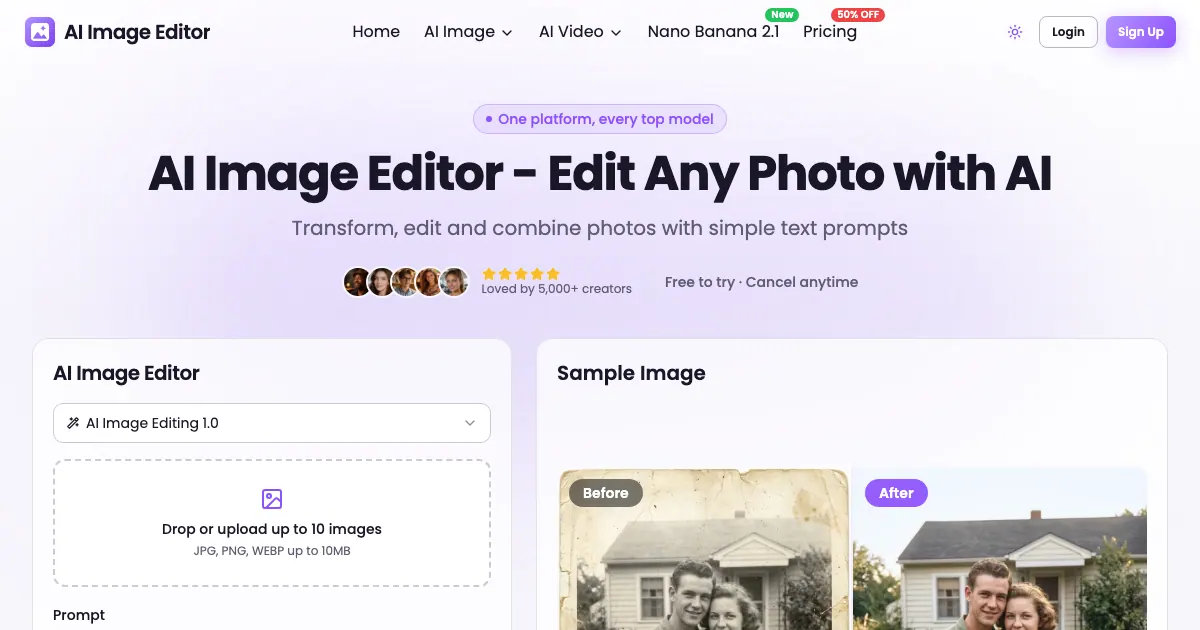
AI Image Editor is a web-based AI photo editor that transforms your images using natural-language text prompts. Upload one or more photos, describe the change you want, and the editor generates updated results you can download. It supports common formats like JPG, PNG, and WebP (up to 10MB each), and lets you choose an AI model and output resolution/aspect ratio.
With prompt-based editing, you can do tasks such as enhancing exposure and details, restoring images, removing objects, changing backgrounds, and restyling photos. You can also generate new variations from an uploaded image and render image-to-image transformations for creative effects. For consistency, the editor includes character consistency so characters can keep the same look between input and output.
This tool is a fit for creators and designers who want fast, ad-ready visuals without complex manual retouching—whether you’re working on social content, e-commerce product images, portrait polish, or old-photo restoration and creative stylization. It also supports multi-image combination, helping you blend elements from different photos into one cohesive result.
Free users can try one AI edit without an account, using up to 10 reference images. If you sign up, you get additional free credits, and subscriptions or credit packs add more credits (including higher-resolution options) and commercial usage access after purchase.
Can I use AI Image Editor for free without signing up?
Yes—without an account, you can try one free image edit using up to 10 reference images.
What file types and size limits are supported?
You can upload JPG, PNG, and WebP images up to 10MB each.
How do I make edits—do I need to learn any tools?
You simply upload your photo and write a text prompt describing what you want changed. The AI handles the image editing based on your instructions.
Which kinds of edits can I do with the AI image editor?
You can enhance photos, remove objects, change backgrounds, restyle images, and generate image variations. It also supports image-to-image transformations and multi-image combination.
How do credits work, and what determines how many I use?
Each generation costs credits based on the selected AI model and output resolution, shown before you generate. If a generation fails, the credits are returned.
Can I use the outputs commercially?
Free users are limited to personal projects. After buying a subscription or credit pack, you can use outputs commercially, including for ads, products, and client work.
Is this your tool?
Claim AI Image Editor to manage this listing, or upgrade to Pro for featured-first placement and a newsletter feature.