
ImageDescriber
AI Image Captioning Tool
Image Describer is an AI tool that turns uploaded images into accurate descriptions, alt text, SEO text, prompts, and OCR output.
Promoted
 Sidrune AI85% off. Stable Claude API for agent developers. Pay as you go. Invoices & refunds available.
 Pixmax.aiPixmax.ai is an all-in-one AI workspace for videos, visual stories, and marketing content.
 AI Checker PlusAI detector that highlights which passages AI wrote. Free check, no sign-up. Plagiarism too.
 RewindType any X/Twitter handle. Get their year back as a narrated video story. Then ask it anything.
 KurodyneSell the tools from your AI side projects. Listing is free.
 SEOify - Improve your SEO & rankingsBuild links to rank in Google. Improve your DR with links you can start building now.Advertise here270,000+ people visit Dang.ai every month.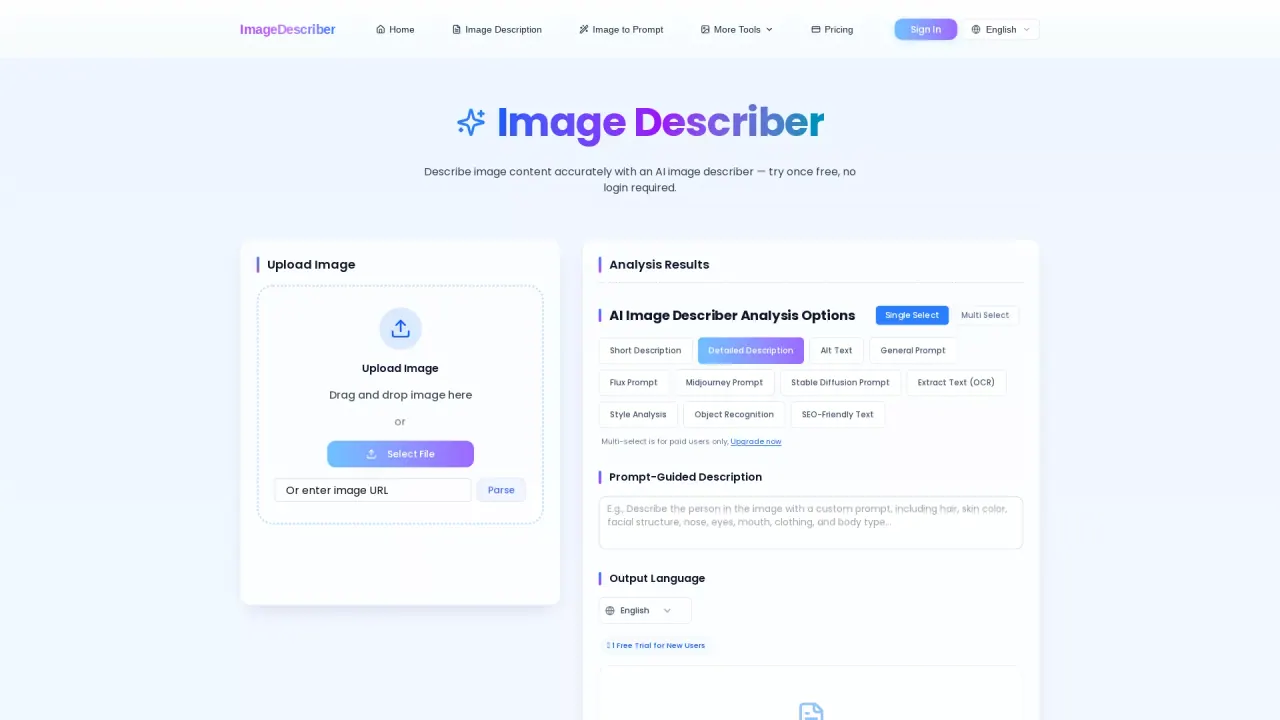
What does ImageDescriber do?
Image Describer helps you convert any image into structured, ready-to-use text. Upload an image (or paste an image URL) and the AI analyzes visible objects, scenes, actions, styling, and context to generate outputs in seconds—so you can spend less time writing and more time publishing.
Choose the type of result you need: short or detailed image descriptions, accessibility-focused alt text, SEO-friendly descriptions, or prompt-style outputs for image generation models (including General Prompt plus Midjourney, Stable Diffusion, and Flux prompt formats). For images that contain text, you can also extract readable text using OCR.
It’s designed for creators, bloggers, eCommerce sellers, and SEO or content teams handling lots of visual material. Batch Processing supports describing multiple images at scale, and Social Media Content can generate captions and hashtags from an image. There’s also an accessibility workflow built around generating alt-text drafts you can review in context.
Pricing and limits: you can try it once for free without login, and you get 1 free image analysis included. Multi-select is for paid users only, and you can log in for more free credits.
What does Image Describer generate from my image?
It can produce short or detailed image descriptions, alt-text drafts for accessibility, SEO-friendly text, prompt-style outputs for image generation, and extracted text (OCR) when the image includes readable words.
Do I need to create an account to use Image Describer?
You can try it once for free without login required. Logging in can unlock more free credits.
Which output should I choose if I need accessibility-friendly alt text?
Use the Alt Text option. Review the generated draft against your page context and the purpose of the image to ensure it fits your accessibility needs.
Can it extract text from screenshots or scanned images?
Yes—use Extract Text (OCR). OCR pulls out visible words, then you can use the other description options to provide surrounding context.
What is the difference between Short and Detailed Description?
Short Description focuses on the main visual idea, while Detailed Description includes more specifics like subjects, setting, visible details, colors, and composition.
Does Batch Processing help with describing many images at once?
Yes. Batch Processing lets you upload multiple images and generate consistent descriptions at scale, then export the results.
This listing is claimed
Own ImageDescriber? Sign in with the email used to claim it to manage this listing, or upgrade to Pro for featured-first placement and a newsletter feature.