
Diagram Generator
Verified
AI Diagram Generation Tool
Create stunning info-graphics and diagrams with AI.
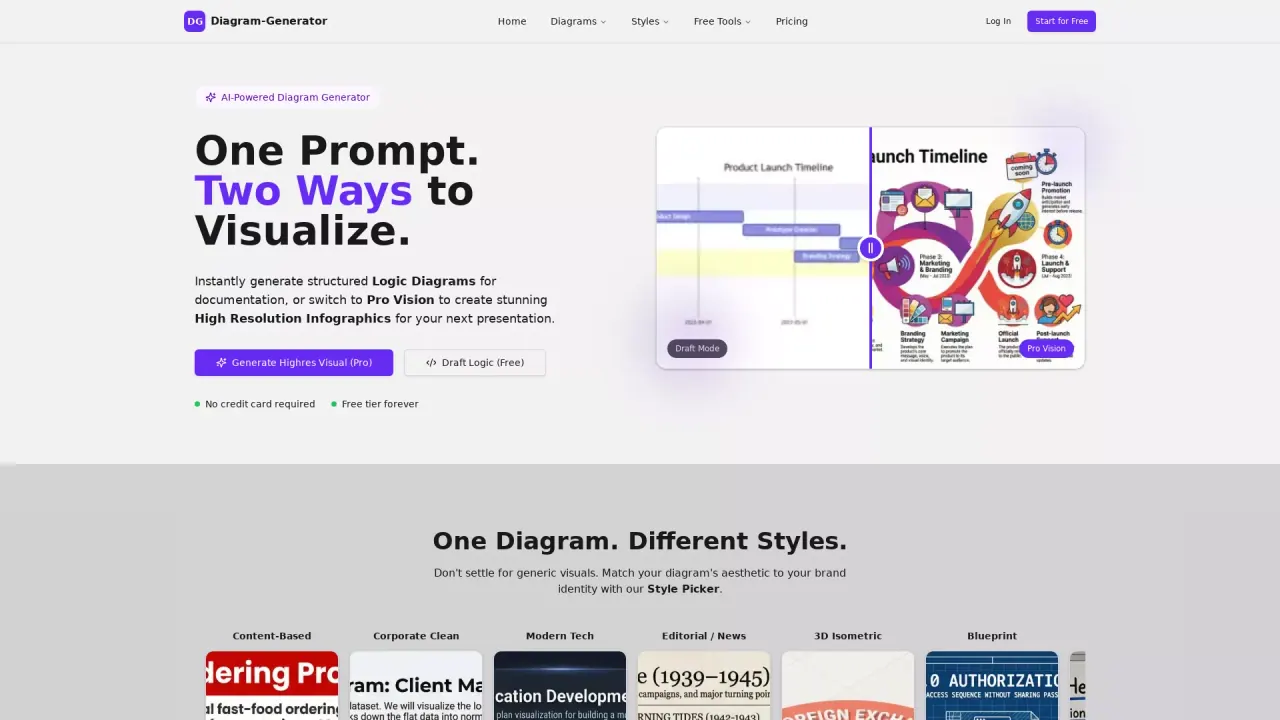
What does Diagram Generator do?
What is the main use case for Diagram Generator?
Diagram Generator lets users create professional diagrams instantly by describing what they need in plain English. Instead of manually dragging boxes and drawing arrows, users simply type something like "create a flowchart for user authentication with login, password reset, and 2FA" and get a polished, editable Mermaid diagram in seconds. It's ideal for developers documenting systems, product managers mapping user flows, students creating ER diagrams, and anyone who needs quick visualizations without design skills.
What impact has diagram-generator.com had on its users or the industry?
Diagram Generator solves one of AI's biggest limitations: generating images with accurate, readable text. Most AI image generators produce diagrams where labels are garbled or misspelled. We specifically addressed this by using advanced models optimized for text rendering, giving users diagrams that are actually client-ready and professional. With 10,000+ monthly users, we're helping people create in minutes what traditionally took hours in tools like Lucidchart or Visio—democratizing technical diagramming for non-designers and speeding up documentation workflows.
What is the cheapest pricing package Diagram Generator offers?
Free tier with 5 trial credits (no credit card required). Our paid plans start at $9/month (Lite) for 100 diagram credits, which includes commercial usage rights, watermark-free exports, and higher resolution outputs.
What are the different styles available in Diagram Generator?
Diagram Generator offers a variety of styles to match your diagram's aesthetic to your brand identity. These styles include Content-Based, Corporate Clean, Modern Tech, Editorial/News, 3D Isometric, Blueprint, Hand-Drawn, Cyberpunk, Paper Cutout, and Retro Pixel. This allows users to choose from different visual styles to create diagrams that align with their personal or corporate design preferences.
How can I start using Diagram Generator for free?
Starting with Diagram Generator is easy and free. Simply visit the website and begin creating diagrams without the need for a credit card. The free version offers unlimited Draft Mode and supports all 16+ diagram types. Users are provided with 5 Pro Credits as a one-time offer, ensuring that they can explore the tool's advanced features without any initial commitment.
What types of diagrams can I create with Diagram Generator?
Diagram Generator supports the creation of 16 different diagram types, allowing users to design anything from flowcharts to more complex visualizations like organizational charts and network diagrams. The tool includes popular diagram types such as Flowchart, Sequence Diagram, ER Diagram, Mind Map, Gantt Chart, and UML Diagram, among others. This wide range of options makes it a versatile tool for various professional and academic needs.
Is this your tool?
Claim Diagram Generator to manage this listing, or upgrade to Pro for featured-first placement and a newsletter feature.