RecraftAI
AI Design Tool
Unlock your creativity with RecraftAI - the ultimate AI Design Tool for stunning vector graphics, icons, 3D images, and more.
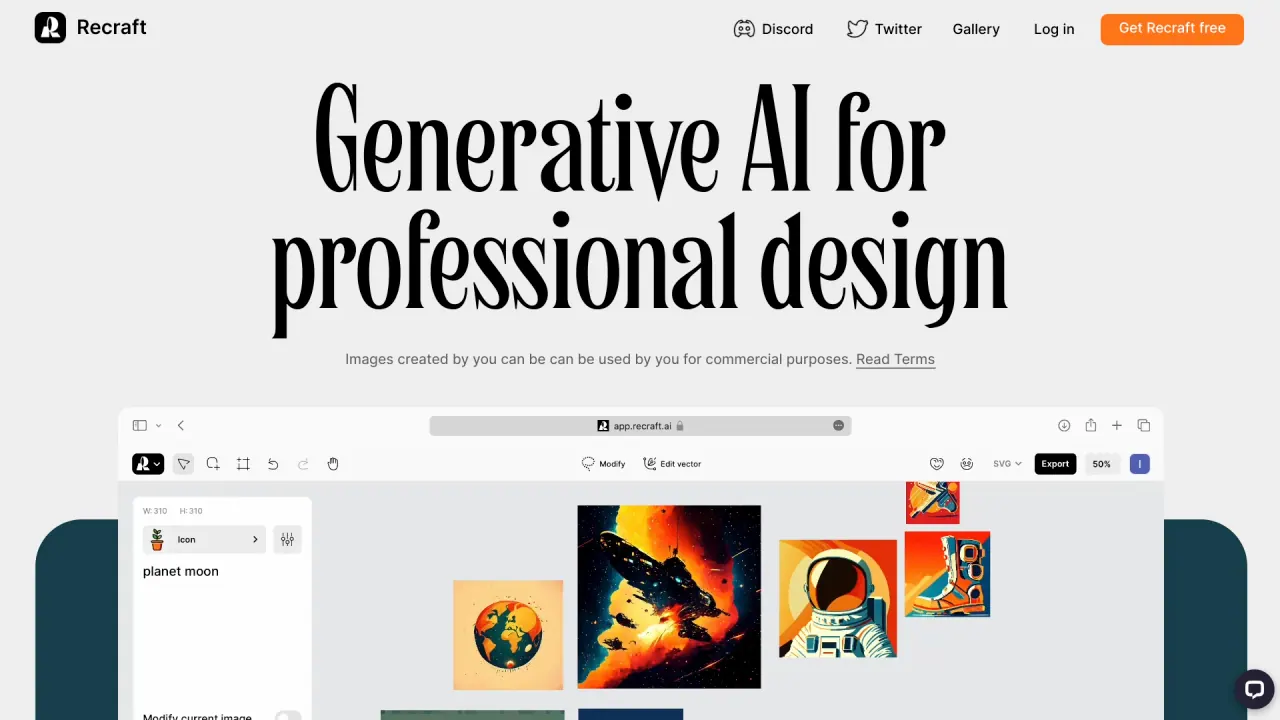
What does RecraftAI do?
Is there a free plan or trial for RecraftAI?
Yes. Initial access to RecraftAI’s tools is free and does not require a credit card. Premium features and extended usage may incur costs, with pricing plans available on the RecraftAI website to fit different needs.
How can teams collaborate using RecraftAI?
Teams collaborate through the Canvas feature, which supports sharing projects, real-time feedback, and live collaboration. The experience is built on familiar workflows with layers, frames, commenting, and sharing, plus the freedom of an infinite canvas.
What AI tools does RecraftAI provide for image editing?
RecraftAI offers a suite of AI-powered image editing tools, including:
- AI Eraser
- Background Remover
- Mockup Generator
- Collaging
- Recolor (for vector colors)
- Image Upscaler
- Image Vectorizer
- SVG export for production-ready vectors
What visual assets can I generate with Recraft Studio?
Recraft Studio supports generating and editing a range of visuals, including:
- Logos
- Posters
- Icon sets
- Illustration sets or photoshoots
- AI-generated images and vectors
- Product previews via AI mockups
- Background removal and inpainting/outpainting to refine visuals
What is Recraft V3 and why does it matter?
RECRAFT V3 is Recraft’s in-house text-to-image model. It’s described as top-ranked and consistently strong, delivering photorealism with brand-consistent styles, accurate text generation, and production-ready vectors in SVG.
Can I export designs as SVG vectors?
Yes. Recraft Studio provides production-ready vectors in SVG and supports exporting designs as SVG files for scalable use across print, web, and brand design.
Can I create custom styles without training the model?
Yes. Custom styles can be created without training the model: drop in your images, and Recraft instantly turns them into a reusable, editable style for consistent use across assets.
What is Generate AI Mockup and how does it help?
Generate AI Mockup lets you turn a design into a polished product preview, helping you show clients or customers how it looks in the real world.
What do Upscale, Background Remover, and Inpaint/Outpaint do?
- Upscale: Enhance resolution without losing sharpness to achieve print-ready quality.
- Background Remover: Isolate subjects and generate a new background that fits your design.
- Inpaint and Outpaint: Edit inside or beyond the frame, replacing, extending, or refining parts of an image while keeping it seamless.
How do I sign up for RecraftAI?
To sign up, click Get Recraft for free, proceed to register with your information, or sign up directly using a Google account. This provides access to the free tier and initial tools.
Can I create production-ready assets for print and web with RecraftAI?
Yes. Recraft offers production-ready vectors in SVG and tools for creating and refining visuals suited for both print and digital use.
Is this your tool?
Claim RecraftAI to manage this listing, or upgrade to Pro for featured-first placement and a newsletter feature.