
Infinit Backgrounds
No longer active
AI Background Generator
Create stunning video backgrounds effortlessly with Infinit Backgrounds - the AI background generator for YouTubers and Streamers.
Infinit Backgrounds is no longer available
Promoted
 Sidrune AI85% off. Stable Claude API for agent developers. Pay as you go. Invoices & refunds available.
 Pixmax.aiPixmax.ai is an all-in-one AI workspace for videos, visual stories, and marketing content.
 SEOify - Improve your SEO & rankingsBuild links to rank in Google. Improve your DR with links you can start building now.Advertise here270,000+ people visit Dang.ai every month.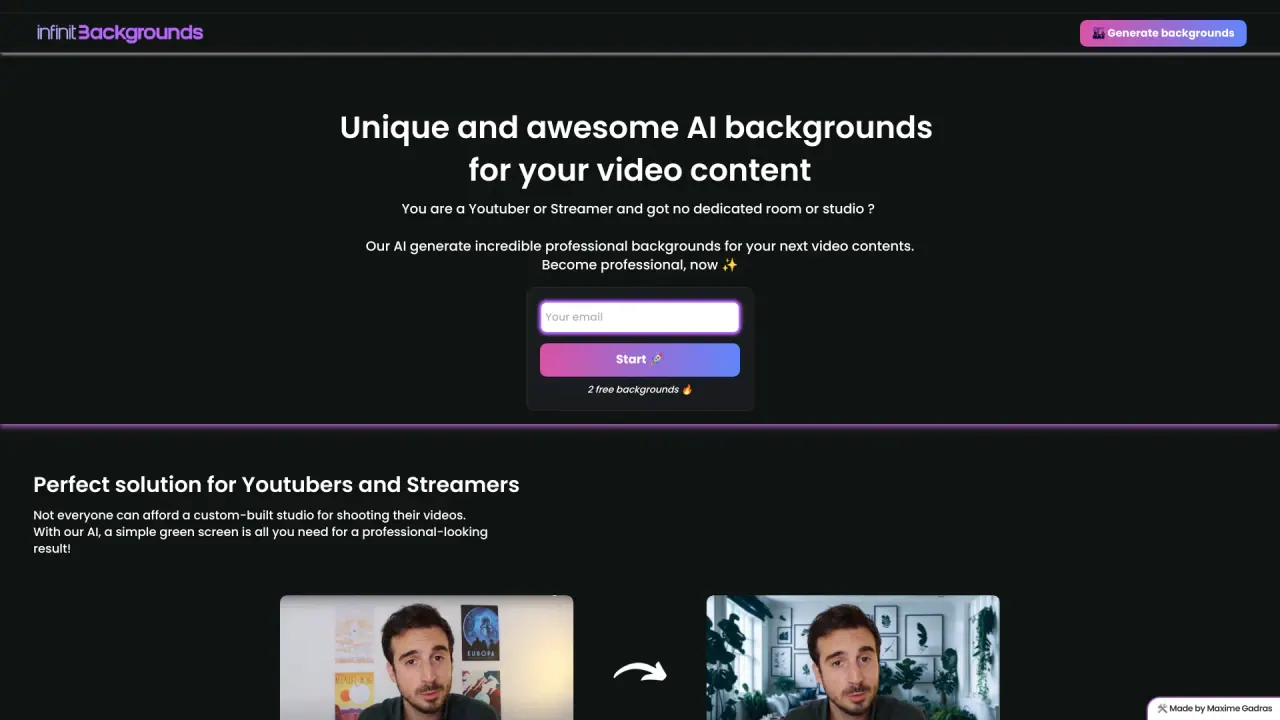
What does Infinit Backgrounds do?
What is infinitbackgrounds.com?
Infinitbackgrounds.com is an AI-driven tool that assists video content creators in generating professional backgrounds. It is ideal for YouTubers, streamers, and other creators who may lack access to a dedicated studio or green screen setup. Using just a simple green screen, Infinitbackgrounds can create unique, high-quality backgrounds, enabling creators to produce polished videos with ease.
What are the benefits of infinitbackgrounds.com?
Infinitbackgrounds.com offers several advantages for video content creators and digital artists:
- Time-Saving: Quickly create high-quality backgrounds without the need for complex software or starting from scratch.
- Cost-Effective: Access premium background designs at a lower cost than hiring professional designers.
- User-Friendly Interface: Navigate an intuitive design environment that simplifies the background creation process.
- Extensive Library: Choose from thousands of customizable templates across various themes and styles.
- Customizable Options: Adjust colors, patterns, and textures to suit your branding or personal style.
- Multi-Format Exporting: Save designs in multiple formats (e.g., JPEG, PNG) for easy integration across platforms.
- Responsive Design: Automatically adjusts backgrounds to fit different screen sizes and resolutions.
- Enhanced Creativity: A wide selection of templates encourages experimentation with different styles and ideas.
- No Design Skills Required: The tool is accessible to users of all skill levels, making it ideal for beginners.
What are the limitations of infinitbackgrounds.com?
While Infinitbackgrounds.com is a powerful tool, it has some limitations:
- Requires Green Screen: Users need a green screen setup to fully utilize the tool, which may not be convenient for everyone.
- Limited Customization: While a variety of templates are available, they may not meet highly specific or unique background needs.
- Potential for Overuse: If not carefully selected, backgrounds may become repetitive or similar across videos.
- Subscription Model: The tool operates on a subscription basis, which may not be cost-effective for users who only need backgrounds occasionally.
- Learning Curve: While user-friendly, beginners may still experience a slight learning curve to fully leverage the tool's features.
How do I get started with infinitbackgrounds.com?
Getting started with Infinitbackgrounds.com is easy. Follow these steps:
- Visit the Website: Go to infinitbackgrounds.com and sign up for an account.
- Create Your Profile: Complete the necessary details to set up your profile.
- Access the Tool: Log in to the main interface to begin creating backgrounds.
- Choose a Template: Browse the library of templates and select one that fits your needs.
- Customize Your Background: Adjust colors, patterns, and textures to align with your vision.
- Export Your Design: Once satisfied, export your background in your preferred format (e.g., JPEG, PNG).
- The platform also offers two free backgrounds to try before committing to a paid subscription.
How does infinitbackgrounds.com work?
Infinitbackgrounds.com uses AI technology to generate professional-quality backgrounds for video content creators. Here's how it works:
- Green Screen Setup: Film your content in front of a green screen to allow the AI to easily separate the subject from the background.
- Upload Your Video: After recording, upload the video to the Infinitbackgrounds platform.
- Select a Background: Browse the library of AI-generated backgrounds and choose one that suits your content.
- Customize the Background: Adjust colors, patterns, and textures to match your vision.
- Apply the Background: The AI replaces the green screen with the chosen background, integrating it seamlessly into your video.
- Export Your Video: Once you're satisfied, export the video with the new background in your desired format (JPEG, PNG, etc.).
- This process enables creators to enhance their videos quickly and easily without needing a professional studio setup.