
AI Anime Generator
AI Art Generator & Creator Tools
Create anime art from text or photos with 8 styles, multiple aspect ratios, and credit-based generation—start with free signup credits.
- Category
- Art
- Listed
- Oct 16, 2026
- Updated
- Oct 16, 2026
Promoted
 AI Checker PlusAI detector that highlights which passages AI wrote. Free check, no sign-up. Plagiarism too.
 RewindType any X/Twitter handle. Get their year back as a narrated video story. Then ask it anything.
 KurodyneSell the tools from your AI side projects. Listing is free.
 Sidrune AI85% off. Stable Claude API for agent developers. Pay as you go. Invoices & refunds available.
 Pixmax.aiPixmax.ai is an all-in-one AI workspace for videos, visual stories, and marketing content.
 SEOify - Improve your SEO & rankingsBuild links to rank in Google. Improve your DR with links you can start building now.Advertise here270,000+ people visit Dang.ai every month.
What does AI Anime Generator do?
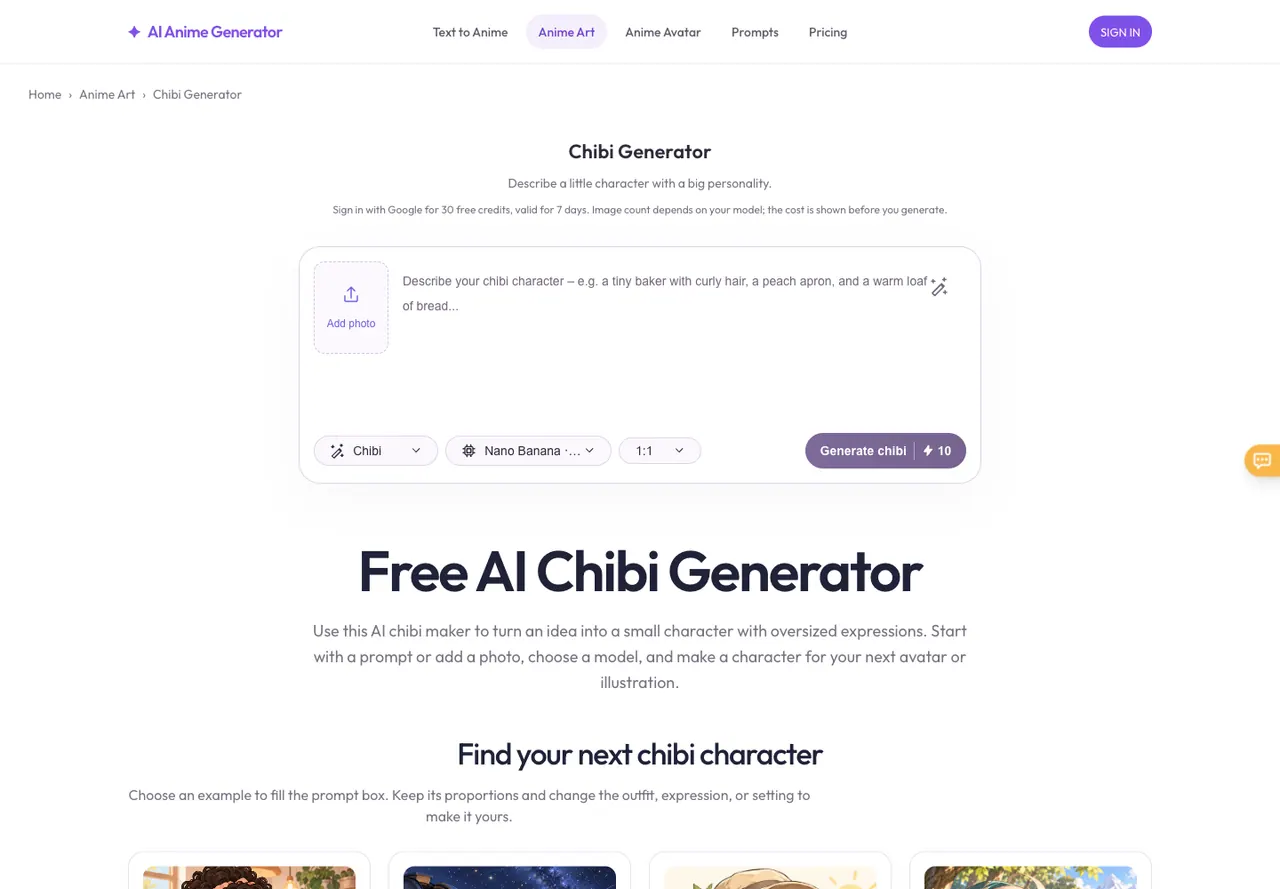
AI Anime Generator helps you turn ideas into anime art using two simple workflows: text-to-anime and photo-to-anime. Describe the subject, setting, and mood to invent original characters, portraits, and playful chibis. If you already have a subject, upload a photo and choose an anime style for an anime interpretation.
Choose from 8 anime styles—Chibi, Waifu, Retro, Pixel, Realistic, Fantasy, Cyberpunk, and School—and pick an aspect ratio such as 1:1, 4:3, 3:4, 16:9, or 9:16. You can also start from prompt inspiration cards, then adjust your prompt to make the result more like your vision. Model choice affects the look and credit cost, so you can compare outcomes by changing one option at a time.
Photo editing uses its supported model and transformations can alter facial details and composition, so exact likeness isn’t guaranteed and results can vary. Upload only photos you have permission to use.
Generation is charged in credits. Free signup credits are available (including Google sign-in credits), and newly created accounts receive 30 bonus credits once, valid for 7 days. Each model has a different credit cost (shown before you generate), so the number of images you can make depends on the model you select. Purchased credits do not expire.
How do I create anime art—text or photo?
Use text-to-anime when you want to invent a character or scene by describing the subject, setting, and mood. Use photo-to-anime when you have a subject already and want an anime interpretation—upload a photo, choose a style, and add any changes you want (or leave the description blank).
What anime styles can I generate with?
You can choose from Chibi, Waifu, Retro, Pixel, Realistic, Fantasy, Cyberpunk, and School. Each style guides the overall look, from playful chibi proportions to cinematic lighting, pixel aesthetics, or neon city atmospheres.
How do credits work for generation?
Generation is charged in credits, and the credit cost updates based on the selected model. Free signup credits are available, and new accounts receive 30 bonus credits once (valid for 7 days). Always check the credit cost on the generation button before you run another image.
Can I turn my photo into anime?
Yes—upload a JPEG, PNG, or WebP (up to 10 MB), pick an anime style, and generate. Photo editing uses a specific model and results vary.
Will my photo keep the same face and details after conversion?
Not necessarily. A photo transformation may change facial details and composition, so exact likeness is not guaranteed.
Do purchased credits expire?
No. Purchased credits do not expire, while the one-time bonus credits for new accounts are valid for 7 days.
This listing is claimed
Own AI Anime Generator? Sign in with the email used to claim it to manage this listing, or upgrade to Pro for featured-first placement and a newsletter feature.