
Animate Photo
ai animate photo
Animate Photo is an online AI image animator that turns your uploaded images into smooth, dynamic video clips in seconds.
Promoted
 RewindType any X/Twitter handle. Get their year back as a narrated video story. Then ask it anything.
 KurodyneSell the tools from your AI side projects. Listing is free.
 Sidrune AI85% off. Stable Claude API for agent developers. Pay as you go. Invoices & refunds available.
 Pixmax.aiPixmax.ai is an all-in-one AI workspace for videos, visual stories, and marketing content.
 SEOify - Improve your SEO & rankingsBuild links to rank in Google. Improve your DR with links you can start building now.Advertise here270,000+ people visit Dang.ai every month.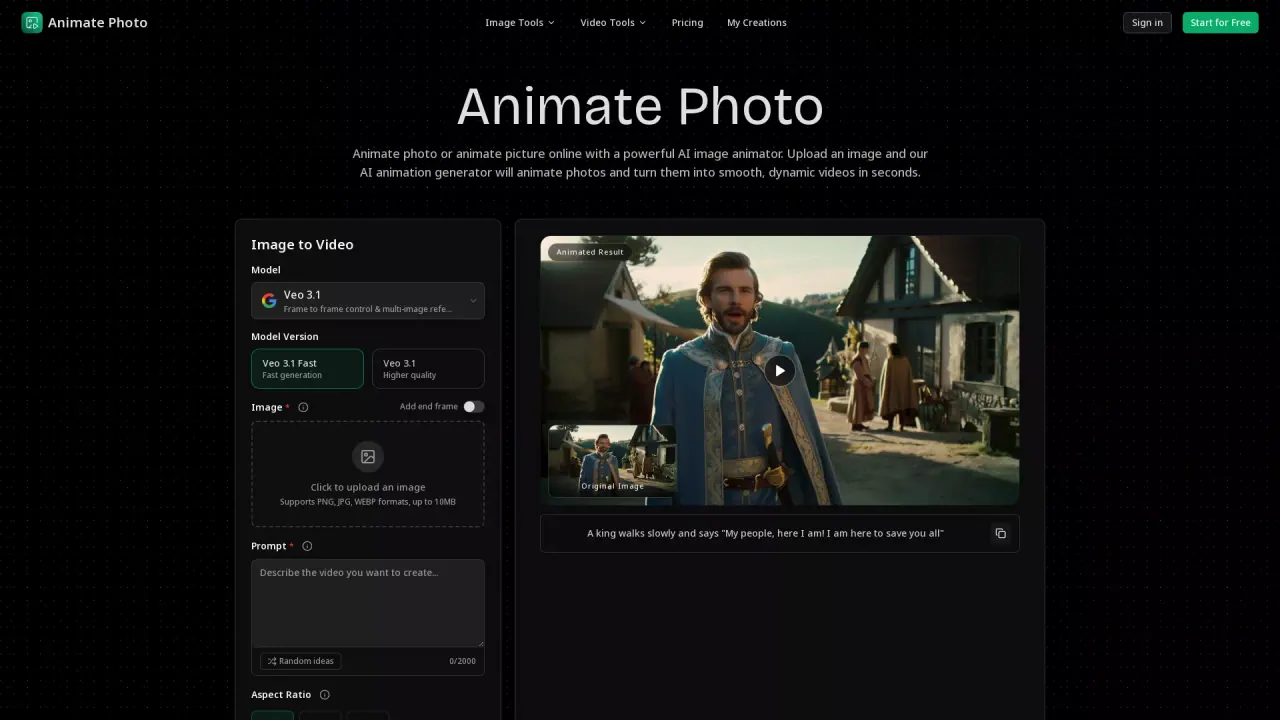
What does Animate Photo do?
Animate Photo helps you turn a still photo (or illustration) into a short, social-ready video using AI image animation. Upload an image, describe the motion and mood you want, and generate a smooth clip without manual keyframing or complex editing.
You can control the animation with prompt-guided movement and options like aspect ratio and duration, and you can include an end frame for more deliberate motion planning. The generator supports PNG, JPG, and WEBP up to 10MB, and you’ll work with a credits-based flow to render your video.
Animate Photo is designed for creators and teams who need fast output and practical control—ideal for animating portrait photos, bringing old photos to life with subtle natural motion, transforming landscape scenes with moving environmental elements, creating dynamic product visuals, or adding cinematic motion to artwork.
The typical workflow is simple: upload your image, describe the video you want, then generate, review, and export an MP4 clip optimized for reels, shorts, and campaign creatives. Credit usage is required to generate, with the interface showing “Credits required: 10 Credits.”
If you want to iterate quickly, you can test multiple prompt variations and download the best result for publishing with minimal post-processing.
What can I create with Animate Photo?
You can upload an image and generate an AI animated video clip with smooth, dynamic motion—useful for portraits, old photos, landscapes, product photos, and artwork.
What file types and size limits are supported?
Animate Photo supports PNG, JPG, and WEBP formats up to 10MB per image.
How do I control what the animation looks like?
Use the prompt to describe camera direction, subject action, and the mood you want. You can also adjust settings like aspect ratio and duration, and add an end frame for more intentional motion.
Does generating a video require credits?
Yes. Credits are required for generation, and the generator shows a “Credits required” value before you create your video.
Do I need to sign in to use all features?
Yes. Signing in is required for full access such as history, higher limits, and account level settings.
How long does it take to generate a video?
Most generations complete within minutes. Complex prompts or peak usage can take longer.
This listing is claimed
Own Animate Photo? Sign in with the email used to claim it to manage this listing, or upgrade to Pro for featured-first placement and a newsletter feature.