
AI Action Figure Generator
AI Action Figure Generator
Turn Yourself into an Epic Action Figure with AI!
- Pricing
- Free trial
- Category
- Art
- Listed
- Jun 20, 2025
- Updated
- May 25, 2026
Promoted
 KurodyneSell the tools from your AI side projects. Listing is free.
 Sidrune AI85% off. Stable Claude API for agent developers. Pay as you go. Invoices & refunds available.
 Pixmax.aiPixmax.ai is an all-in-one AI workspace for videos, visual stories, and marketing content.
 SEOify - Improve your SEO & rankingsBuild links to rank in Google. Improve your DR with links you can start building now.Advertise here270,000+ people visit Dang.ai every month.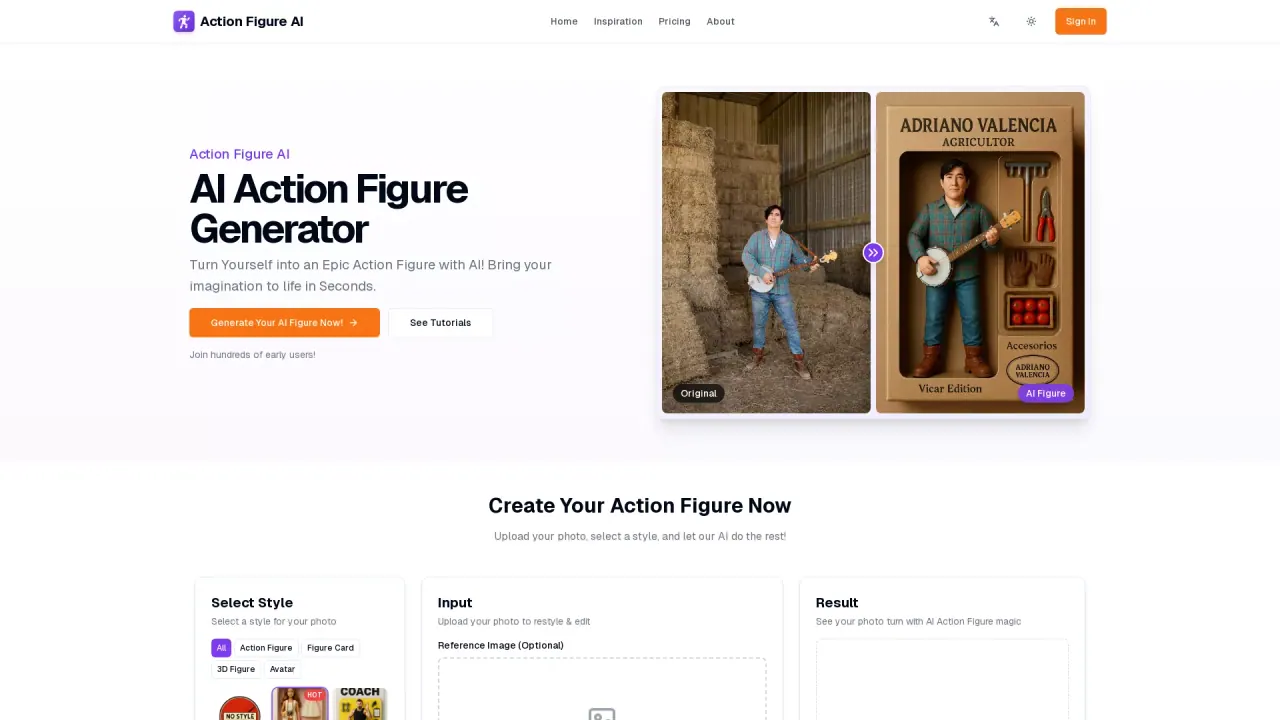
What does AI Action Figure Generator do?
What are the steps to create an AI action figure using the AI Action Figure Generator?
To create an AI action figure, follow these three simple steps:
- Upload Your Photo — choose a clear, front-facing photo of a face. Full-body or half-body shots work best, with good lighting and a neutral background.
- Choose Your Style — select from styles like Realistic, Anime, Cyberpunk, or let the AI surprise you. You can also use a style reference image for ultimate personalization.
- Generate & Download — the AI generates your figure and you can download the result in moments.
How long does it take to generate an AI action figure?
Most generations complete in 2–5 minutes, depending on server load and the complexity of the image. Pro users receive priority processing for even faster results.
Is there a free usage option, and how does pricing work?
Yes. The AI action figure generator provides 3 free uses per day without requiring login. For additional features and higher usage limits, you can upgrade your plan.
Do I have commercial rights to the generated images?
Yes. You have full commercial rights to use the action figure created with our tool.
What styles of action figures can you generate?
We offer a wide range of styles, including Realistic, Anime, Cyberpunk, Fantasy, Superhero, and Sci-Fi. You can also use the Text to Action Figure AI Generator to create figures from descriptions, and upload a style reference image for a personalized look.
How does the AI Action Figure Generator protect user privacy?
Uploaded photos are used only for generating your action figures and are typically deleted after 24 hours. We do not store or keep uploaded images on our servers. Images are used exclusively for real-time action figure generation.
What can I do with my AI action figure?
- Figure Card: Design and print action figure cards for display alongside your toy collection.
- Figure PFP: Turn portraits into action figure profile pictures for social media.
- 3D Figure Design: Create 3D figure designs for blister packs and window toy boxes, with tailored outfits and accessories.
What built-in editing and customization features are available?
- Photo Merge & Crop: Built-in editor to crop, resize, and merge images.
- Reference Style: Upload a style reference image to apply a specific look.
- Animate Figure: Animate your generated figures to move, dance, or pose.
- High-Resolution Downloads: Download images suitable for profile pictures, social media, printing, or gifts.
Can I animate my action figure after generating it?
Yes. The Animate Figure feature lets you make your generated action figures move, dance, or strike dynamic poses.
What is the Reference Style feature and how does it work?
You can upload a style reference image, and our AI will learn and apply that unique aesthetic to your action figure for ultimate customization.
Are there tutorials or help resources available?
Yes. See Tutorials for helpful guides and instructions.
How do I cancel my subscription?
To cancel your subscription, log in to your account, click on your profile picture in the top right corner, and select Manage Subscription from the menu.
Do Pro accounts offer priority processing?
Yes. Pro users receive priority processing for faster results.
This listing is claimed
Own AI Action Figure Generator? Sign in with the email used to claim it to manage this listing, or upgrade to Pro for featured-first placement and a newsletter feature.