PaperAnimatorArt
Verified
AI Paper Animation Studio
Turn photos into tactile torn-edge paper unfold animations with AI background removal and exports for social, campaigns, and edits.
Promoted
 AI Checker PlusAI detector that highlights which passages AI wrote. Free check, no sign-up. Plagiarism too.
 RewindType any X/Twitter handle. Get their year back as a narrated video story. Then ask it anything.
 KurodyneSell the tools from your AI side projects. Listing is free.
 Sidrune AI85% off. Stable Claude API for agent developers. Pay as you go. Invoices & refunds available.
 Pixmax.aiPixmax.ai is an all-in-one AI workspace for videos, visual stories, and marketing content.
 SEOify - Improve your SEO & rankingsBuild links to rank in Google. Improve your DR with links you can start building now.Advertise here330,000+ people visit Dang.ai every month.
What does PaperAnimatorArt do?
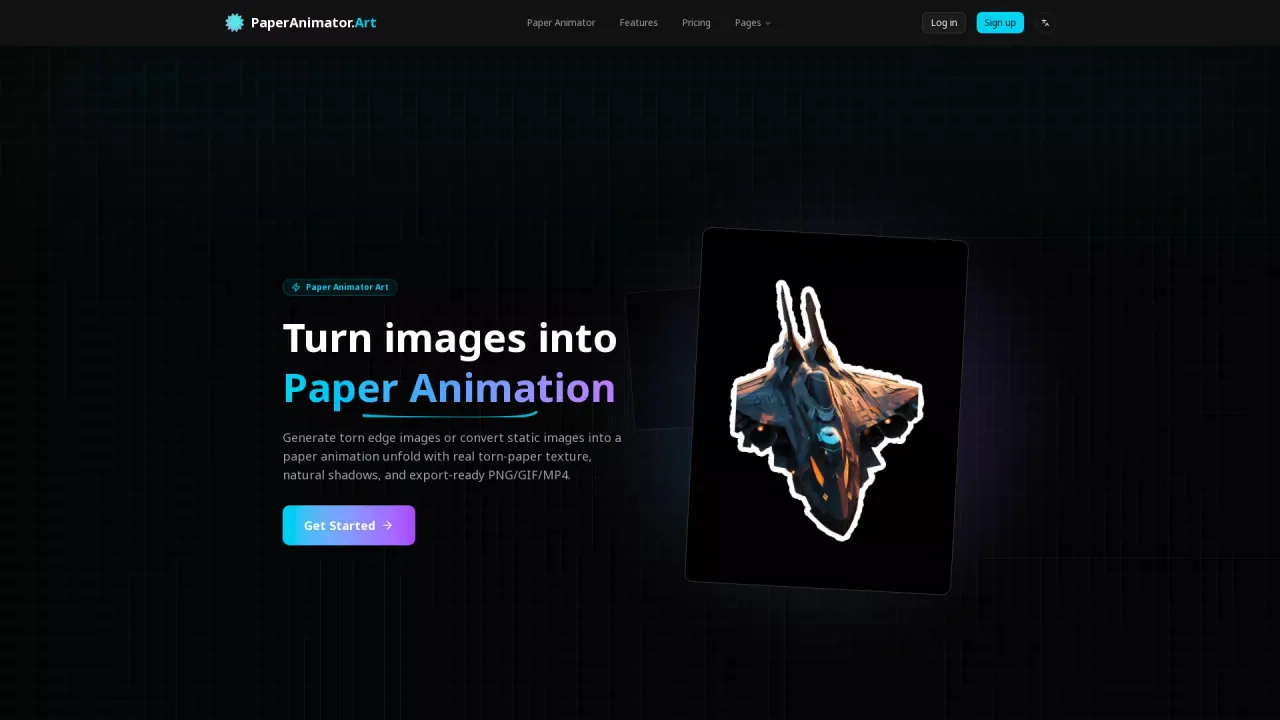
Paper Animator Art (paperanimator.art) turns your images into paper animation graphics and videos with torn-paper edges, foldout motion, and subtle natural shadows. Upload a photo and let the AI trace your subject, apply organic torn edges, and simulate a crumpled sheet opening into shape for a story-like stop-motion feel.
Key features include fast AI background removal (no manual cut-out needed) and smart torn-edge detection that keeps the main details intact while producing handcrafted-looking paper texture. You can also customize the look—such as edge thickness, detail levels, animation size, and shadow—so the animation matches your creative intent. Choose different background vibes like classic paper, pure white, transparent PNG, or green screen, and preview before exporting.
Exports are built for content and editing workflows: download crisp 1080p MP4 video or looping GIF, or use transparent PNG/green screen modes for quick integration into any timeline. Paper Animator is designed for social posts, social ads, brand storytelling, product launch visuals, and creator content that needs attention-grabbing, scroll-stopping motion.
Pricing: start for free with 2 credits available for free registration. Basic credit packages start at $4.99.
What does Paper Animator Art create from my image?
It converts your image into a paper unfold animation with torn-paper edges and foldout motion, ready as shareable GIF or video exports.
Which image formats and file size are supported?
Supported formats are PNG, JPG, JPEG, and WEBP, with a maximum upload size of 10MB.
What export types do I get?
You can export as 1080p MP4, looping GIF, or PNG. Transparent PNG and green screen modes are supported for easier editing.
Can I remove the background automatically?
Yes. Paper Animator Art removes backgrounds in seconds with AI, so you don’t need to manually cut out your subject.
Is the torn-edge look generated automatically?
Yes. The AI maps your subject, applies organic torn edges, and layers subtle shadows to keep the paper animation believable without manual masking.
Do you offer a free trial or credits, and what does pricing look like?
You can get 2 free credits with registration. Basic credit packages start at $4.99.
This listing is claimed
Own PaperAnimatorArt? Sign in with the email used to claim it to manage this listing, or upgrade to Pro for featured-first placement and a newsletter feature.