MODCAR.ai
Verified
Photography AI Tools
Upload a photo of your own car to preview paint, wheels, wraps, body kits, spoilers, and aero in seconds—then download and share results.
- Pricing
- Paid
- Category
- Photography
- Listed
- Jul 12, 2026
- Updated
- Jul 13, 2026
Promoted
 Sidrune AI85% off. Stable Claude API for agent developers. Pay as you go. Invoices & refunds available.
 Pixmax.aiPixmax.ai is an all-in-one AI workspace for videos, visual stories, and marketing content.
 SEOify - Improve your SEO & rankingsBuild links to rank in Google. Improve your DR with links you can start building now.Advertise here270,000+ people visit Dang.ai every month.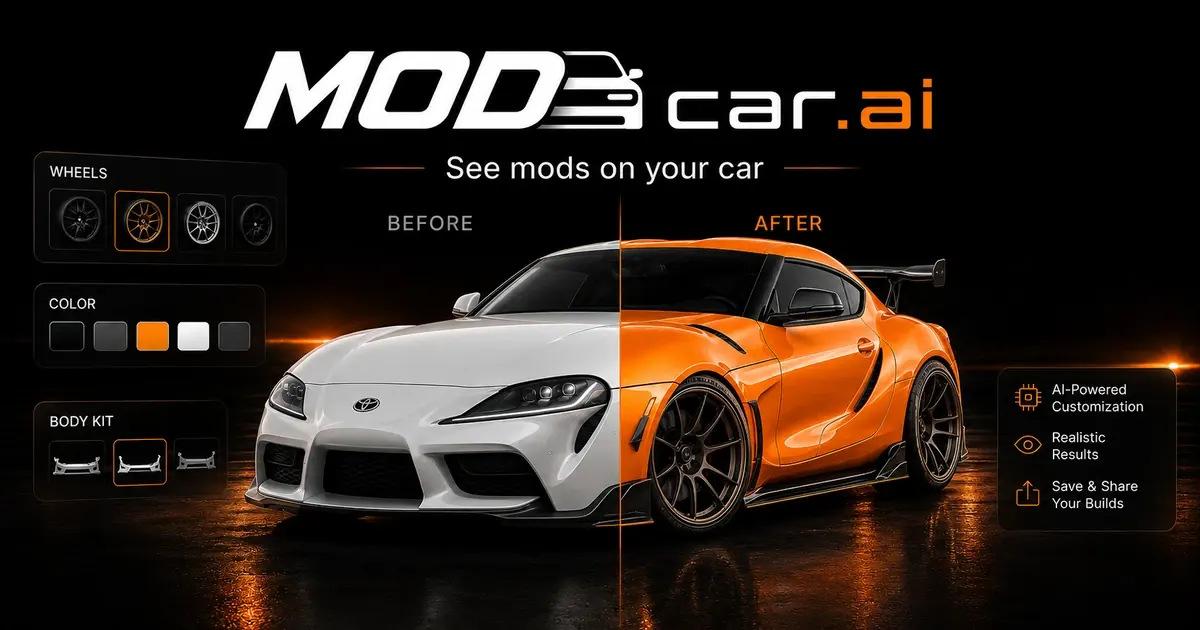
What does MODCAR.ai do?
MODCAR.ai helps you visualize custom car modifications on your own vehicle photo, in seconds. Preview wheels, paint colors, wraps, body kits, spoilers, diffusers, and other aero parts so you can see the full build before committing to parts or a real change.
Try single parts or combine multiple mods to explore different looks and compare versions. You can also upload dealership inventory in batches to create consistent, professional visuals.
For businesses, MODCAR.ai includes dealership-focused workflows like background replacement and showroom templates, plus batch generation and export tools for listings and ads. It’s built for fast iteration, clear approvals, and cleaner presentation—without requiring editing skills.
What can I preview on my car photo with MODCAR.ai?
You can preview paint colors, wheels, wraps, body kits, spoilers, splitters, diffusers, aero parts, and stance. You can stack multiple mods to build a complete look.
Do I need editing skills or Photoshop to use MODCAR.ai?
No. The workflow is upload, modify or standardize, and download—without masking, layers, or editing experience.
Can I try different color and wrap styles on my own car?
Yes. MODCAR.ai can change your car’s color and preview finishes or full wrap-style looks instantly on your uploaded photo.
Is it free to try before committing?
Yes—your first car modification is free, and you can test the process by uploading a photo, choosing mods, and downloading the result.
Will my modifications render on my specific car photo, or a generic model?
They’re generated on your actual uploaded car image, so the wheels, color, and body kit you select appear on your specific make/model from the photo.
Is MODCAR.ai available in a browser?
Yes. It runs in any browser on desktop or phone, so there’s no app download required.
This listing is claimed
Own MODCAR.ai? Sign in with the email used to claim it to manage this listing, or upgrade to Pro for featured-first placement and a newsletter feature.