
Magic Eraser
AI Image Generators from Text Tools
Magic Eraser removes unwanted objects, text, watermarks, and clutter from images in seconds using AI inpainting.
- Pricing
- Free
- Category
- Image
- Listed
- Jun 17, 2026
- Updated
- Jun 18, 2026
Promoted
 AI Checker PlusAI detector that highlights which passages AI wrote. Free check, no sign-up. Plagiarism too.
 RewindType any X/Twitter handle. Get their year back as a narrated video story. Then ask it anything.
 KurodyneSell the tools from your AI side projects. Listing is free.
 Sidrune AI85% off. Stable Claude API for agent developers. Pay as you go. Invoices & refunds available.
 Pixmax.aiPixmax.ai is an all-in-one AI workspace for videos, visual stories, and marketing content.
 SEOify - Improve your SEO & rankingsBuild links to rank in Google. Improve your DR with links you can start building now.Advertise here330,000+ people visit Dang.ai every month.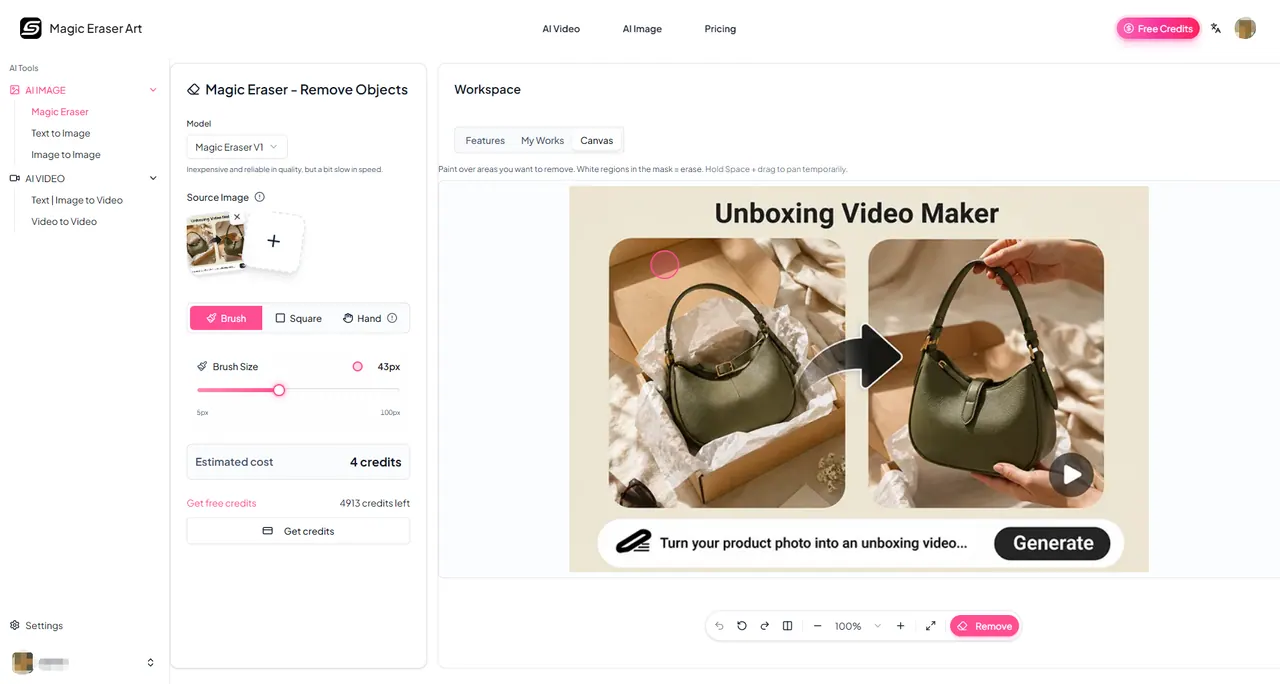
What does Magic Eraser do?
Magic Eraser is an online AI object remover that lets you clean up photos by painting over what you want gone. Using inpainting, it replaces the selected area with a realistic background fill—so scenes look natural without manual retouching.
Upload an image, adjust brush size for precision, and erase the target object (or text, watermark, and other distractions). For best results, cover both the object and its shadow; you can also erase again on the same area if you want to improve the outcome.
Use it to remove people from group shots, delete clutter from real estate and street photos, clean up product and e-commerce images, and restore visuals by removing text, captions, and logos. Your edited image can be downloaded in common formats such as JPG, PNG, and WEBP.
What can I remove with Magic Eraser?
You can remove unwanted objects and clutter, plus people, text, and watermarks by brushing over them in your photo.
How do I get the most natural results?
Include the shadow in your selection, and use a narrower brush to isolate only the area you want removed. If needed, undo and retry with a tighter mask or multiple smaller passes.
What file formats are supported and is there an upload size limit?
Supported formats include JPG, JPEG, PNG, and WEBP (and other popular formats). There’s no resolution limit on uploaded images.
Can I erase multiple objects in one photo?
Yes—mask multiple unwanted elements and erase in one pass first. If results aren’t satisfactory, remove them one object at a time for more control.
Do I need an account to use the tool?
You can explore the tool interface without signing up. To erase and download results, sign in with a Google account.
Is Magic Eraser free to try?
Yes. You can try Magic Eraser free on the platform with bonus credits for new users and additional credits via daily check-ins.
This listing is claimed
Own Magic Eraser? Sign in with the email used to claim it to manage this listing, or upgrade to Pro for featured-first placement and a newsletter feature.