
Jobhunnt
Jobhunnt AI Application Assistant
Make a lasting impression with JobHunnt: the AI application assistant for job seekers.
- Listed
- Jul 22, 2023
- Updated
- May 25, 2026
Promoted
 Pixmax.aiPixmax.ai is an all-in-one AI workspace for videos, visual stories, and marketing content.
 Sidrune AI85% off. Stable Claude API for agent developers. Pay as you go. Invoices & refunds available.
 SEOify - Improve your SEO & rankingsBuild links to rank in Google. Improve your DR with links you can start building now.Advertise here270,000+ people visit Dang.ai every month.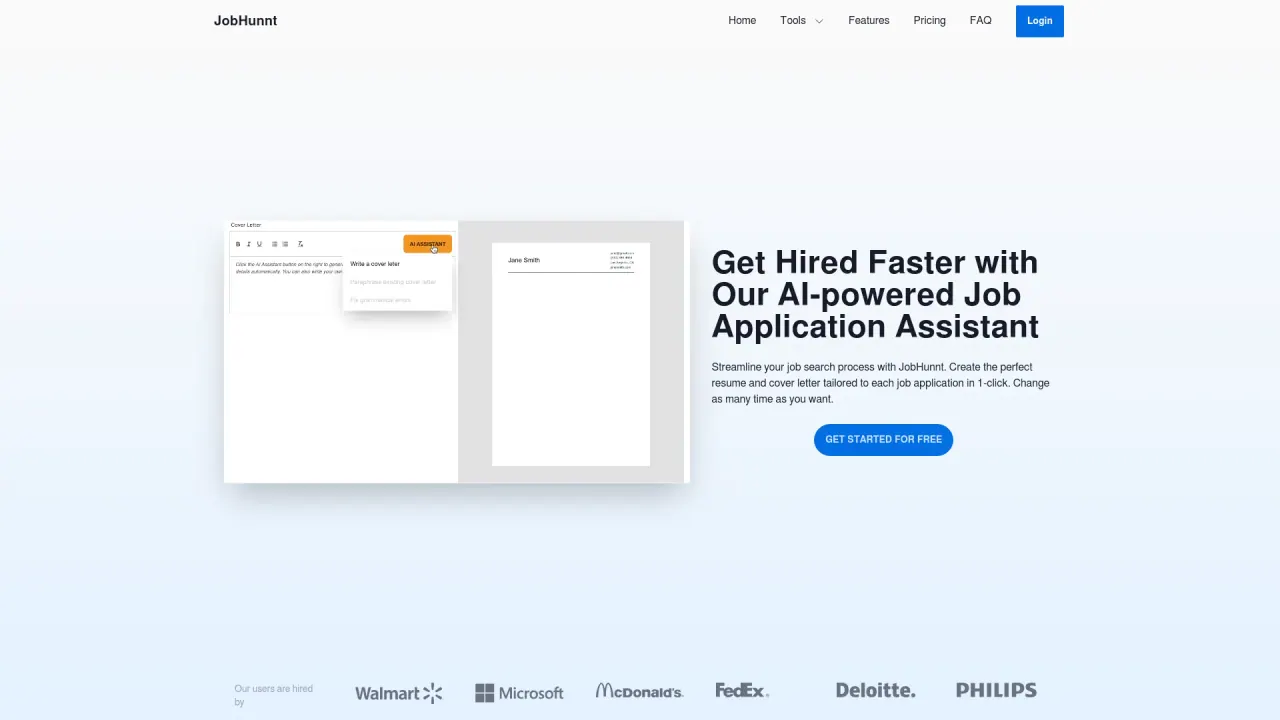
What does Jobhunnt do?
How does JobHunnt streamline my job search and help with applications?
JobHunnt provides an AI-powered resume builder, tailored cover letter creation, and a centralized job management dashboard. Save jobs from LinkedIn, Google, or manually to one dashboard, track application progress, and receive immediate feedback with a resume score. This setup helps you create personalized materials for each job and stay organized, increasing your chances of landing interviews.
What tools are available to customize resumes and write cover letters?
- AI resume builder that tailors resumes for each job with the right keywords.
- Tailored cover letters generated in seconds using job details and your resume information.
- ATS-friendly templates with hundreds of design options for a unique brand.
- Ability to create multiple resume versions in different themes to suit preferences.
What are the pricing plans and what’s included?
- Yearly: $89/year
- Monthly: $29/month
- Weekly: $9/week
- Free: All features, with unlimited 2000 word credits for the AI assistant and PDF exports; No credit card required
All plans include features such as generating resumes, analyzing resumes, generating unlimited cover letters, tracking and organizing all applications, hundreds of templates, unlimited ATS-ready PDF exports, importing jobs from LinkedIn, Google, ZipRecruiter, Indeed, Monster, Glassdoor and more with one click using the browser extension, importing LinkedIn profiles or PDFs to build your resume, and chatting with JobHunnt’s AI Assistant.
Can I save and manage jobs from multiple sources, and how do I save them?
Yes. You can save jobs from LinkedIn, Google, or manually to your JobHunnt dashboard. A Chrome extension lets you bookmark jobs from various boards to save time and stay organized.
Can I import my LinkedIn profile or a PDF resume to build my JobHunnt resume?
Yes. You can import your LinkedIn profile to create a resume instantly, and you can also import a PDF resume to build your JobHunnt resume in seconds.
Does JobHunnt provide a resume score and feedback?
Yes. JobHunnt analyzes your resume and provides a score along with actionable feedback to improve it and increase your chances of getting noticed.
Are there many resume templates and can I customize them?
Yes. JobHunnt offers over a hundred design options, including templates like Resume White, Resume Flowy, Resume White Custom, Resume Minimalist, Resume Flowy Right, Resume Minimalist Custom, Resume Luxury, and corresponding cover letter templates such as Letter White, Letter Flowy, Letter Paper, Letter Basic, Letter Flowy Right, and Letter Basic Bottom. You can customize colors, fonts, and layouts.
Can I chat with JobHunnt’s AI Assistant?
Yes. You can chat with the AI Assistant, which is tailored to you and the jobs you’re pursuing, offering help with interviews, emails, offers, and more.
Does JobHunnt connect me directly to job openings?
No. JobHunnt does not directly connect you to openings; you can add jobs you’re interested in to your dashboard and then generate personalized application materials for each one.
How long does it take to generate custom resumes and cover letters?
A few seconds, enabling you to apply to more jobs in less time.
Is JobHunnt mobile-friendly?
Yes. The platform is mobile-friendly and can be used on any device with internet access.
Can I cancel my subscription?
Yes. You can cancel anytime. After logging in, click your profile picture in the top-right corner, select Billing from the dropdown menu, and cancel.
How can I contact support or submit feature requests?
You can reach support at support@jobhunnt.com. The team is available to answer questions and consider feature requests.
Is my data secure with JobHunnt?
Yes. JobHunnt takes security and privacy seriously. User information is stored securely, and data is not shared or sold to third parties.
Is this your tool?
Claim Jobhunnt to manage this listing, or upgrade to Pro for featured-first placement and a newsletter feature.