Image to Anime
Website AI Tools
Turn photos and illustrations into anime art in your browser by choosing a style and optionally adding creative direction.
- Category
- Website
- Listed
- Oct 10, 2026
- Updated
- Oct 25, 2026
Promoted
 Sidrune AI85% off. Stable Claude API for agent developers. Pay as you go. Invoices & refunds available.
 Pixmax.aiPixmax.ai is an all-in-one AI workspace for videos, visual stories, and marketing content.
 AI Checker PlusAI detector that highlights which passages AI wrote. Free check, no sign-up. Plagiarism too.
 RewindType any X/Twitter handle. Get their year back as a narrated video story. Then ask it anything.
 KurodyneSell the tools from your AI side projects. Listing is free.
 SEOify - Improve your SEO & rankingsBuild links to rank in Google. Improve your DR with links you can start building now.Advertise here270,000+ people visit Dang.ai every month.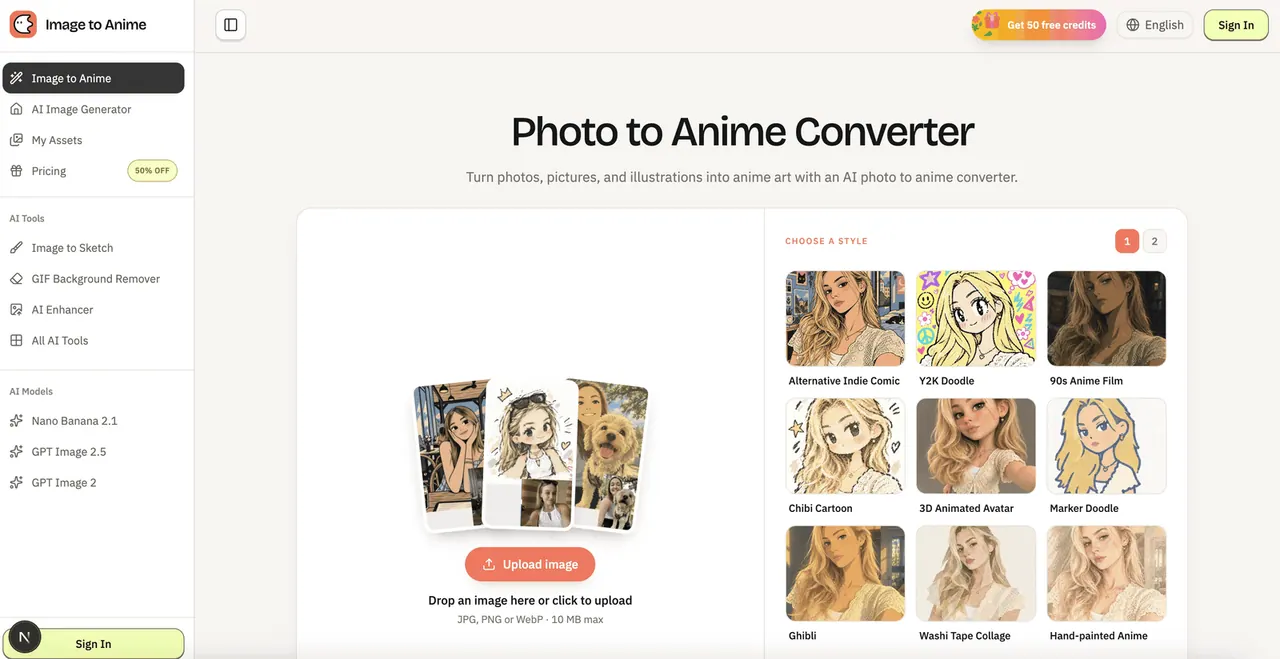
What does Image to Anime do?
Image to Anime is a browser-based AI image generator that transforms photos, pictures, portraits, pets, and illustrations into anime-inspired artwork. Upload an image and convert it into an anime look without needing to write a long, technical prompt.
The converter works to keep your subject recognizable. A clear photo with steady lighting helps preserve key identity details such as facial features, pose, outfit/clothing, framing, and important background elements—then the generator applies anime linework, shading, color, and atmosphere based on the style you pick.
To get started, upload a JPG, PNG, or WebP file (up to 10 MB), choose from multiple anime styles, and optionally add extra creative direction. You can guide the result with notes for lighting, mood, color, or background details, giving you room to steer the final look.
After generation, review your anime image and download the result. Common uses include anime profile pictures, character concept exploration, social artwork, and reimagined pet or portrait illustrations.
Pricing: Get 50 free credits, and a “50% OFF” promotion is listed on the page.
What is Image to Anime used for?
It converts your uploaded photo, portrait, pet picture, or illustration into anime-inspired artwork using a style-based generator.
How do I convert a picture to anime?
Upload your image, choose an anime style, add optional creative direction if you want, then generate and download the anime result.
Will the AI keep the person or pet recognizable?
Yes. The conversion is designed to preserve the subject’s key identity details like facial features, pose, outfit/clothing, and composition so the result still resembles the original.
Which image formats and size limits are supported?
You can upload JPG, PNG, or WebP files up to 10 MB.
Can I choose an anime style and add extra direction?
Yes. Pick a style from the available options and optionally include extra direction for lighting, mood, color, or background details.
How do I download the generated anime image?
Generate the result, review it in the interface, and download your AI-generated anime image.
This listing is claimed
Own Image to Anime? Sign in with the email used to claim it to manage this listing, or upgrade to Pro for featured-first placement and a newsletter feature.