
fylm.ai
Film & Movie AI Tools
fylm.ai is a browser-based AI colour grader and LUT creator that lets you sync looks to Premiere Pro and collaborate with private in-context comments.
- Category
- Film
- Listed
- Nov 12, 2026
- Updated
- Nov 12, 2026
Promoted
 Sidrune AI85% off. Stable Claude API for agent developers. Pay as you go. Invoices & refunds available.
 Pixmax.aiPixmax.ai is an all-in-one AI workspace for videos, visual stories, and marketing content.
 AI Checker PlusAI detector that highlights which passages AI wrote. Free check, no sign-up. Plagiarism too.
 RewindType any X/Twitter handle. Get their year back as a narrated video story. Then ask it anything.
 KurodyneSell the tools from your AI side projects. Listing is free.
 SEOify - Improve your SEO & rankingsBuild links to rank in Google. Improve your DR with links you can start building now.Advertise here330,000+ people visit Dang.ai every month.
What does fylm.ai do?
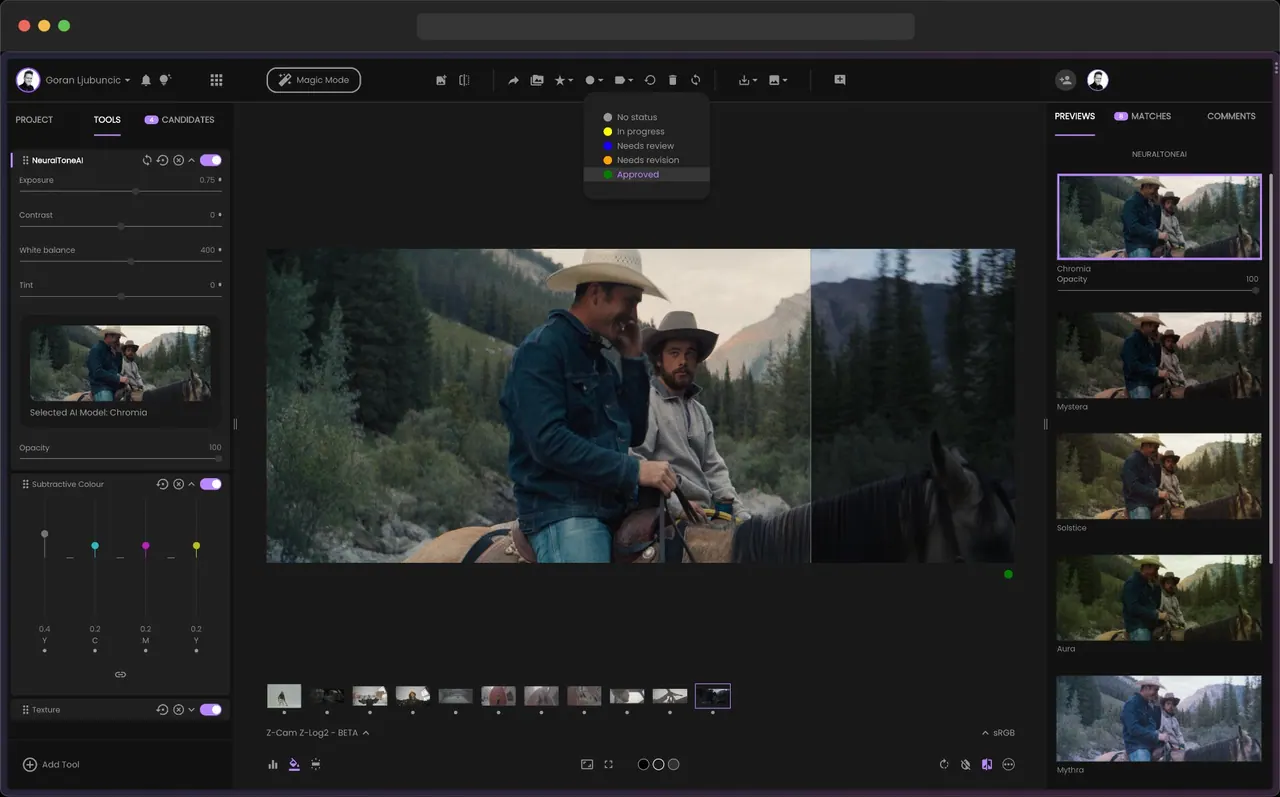
fylm.ai is an AI-powered, cloud browser app for creating cinematic colour grades and LUTs—without installing software. Work directly in your workflow to establish looks quickly, refine them with film-inspired AI tools, and turn your results into LUTs and finishing-friendly outputs.
Use NeuralToneAI and NeuralFilmAI to generate film-like aesthetics with AI assistance, then refine your grade with dedicated tools such as AI Colour Extract, AI Colour Match, AI Auto Correct, AI Exposure, AI Contrast, and AI White Balance. You can use the editor as a RAW photo editor as well as for non-RAW inputs, helping you move from image or photo capture toward a consistent, color-managed look.
If you’re doing video work, fylm.ai focuses on making Premiere Pro workflows faster. Sync your colour grades back to Premiere Pro with one click so the grade appears on your timeline instantly—no manual downloads, LUT handling, or round-trips. This keeps your look iteration close to where edits happen.
For teams and clients, fylm.ai supports real-time collaboration using built-in commenting. Feedback appears directly alongside your colour grades in-context, so creative decisions are easier to track without switching tools or sharing links. Export options include a 3D LUT, Adobe XMP profile, and Capture One style, plus conversion to an ICC profile. Pricing is available, and you can get started for free.
What can I create with fylm.ai?
You can create AI-assisted colour grades and generate LUTs (including a 3D LUT), plus export options like an Adobe XMP profile, a Capture One style, and ICC profile conversions.
Does fylm.ai work in a browser without downloads?
Yes—fylm.ai is designed to be used in the browser, so you can create looks without downloading additional software.
How does Premiere Pro integration work in fylm.ai?
You can sync your colour grades back to Premiere Pro with one click. The grade appears instantly on your Premiere Pro timeline, avoiding manual LUT downloads or round-trips.
Which AI tools are available for colour grading?
Key tools include NeuralToneAI and NeuralFilmAI, along with AI Colour Extract, AI Colour Match, AI Auto Correct, AI Exposure, AI Contrast, and AI White Balance.
Can I collaborate with my team or clients?
Yes. fylm.ai includes built-in commenting that stays alongside your colour grades, so feedback can be reviewed and discussed in-context without link sharing.
Is there a free way to start with fylm.ai?
Yes. You can get started for free, then choose from available pricing options as your workflow expands.
Is this your tool?
Claim fylm.ai to manage this listing, or upgrade to Pro for featured-first placement and a newsletter feature.