
CreateCaricature
AI Caricature Generator
CreateCaricature turns your photo into caricature portraits and avatars in seconds with multiple styles, exaggeration control, and HD downloads.
Promoted
 AI Checker PlusAI detector that highlights which passages AI wrote. Free check, no sign-up. Plagiarism too.
 RewindType any X/Twitter handle. Get their year back as a narrated video story. Then ask it anything.
 KurodyneSell the tools from your AI side projects. Listing is free.
 Sidrune AI85% off. Stable Claude API for agent developers. Pay as you go. Invoices & refunds available.
 Pixmax.aiPixmax.ai is an all-in-one AI workspace for videos, visual stories, and marketing content.
 SEOify - Improve your SEO & rankingsBuild links to rank in Google. Improve your DR with links you can start building now.Advertise here330,000+ people visit Dang.ai every month.
What does CreateCaricature do?
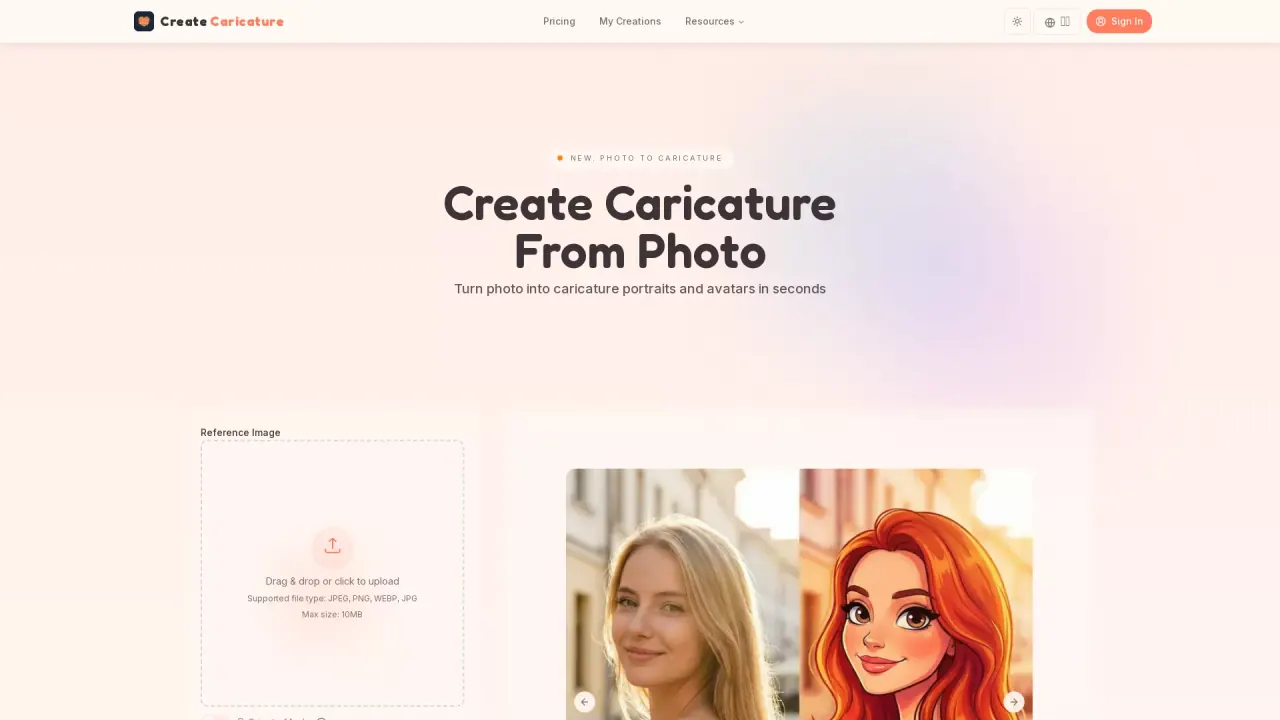
CreateCaricature is an online AI caricature generator that turns a reference photo into caricature portraits and avatars in seconds—no design skills or special software required. Upload a clear face photo, then generate results right in your browser.
Choose from multiple styles, including cartoon, sketch/line art, and 3D. Use exaggeration control to dial how subtle or bold the caricature looks while keeping your likeness recognizable. You can also add background options for clean avatar-ready images or more fun scene-style outputs.
A simple dashboard helps you generate, tweak, and download your caricatures. If you don’t love the first result, regenerate variations, switch styles, or adjust exaggeration until it matches what you want—useful for consistent team avatars or personalized gifts.
CreateCaricature supports HD downloads for printing and sharing. It also offers a free plan (“No credit card required”) and paid subscriptions with monthly credit packs, cloud storage duration, and secure/private generation. Commercial use is included with the plans listed, so you can use your generated caricature portraits for branding, content, and marketing.
How do I create a caricature on CreateCaricature?
Upload a clear selfie, pick a caricature style, then click Generate. The AI creates a caricature portrait in seconds.
What caricature styles are available?
You can generate in cartoon, sketch/line sketch, and 3D styles. You can switch styles for the same photo.
Can I control how exaggerated the caricature looks?
Yes—use the exaggeration control to make the result subtle or bold while keeping it recognizable.
Can I download high-resolution caricatures?
Yes. CreateCaricature provides HD downloads that are ready for printing and sharing.
Is CreateCaricature free to try, and is a credit card needed?
Yes. You can use the free plan to create caricatures online with no credit card required to try.
Can I use the caricatures for business or marketing?
Yes. You can use generated caricature portraits for branding, content, and marketing.
This listing is claimed
Own CreateCaricature? Sign in with the email used to claim it to manage this listing, or upgrade to Pro for featured-first placement and a newsletter feature.