
ImageTextEditor
AI Image Text Editing
picText is an AI image text editor that detects and replaces text in screenshots, JPG/PNG files, and product images while preserving layout, lighting, and style.
Promoted
 Sidrune AI85% off. Stable Claude API for agent developers. Pay as you go. Invoices & refunds available.
 Pixmax.aiPixmax.ai is an all-in-one AI workspace for videos, visual stories, and marketing content.
 SEOify - Improve your SEO & rankingsBuild links to rank in Google. Improve your DR with links you can start building now.Advertise here270,000+ people visit Dang.ai every month.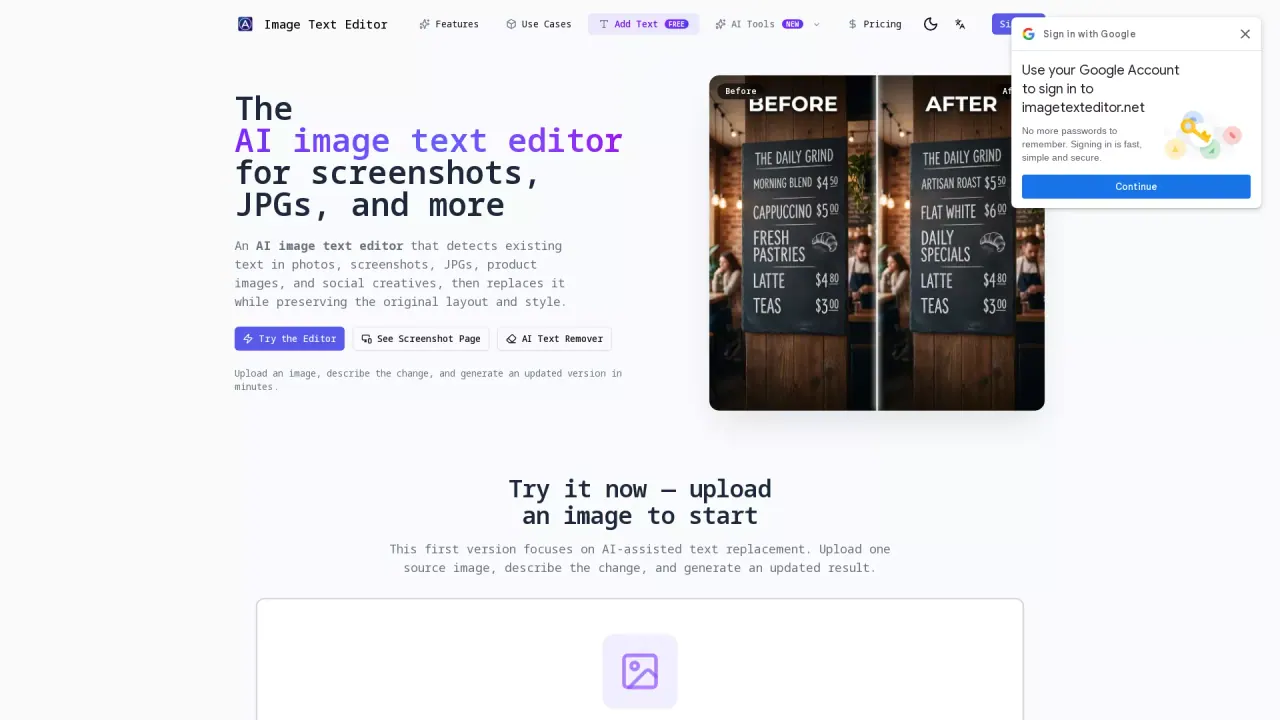
What does ImageTextEditor do?
picText is an AI image text editor for screenshots, JPGs, PNGs, and product creatives. It detects existing text inside your image and replaces it naturally—preserving the original composition, background details, and visual styling instead of simply placing an overlay.
You can edit in two modes. Standard mode uses OCR to detect text blocks and lets you edit each one with control over font, size, color, and position—best for clean, structured text and simpler backgrounds. Pro mode redraws the selected region with AI inpainting to blend new text seamlessly, handling complex visuals, gradients, textures, and non-standard fonts.
Workflow is simple: upload an image, describe the text change (optionally specify the original text and add style/layout instructions), then generate the updated result. The editor supports common use cases like changing copy in screenshots and UI, replacing text on receipts and documents, updating product labels and prices, and localizing marketing posters and menus.
Is this a manual canvas editor?
No—picText focuses on AI-assisted text replacement. You upload an image, describe what you want to change, and the tool generates an updated result.
Can it edit screenshots as well as photos?
Yes. It’s built for screenshot UI editing as well as photos and other image assets that already contain text.
Will it preserve the existing layout and visual style?
Yes. The editing prompt prioritizes spacing, alignment, perspective, color, and surrounding background details, so the replacement blends into the original image.
Can it match the same font style?
Yes. There is a dedicated same-font matching preset to keep typestyle, weight, and kerning as close as possible to the original.
What’s the difference between Standard mode and Pro mode?
Standard mode uses OCR to detect text blocks and edit them directly, working best with clean, structured text and simpler backgrounds. Pro mode uses AI redraw/inpainting to seamlessly blend new text into complex backgrounds and non-standard fonts.
How many credits does each mode use?
Standard mode uses 1 credit per edit, while Pro mode uses 2 credits per edit.
This listing is claimed
Own ImageTextEditor? Sign in with the email used to claim it to manage this listing, or upgrade to Pro for featured-first placement and a newsletter feature.