
Imgkits
AI Image Editing And Enhancement Tool
Enhance, edit, and transform your images effortlessly with Imgkits - the ultimate AI image editing and enhancement tool.
- Listed
- Aug 4, 2023
- Updated
- May 25, 2026
Promoted
 Sidrune AI85% off. Stable Claude API for agent developers. Pay as you go. Invoices & refunds available.
 Pixmax.aiPixmax.ai is an all-in-one AI workspace for videos, visual stories, and marketing content.
 RewindType any X/Twitter handle. Get their year back as a narrated video story. Then ask it anything.
 KurodyneSell the tools from your AI side projects. Listing is free.
 SEOify - Improve your SEO & rankingsBuild links to rank in Google. Improve your DR with links you can start building now.Advertise here270,000+ people visit Dang.ai every month.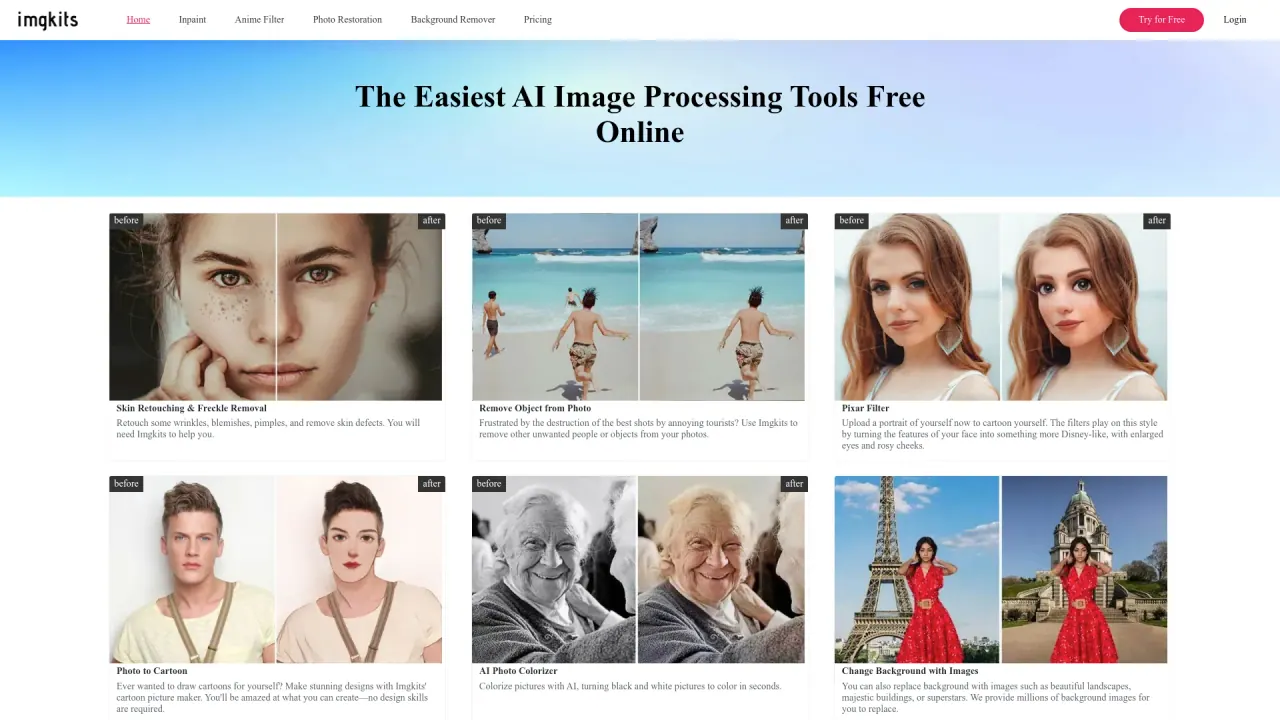
What does Imgkits do?
What can Imgkits do for you?
Imgkits offers a comprehensive set of AI-powered image processing tools to edit, restore, and creatively transform photos. Key capabilities include:
- Skin retouching and freckle/blemish removal
- Removing unwanted objects or tourists from photos
- Pixar and anime-style filters to convert portraits into cartoon-like images
- Photo restoration and AI colorization for black-and-white images
- AI-based deblurring (unblur) and upscaling to improve sharpness and resolution
- Watermark removal (text, logos, date stamps)
- Scratch repair on old photos
- Photos-to-painting and photo-to-sketch styles
- Background removal and background replacement or recoloring
- AI-driven enhancements to boost color, contrast, and overall image quality
- Batch processing for editing multiple images at once
How do Imgkits work?
Imgkits uses advanced AI to perform edits. Choose a feature, upload your photo, and receive the edited result—quickly and with minimal manual effort.
Is Imgkits browser-based, or do I need to install software?
Imgkits is a web-based tool that you can use directly in your browser—no download or installation required.
Can I remove watermarks and unwanted objects from photos?
Yes. Imgkits includes a Remove Watermark & Object from Photo with AI tool to remove unwanted content such as text, logos, dates, or other distracting elements.
How can I remove or change the background of my photos?
Imgkits provides:
- Background Remover to isolate the main subject
- Change Background with Images to replace the background with scenes like landscapes or buildings
- Change Background Color to a solid color for a clean, consistent look
Can Imgkits colorize or restore old photos?
Yes. The Photo Restoration & AI Colorizer feature colorizes black-and-white photos and restores faded images.
Can Imgkits improve blurry or low-resolution images?
Yes. Use AI Unblur Image & Image Upscaler to sharpen and increase resolution, complemented by AI Photo Enhancer for enhanced color and contrast, and AI Image Defogging for clearer images in foggy conditions.
Can I turn photos into art styles (Pixar, anime, sketches, paintings)?
Yes. The Photo to Art suite lets you apply filters to create Pixar-like cartoons, anime styles, sketches, paintings, and other artistic effects.
Can I process multiple images at once?
Yes. Imgkits supports Batch Processing to handle multiple HD images simultaneously, saving time on high-volume projects.
What file formats does Imgkits support?
Imgkits supports common image formats such as JPG and PNG for editing.
Is there a free option, or do I need to pay?
There is a free starter option to get started, with paid plans available for additional features and capabilities.
Where can I get help if I can’t find the answer I need?
If you can’t find an answer, you can contact Imgkits’ support team for assistance.
Is this your tool?
Claim Imgkits to manage this listing, or upgrade to Pro for featured-first placement and a newsletter feature.