
GMPlus
AI Email Generator For Gmail
Enhance Gmail communication with GMPlus, the AI email generator revolutionizing efficiency.
- Listed
- Aug 4, 2023
- Updated
- May 25, 2026
Promoted
 Sidrune AI85% off. Stable Claude API for agent developers. Pay as you go. Invoices & refunds available.
 Pixmax.aiPixmax.ai is an all-in-one AI workspace for videos, visual stories, and marketing content.
 RewindType any X/Twitter handle. Get their year back as a narrated video story. Then ask it anything.
 KurodyneSell the tools from your AI side projects. Listing is free.
 SEOify - Improve your SEO & rankingsBuild links to rank in Google. Improve your DR with links you can start building now.Advertise here270,000+ people visit Dang.ai every month.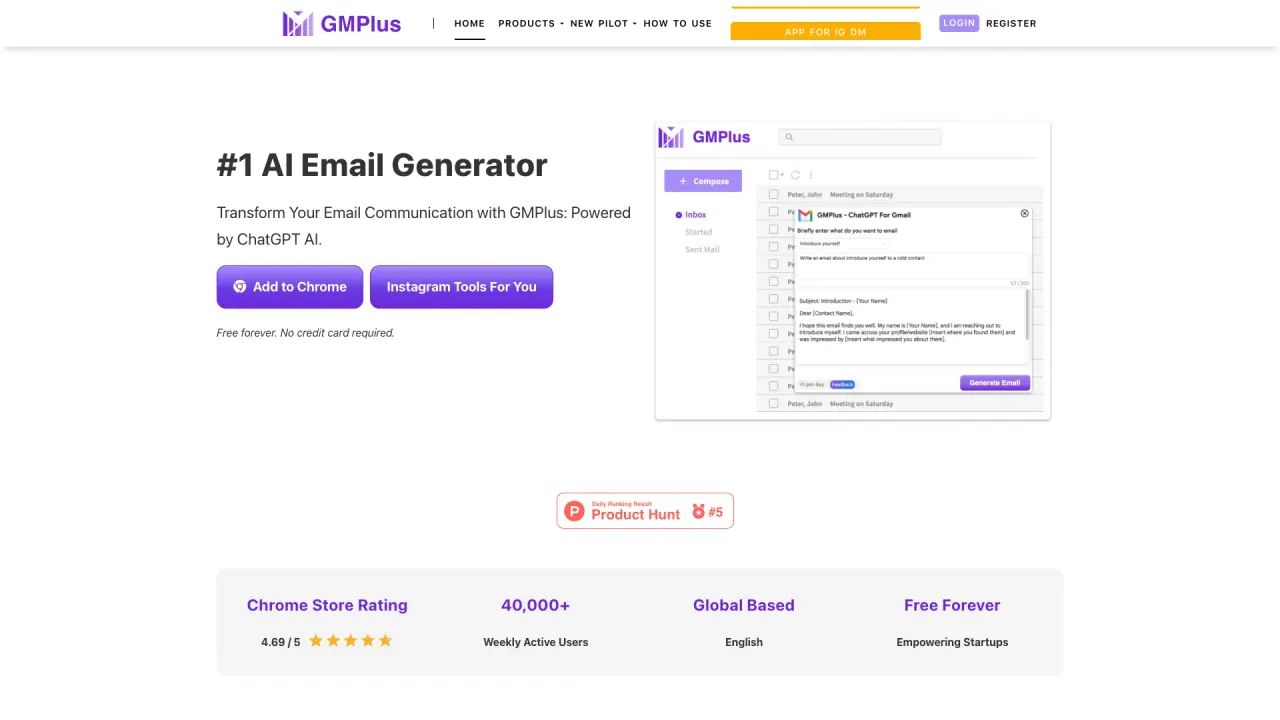
What does GMPlus do?
What is GMPlus and what does it do?
GMPlus is a Google Maps scraper (with a Bing Maps Scraper and related data tools) that automatically extracts business data from Google Maps listings. It can capture phone numbers, emails, locations, social profiles, and more, and export the results to CSV or Excel. It’s available as a browser extension (Chrome and Edge) and includes modules for Google Maps extraction, Bing Maps scraping, email scraping, and Google Map reviews scraping.
What data can I scrape with GMPlus Google Maps Extractor?
You can scrape a wide range of data fields, including:
- Name
- Phone
- Social Medias (social profiles)
- Website
- Domain
- Fulladdress
- Street
- Municipality
- Categories
- Description
- About
- Claimed
- Price
- Plus code
- Time zone
- Review Count
- Reviews
- Photos
- Average Rating
- Review URL
- Google Maps URL
- Google Knowledge URL
- Latitude
- Longitude
- Opening hours
- Featured image
- Fid
- Cid
- Place Id
- Kgmid
There are about 18 data dimensions in total.
What data formats can I export to?
Data can be exported to CSV or Excel. There is an option to Export Detailed List for a full dataset.
How does GMPlus Google Maps Scraper work?
- Step 1: Install the extension in your browser (Chrome; Edge is supported).
- Step 2: Open Google Maps and search for your target area or keyword.
- Step 3: Click Start Extracting. The tool collects the data and downloads it to your device as CSV/Excel, with an option to export a detailed list.
Is GMPlus free, and are there usage limits?
Yes, GMPlus is free to start. You can extract up to 40 leads at a time for free. If you purchase a lifetime plan, there are no lead limits.
Does GMPlus work in all locations where Google Maps operates?
Yes. It works anywhere Google Maps operates—simply navigate to the area you want and start extracting.
Do I need coding skills to use GMPlus?
No. GMPlus is designed for users without coding skills. The typical flow is: search on Google Maps, start the extractor in the extension, then export to CSV/Excel.
Is GMPlus available as a Chrome extension and can I use it in Edge?
Yes. GMPlus is available as a Chrome extension and can also be used with Edge. You can add the extension to Chrome or Edge and start extracting data.
How do I install the GMPlus extension?
- Download the Google Maps Extractor extension package (zip) and unzip it.
- In Chrome, go to chrome://extensions, enable Developer mode, and load the unpacked extension folder. Pin the extension for quick access.
- For Edge, use the same extension approach or follow the Edge-compatible install option provided on the site.
How can I extract phone numbers from Google Maps with GMPlus?
GMPlus’s Google Maps Extractor collects phone numbers from Google Maps listings as you scrape results, including numbers that may not be immediately visible.
How can I extract emails from Google Maps with GMPlus?
GMPlus can retrieve emails associated with businesses listed on Google Maps, including emails that aren’t directly displayed on the listing.
Can I scrape reviews from Google Maps with GMPlus?
Yes. GMPlus supports scraping reviews from Google Maps as part of its data extraction features.
Can GMPlus extract data from Bing Maps?
Yes. GMPlus offers a Bing Maps Scraper module in addition to the Google Maps Extractor.
How do I find a Google Place ID with GMPlus?
GMPlus provides data fields and tooling that include Place Id (and related identifiers) as part of the scraped dataset.
Where can I download demo data to try GMPlus?
The site provides demo data examples (for instance, a demo data set like “hotel near New York”) to illustrate what the export looks like.
What GMPlus modules are available?
- Google Maps Extractor
- Bing Maps Scraper
- Email Scraper
- Google Map Reviews Scraper
Where can I find guides or get help?
Guides and support information are available on the site (Guides, Contact Us).
This listing is claimed
Own GMPlus? Sign in with the email used to claim it to manage this listing, or upgrade to Pro for featured-first placement and a newsletter feature.