
Makegirlsmoe
AI Anime Character Generator
Create unique anime-style character portraits with an AI generator and flexible appearance controls.
- Listed
- Aug 4, 2023
- Updated
- Oct 15, 2026
Promoted
 Sidrune AI85% off. Stable Claude API for agent developers. Pay as you go. Invoices & refunds available.
 Pixmax.aiPixmax.ai is an all-in-one AI workspace for videos, visual stories, and marketing content.
 AI Checker PlusAI detector that highlights which passages AI wrote. Free check, no sign-up. Plagiarism too.
 RewindType any X/Twitter handle. Get their year back as a narrated video story. Then ask it anything.
 KurodyneSell the tools from your AI side projects. Listing is free.
 SEOify - Improve your SEO & rankingsBuild links to rank in Google. Improve your DR with links you can start building now.Advertise here270,000+ people visit Dang.ai every month.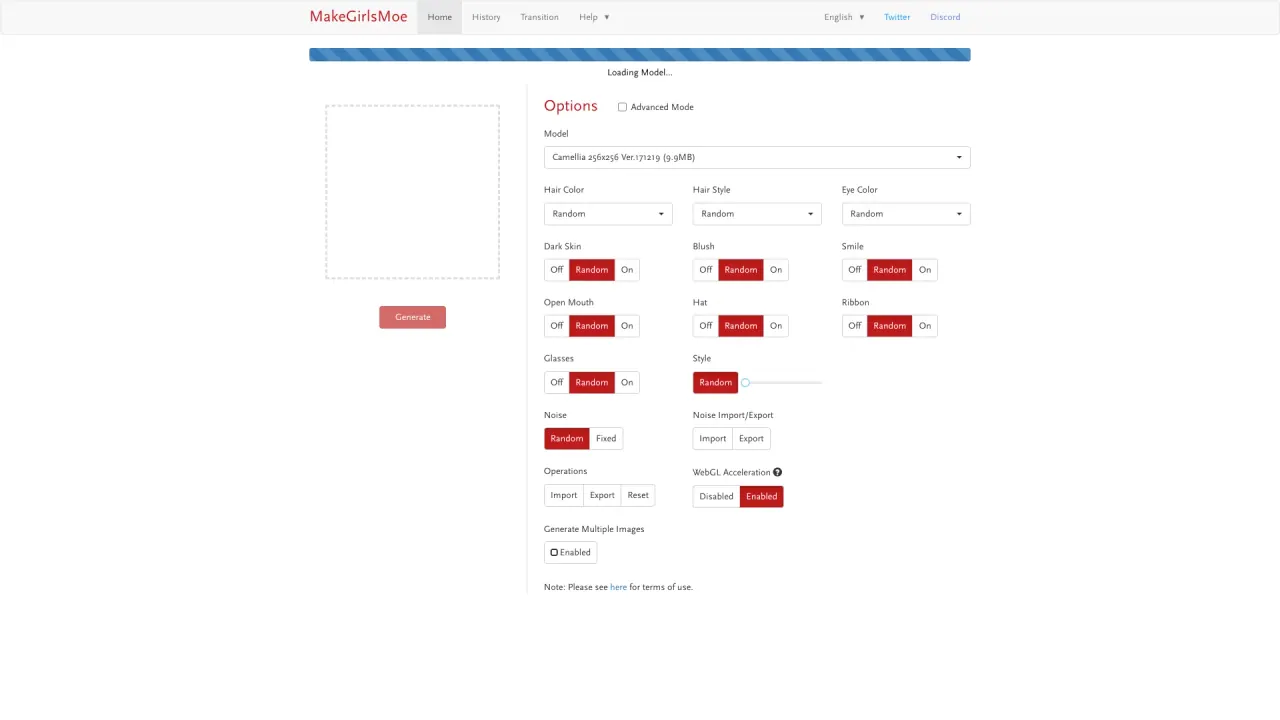
What does Makegirlsmoe do?
MakeGirlsMoe is an AI Anime Character Generator that lets you create original anime character images by adjusting key appearance options. Start by generating a character, then refine details like hair, eyes, skin tone, and facial expressions to get closer to the look you want.
The generator includes an Advanced Mode for more control. You can randomize attributes such as hair color, hair style, and eye color, and toggle features like dark skin, blush, smile, open mouth, hats, ribbons, and glasses. There’s also a Style option and a Noise setting that supports Random or Fixed noise.
For workflows that require repeatability or custom variation, you can use Noise Import/Export to bring in a noise pattern or export the current one. You can also Import/Export for operations like saving and reloading settings, with a Reset option to return to defaults. WebGL acceleration can be enabled to improve performance.
You can generate multiple images at once (when that option is enabled), making it easier to explore different character variations quickly. Use responsibly and review the terms of use linked from the generator page before creating and using your outputs.
What can MakeGirlsMoe generate?
It generates anime-style character images using AI. You can create a single character portrait or generate multiple images to explore variations.
How do I control the character’s appearance?
Use the option toggles and selectors for hair color/style, eye color, dark skin, blush, smile, open mouth, hat, ribbon, and glasses. You can also set many fields to Random for variety.
What is Advanced Mode used for?
Advanced Mode gives you deeper access to generation settings, including model selection and controls for style and noise. It’s designed for fine-tuning results beyond basic generation.
What does the Noise setting do, and how can I keep it consistent?
Noise controls visual variation. Choose Random for variation or Fixed for consistency, and you can import/export noise to reuse a specific noise pattern.
Can I import or export my generation settings?
Yes. The page provides Import/Export controls under Operations, allowing you to bring in or save relevant settings or data. A Reset button lets you return to defaults.
How do I speed up generation?
Enable WebGL Acceleration (if available) to offload rendering to WebGL and improve performance during generation.
Is this your tool?
Claim Makegirlsmoe to manage this listing, or upgrade to Pro for featured-first placement and a newsletter feature.