
JSTools.Space
AI Productivity Tools
JSTools.Space is a free suite of privacy-first utilities for formatting, inspecting, encoding, and generating development data locally in your browser.
- Pricing
- Free
- Category
- Productivity
- Listed
- Jun 25, 2026
- Updated
- Jun 26, 2026
Promoted
 KurodyneSell the tools from your AI side projects. Listing is free.
 Sidrune AI85% off. Stable Claude API for agent developers. Pay as you go. Invoices & refunds available.
 Pixmax.aiPixmax.ai is an all-in-one AI workspace for videos, visual stories, and marketing content.
 RewindType any X/Twitter handle. Get their year back as a narrated video story. Then ask it anything.
 SEOify - Improve your SEO & rankingsBuild links to rank in Google. Improve your DR with links you can start building now.Advertise here270,000+ people visit Dang.ai every month.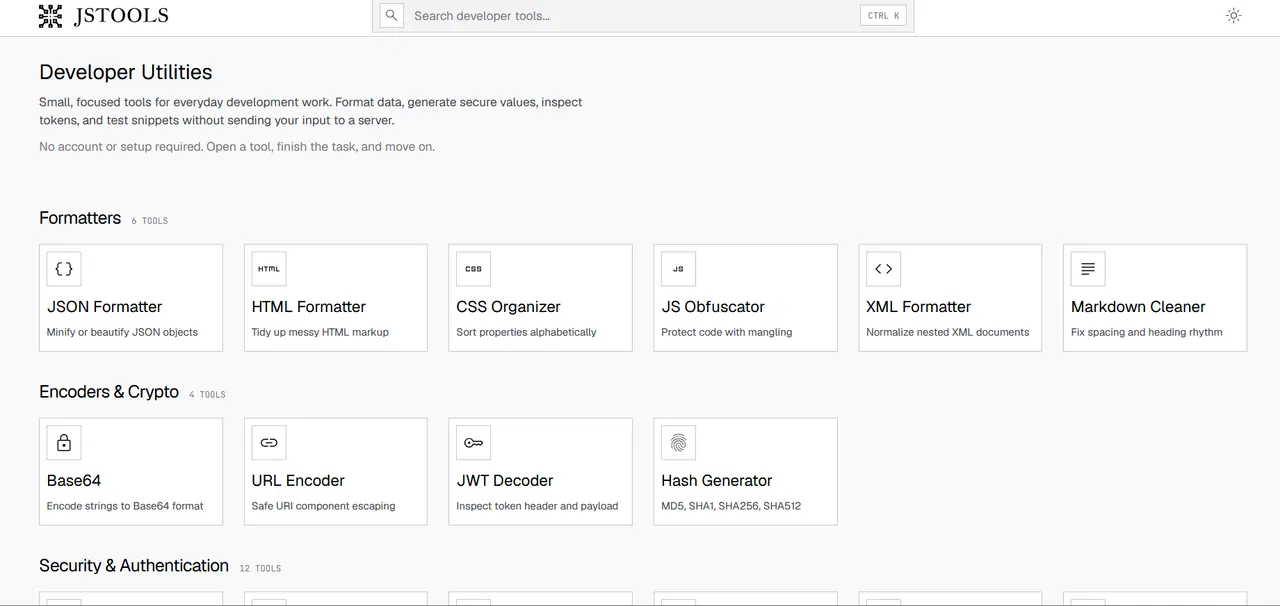
What does JSTools.Space do?
JSTools.Space is a curated collection of small, focused developer utilities for common one-off tasks—format data, generate secure values, inspect tokens, encode content, and build test fixtures without setting up a project.
You’ll find formatters for JSON, HTML, CSS, JavaScript obfuscation, XML, and Markdown cleanup; encoders and crypto tools for Base64 conversions, hashing (MD5/SHA families), URL encoding, and token inspection/decoding; plus security & authentication helpers like passwords, API keys, JWT-related secrets/decoding, and CSRF/nonce values. Additional utilities include diff viewing, JSON querying (JSONPath/GraphQL), and an HTML editor.
Most processing happens directly in your browser, with no account or setup required—open a tool, complete the task, and move on to your next step.
Do I need an account to use JSTools.Space?
No—there’s no account or setup required. Open a tool and run it in your browser.
Will my input be sent to a server?
Most processing happens directly in your browser, so you can complete formatting, encoding, and inspection tasks without uploading your inputs.
What kinds of tasks can I do with JSTools.Space?
It covers everyday developer workflows like formatting data (JSON/HTML/CSS/XML/Markdown), encoding/decoding (especially Base64), hashing, token inspection (e.g., JWT), and generating values like passwords, secrets, and IDs.
Can JSTools.Space help me inspect a JWT?
Yes. Use the JWT decoder to inspect the token header and payload.
Does it offer different Base64 conversions beyond text?
Yes. There are tools to decode and preview content types such as images, audio, video, PDF, and files, plus utilities for converting between Base64 and ASCII/hex or encoding various inputs into Base64.
Is there tooling for code comparisons and quick HTML work?
Yes. Use the Diff Viewer to compare text/code changes and the HTML Editor to edit and debug HTML, CSS, and JavaScript.
This listing is claimed
Own JSTools.Space? Sign in with the email used to claim it to manage this listing, or upgrade to Pro for featured-first placement and a newsletter feature.